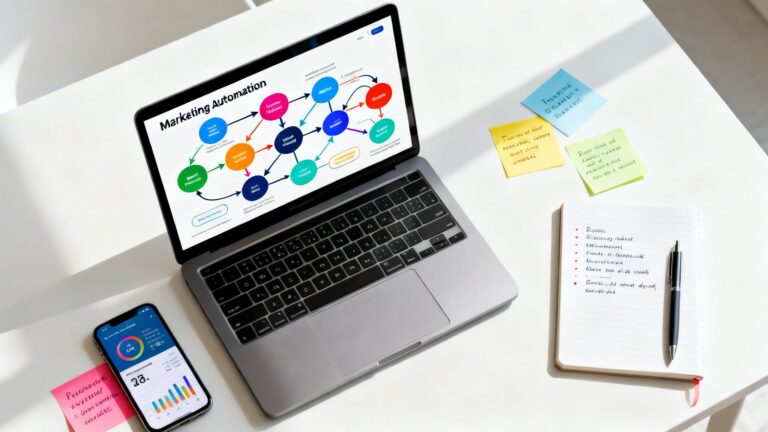
Most marketing automation is just a glorified email blaster. It annoys prospects and delivers zero value. Your competitors are running the same tired playbooks: a generic welcome series, a monthly newsletter, and they call it a day. This is how you blend in.
The real gains come from building intelligent, interconnected systems that respond to customer behavior in real-time. Since I started working with machine learning back in 2016, and Generative AI in 2019, I’ve seen the shift from rigid, rule-based sequences to dynamic workflows that learn and adapt. What separates these systems is the design logic behind the triggers, branches, and data hygiene. The software matters far less.
The 10 examples below aren't theoretical. They are battle-tested models I've deployed to generate pipeline and recover lost revenue. To master the underlying mechanics of connecting your systems, you can explore this overview of PDF search and workflow integration.
I’m about to walk you through marketing automation workflow examples that move far beyond the basics. I’ll break down the technical goals, the conditional triggers, and the data structures you can deploy today for a decisive competitive advantage.
How I Picked These Marketing Automation Workflow Examples
When selecting these examples, I focused on four criteria: measurable revenue impact, implementation feasibility, data prerequisites, and time-to-value. A workflow might be technically impressive but useless if it requires more clean data than a growing company possesses.
The workflows chosen here are prioritized by immediate ROI potential. Lead Scoring and Abandoned Cart Recovery are at the top because they directly address existing revenue leaks. Push Notifications and ABM are included for their high engagement and enterprise precision. Workflows were disqualified if they relied solely on speculative AI without a deterministic fallback or if they required a minimum traffic threshold that small-to-medium businesses cannot yet meet. Start with the example nearest your most critical bottleneck.
1. AI-Powered Content Generation and Copy Variation Workflows
Writer’s block is a luxury your business can’t afford. While you stress over the perfect email subject line, your competitors are already testing dozens of variations. Manually creating and testing copy at the speed required to win is a losing battle.
Build an AI-powered content generation workflow that puts generative AI directly into your content process. Instead of one human writing one headline, the AI generates 50 variations based on a detailed prompt that includes your brand voice, target audience, and value props.
How It Works
The automation doesn’t stop at generation. These variations are automatically fed into your advertising or email platforms for A/B testing. The system monitors performance and pushes the winning copy, creating a powerful feedback loop. For example, I tested 20 subject lines for a launch, found a winner that got a 42% open rate (vs. 28% control), a metric that highlights why drip campaign data structure optimization is so critical. Deploying it to the full list in under 4 hours showed that behavioral sequencing is strongest when the message follows a clear signal.
Don’t rely on AI for your core strategic messaging or brand narrative. Use it to generate variations and scale production of tactical copy (subject lines, ad headlines, social posts), not to define who you are. The human strategist is still in charge.
2. Lead Scoring and Nurturing Workflows
Not all leads are created equal. You know this. Anyone who has done sales definitely knows this. Yet most marketing funnels treat every new signup the same. They get blasted with generic content until they either unsubscribe or, by some miracle, ask for a demo. This is a massive waste of resources and a surefire way to lose to more agile competitors.
The solution is a dynamic lead scoring and nurturing system. It acts as an intelligent filter that separates window shoppers from ready-to-buy prospects automatically.
People lists vs. company lists
Building effective lists requires distinguishing between individual behaviors and organizational intent. Person-level lists track activity such as email opens, blog views, and form submissions by a specific contact. Company-level lists, however, aggregate these signals. If three different people from the same 500-person tech company visit your pricing page, your list should flag the entire account as hot, even if the individual contact has low engagement. In B2B, account-level behavior often outweighs one contact's activity, signaling that the buying committee is researching a solution.
A starter scoring model
An effective scoring model needs both positive and negative criteria. Positive points should come from high-intent actions: requesting a demo (+50), visiting pricing (+30), or downloading a case study (+20). Demographic fit adds score too: VP title (+10), company size >200 employees (+10).
Negative scoring is equally important to prevent wasted effort. A .edu email address might subtract 10 points. Unsubscribing removes the lead entirely. Use these thresholds to define an MQL (Marketing Qualified Lead) status. A common starting threshold is 50 points. When a lead hits this, the workflow transitions them from a general nurture track to a sales-focused sequence, potentially routing them directly to a CRM rep.
When the lead should move to sales
The handoff shouldn't be arbitrary. The workflow must include a "warm handoff" protocol. When the MQL threshold is crossed, the system should trigger a Slack alert to whoever owns the sale, send a personalized introduction email from that person, and schedule a follow-up task. After testing various thresholds, I found that adding a recency multiplier (points decay if a lead is inactive for 30 days) prevents you from chasing stale opportunities.
If your sales cycle is extremely short (under 7 days) or your lead volume is very low (less than 50/month), the complexity might outweigh the benefit. Focus on direct outreach first.
3. Email Drip Campaign Sequences
Your new subscriber signs up. They’re full of intent. What happens next? Too often, nothing. Or worse, they’re dropped into a generic newsletter list that treats them the same as a five-year customer.

Email drip campaigns turn a single action into a relationship-building sequence on autopilot. The goal is a guided journey based on the data you collect at every step, with each email as one stop along the way.
Trigger, delay, and exit logic
Every workflow starts with a trigger. This could be a form submission, a purchase, or a page visit. Once triggered, the contact enters the workflow. Delays control the pacing: a 2-day wait after the welcome email allows the prospect to digest the first message. Exit rules are critical for efficiency: if the user clicks "unsubscribe" or makes a purchase during the sequence, the workflow must terminate immediately to prevent annoying them with irrelevant follow-ups. This suppression logic preserves sender reputation and respects user consent.
How conditional branches change the sequence
The power of modern drips lies in branching. Instead of a linear path for everyone, the workflow splits based on behavior. If a user clicks a link about Feature A, they branch into a sequence detailing Feature A's benefits. If they click Feature B, they go elsewhere. If they open all emails but click nothing, they fall into a "low intent" branch that offers a softer CTA, like a free trial or a webinar. I recently tested a workflow where branching by click behavior increased the overall conversion rate by 18% compared to a static broadcast.
What data the workflow needs to run
For these sequences to function, your data model must support contact records, list memberships, and event logs. An event log tracks every action (opens, clicks, page views) chronologically. The workflow engine reads this log to evaluate conditions. Your system needs a "current state" field to track where the contact is in the journey, and an action queue to manage delayed sends without blocking the database. Understanding how these objects interact is key to troubleshooting why a contact might skip a step or receive duplicate emails.
While competitors send generic newsletters, your drip campaigns create tailored journeys. You build trust and educate prospects based on their specific interests, making your solution feel like the only logical choice by the time they’re ready to buy.
4. Behavior-Based Website Personalization Workflows
Your website treats everyone the same. A visitor from a Google Ad sees the exact same homepage as a loyal customer. This is like a salesperson reciting the same script to every person who walks in the door.

The fix is a dynamic, behavior-based personalization system. This re-architects the user experience in real-time using visitor attributes like traffic source, device type, and past purchases.
How It Works
Imagine a user clicks a Google Ad for “AI-powered CRM for startups.” The workflow instantly personalizes the landing page headline to read, “The CRM Built for Ambitious Startups,” and highlights startup case studies. A returning customer sees a banner promoting a new feature. This creates countless versions of your site, each optimized for a specific segment.
Here’s a quick look at how you can apply this to your own site:
This requires significant traffic to be effective. If your site gets fewer than 10,000 unique visitors a month, focus on optimizing a single, high-converting path for everyone before you start segmenting.
5. Social Media Posting and Scheduling Automation
Posting to social media every single day feels like running on a treadmill. You put in the work, you stay in the same place. The moment you stop, you fall behind.
Automating distribution keeps your brand visible and frees you for strategy. It turns social channels into reliable assets rather than daily chores.
How It Works
This workflow uses a centralized platform to manage your calendar. You create content in batches (say, every Monday morning) and schedule it across LinkedIn, X, Instagram, and Facebook. For example, a promotional post for a new feature goes out on LinkedIn at 10 AM, while a behind-the-scenes video hits Instagram Stories in the afternoon. The automation ensures a consistent stream of content.
Competitive Advantage
Content repurposing at scale is a powerful tactic. Use AI to take one core asset, like a blog post, and automatically generate ten different post variations: a quote graphic, a short video clip, a text-based question. Schedule these over several weeks to maximize the ROI on every single piece of content you create.
6. Abandoned Cart Recovery Workflows (E-commerce)
That nearly-completed purchase is the lowest-hanging fruit in your entire business. A customer found you, browsed, added to cart, and started checkout. Yet up to 70% of these carts are abandoned.
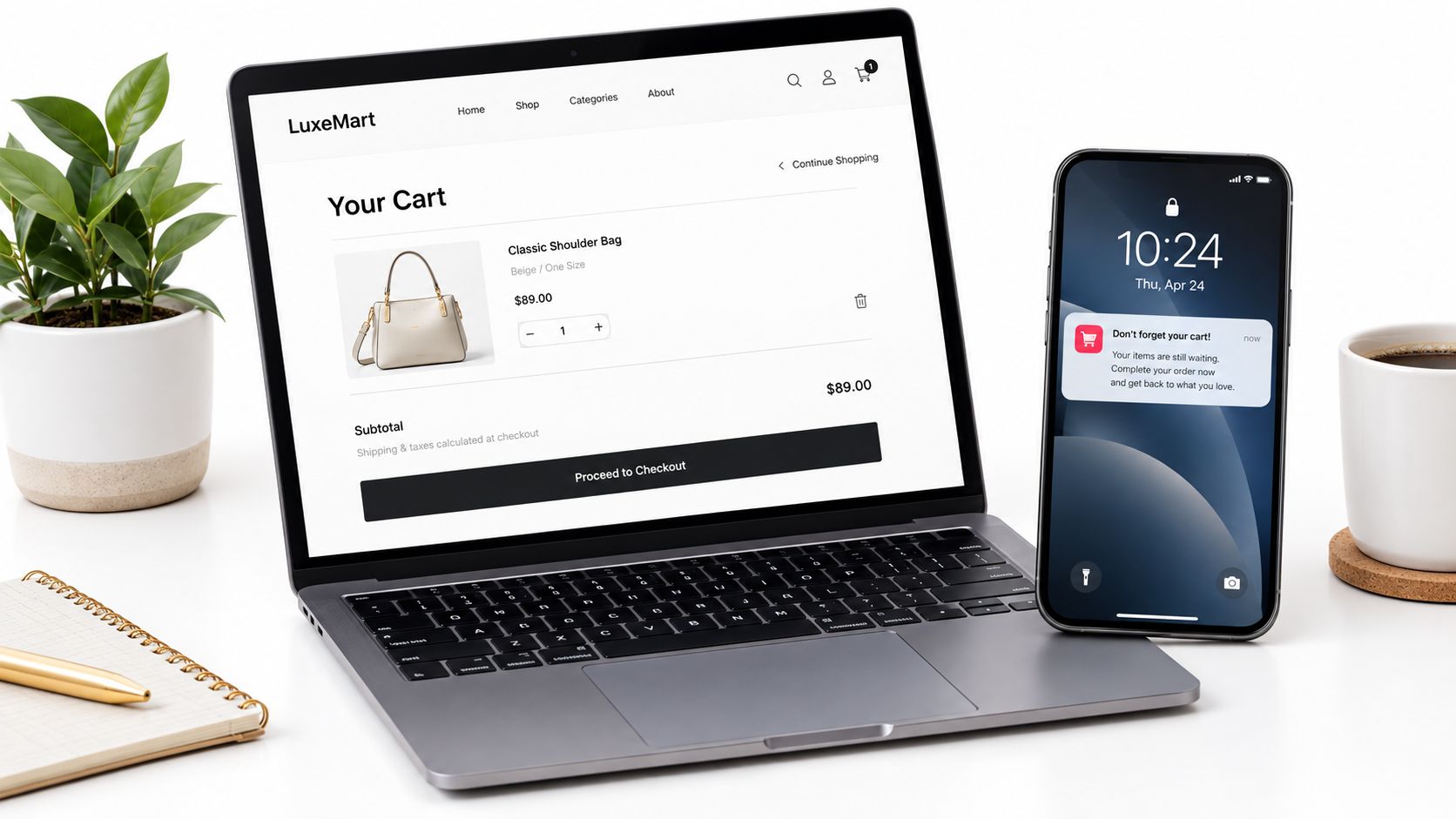
Leaving that revenue on the table is a direct transfer of value to your competitors who are more aggressive with their recovery.
How It Works
This workflow triggers the moment a known user adds an item to their cart but leaves without purchasing. The automation initiates a precisely timed multi-channel sequence across email and SMS. The first email goes out within one hour. A simple, helpful reminder pulls in images of the exact products left behind. If there’s no purchase, another email 24 hours later might introduce a small incentive like free shipping. A Shopify store using Klaviyo can easily set up a three-step flow that recovers 10-15% of otherwise lost sales, a statistic supported by detailed web push statistics.
The Data of Abandonment
To make this work, your e-commerce platform must reliably push cart events to your marketing automation tool in near real-time. Delayed data pushes mean the first reminder arrives too late, after the prospect has already moved on or forgotten. Ensure your webhook connections are validated and that cart attributes (product ID, price, image URL) map correctly to your email templates.
If your average order value is extremely low (e.g., under $10), the cost of the automation tools and potential discounts might not provide a positive ROI. In that case, focus on optimizing the checkout flow itself to reduce initial abandonment.
7. Account-Based Marketing (ABM) Automation Workflows
Chasing individual leads at large companies is inefficient. Decisions are made by committees. If your marketing speaks to one person but the CFO and CTO sign the check, you’re losing.
ABM automation lets you treat high-value companies as individual markets of one.
How It Works
This workflow flips the traditional funnel. Instead of casting a wide net, you first identify a specific list of high-value companies. Automation then orchestrates a coordinated campaign to engage key decision-makers within those accounts simultaneously. When an account shows engagement, like multiple people from the same company visiting your site, the system flags it as “in-market.” This triggers personalized ads, emails for different job roles (the CFO sees an ROI message, the engineer sees a technical one), and alerts you to begin targeted outreach.
For example, a platform like 6sense detects that three people from a target account, including a VP, have been researching solutions like yours. The automation instantly launches a LinkedIn ad campaign targeting their executive team while sending a personalized email sequence to the contacts in your CRM.
This is how you create a surround-sound effect that makes your solution feel inevitable to your dream clients. While your competitors are cold-calling one junior manager, you’re building consensus across the entire buying committee.
8. Lead Magnet and Content Offer Delivery Workflows
Your best content is useless if it’s sitting unread on a blog. Gating high-value content (a whitepaper, a template) behind a form is a classic play. Yet, most companies fumble the delivery.
The goal is to start a relationship by delivering immediate value, and the email address comes with it. Done well, it creates an instant, smooth exchange that proves you deliver on your promises from the very first interaction.
How It Works
This workflow connects a form on your landing page directly to your email automation platform. When a visitor fills out the form for your content offer, the automation triggers instantly. It tags the contact based on the offer and immediately sends an email with a link to their resource. For example, a marketing manager downloading a “2026 SaaS Marketing Budget Template” is immediately tagged with “Interest: Budgeting.” They receive the template in 60 seconds. Twenty-four hours later, another automation sends a follow-up email with a related blog post.
Over-gating can hurt SEO and create friction. Use this for your highest-value, most practical content. Leave your thought leadership and blog posts ungated to maximize reach and organic traffic.
9. Customer Onboarding and Success Automation
You closed the deal. The contract is signed. Your job has just begun. The first few weeks after a customer signs up are the most critical period in their entire lifecycle.
Get it wrong, and they never experience your product’s true value. That leads to quick churn and a leaking revenue bucket.
How It Works
This workflow triggers the moment a customer signs up. It guides them through essential setup steps and feature discovery using behavioral data from your app. When a user completes a key action, like inviting a team member, the automation sends a congratulatory email. If a user gets stuck and fails to complete a critical milestone within three days, the system can intervene. It might trigger an in-app message with a tutorial video or an email offering a one-on-one setup call.
While your competitors provide a login and hope for the best, you are actively guiding users to success. This dramatically reduces churn in the first 90 days and builds the foundation for long-term loyalty and expansion revenue. This is a defensive moat.
10. Predictive Analytics and AI-Driven Lead Qualification Workflows
Traditional lead scoring is a guessing game. You assign arbitrary points based on assumptions. What if your “perfect” ICP definition is wrong? You end up chasing leads that feel right but never close.
Predictive analytics and AI-driven qualification let a model analyze thousands of data points to tell you who will buy, which matters more than who fits your persona.
How It Works
This workflow uses machine learning models trained on your historical sales data: all your won and lost deals. The AI identifies the subtle, non-obvious patterns and signals that correlate with a closed-won deal. The automation then takes over. When a new lead enters your system, the model instantly scores them on their likelihood to convert. High-scoring accounts are immediately flagged, enriched with intent data, and routed to the right person for follow-up. For one client, I built a model that was 82% accurate at predicting which “MQLs” would convert to “SQLs,” a result comparable to the push notification marketing statistics observed in high-performing automated campaigns. This allowed their sales team to ignore 60% of their inbound leads and focus only on the winners.
This requires a lot of clean historical data (at least 12-18 months of CRM records with clear win/loss outcomes). Without sufficient data, the model’s predictions will be unreliable. Garbage in, garbage out.
Top 10 Marketing Automation Workflow Comparison
Before diving into the tools, it helps to match your current situation to the right workflow. If you have low lead quality, start with Lead Scoring. If cart abandonment is bleeding you dry, choose Abandoned Cart Recovery. For enterprise ABM needs, look at Account-Based Marketing. Start with the workflow nearest your bottleneck rather than the most advanced example.
| Workflow | Best For | Required Data | Time to Value | Channels Involved | Main Failure Mode |
|---|---|---|---|---|---|
| 1. Lead Scoring and Nurturing | Prioritizing high-intent leads in B2B | Firmographics, Behavioral data, CRM history | 3-6 weeks | Email, CRM | Arbitrary point thresholds |
| 2. Email Drip Campaign Sequences | Nurturing new subscribers and onboarding | Email list, Segmentation, Copy assets | 1-2 weeks | Ignoring unsubscribe/suppression rules | |
| 3. Behavior-Based Website Personalization | Increasing conversion rates on high traffic | Real-time tracking, Traffic volume (>10k/mo) | 4-8 weeks | Web, Ads | Insufficient traffic for testing |
| 4. Social Media Posting and Scheduling Automation | Maintaining consistency with limited staff | Content calendar, Social accounts | <1 week | LinkedIn, X, Instagram | Inauthentic/AI-sounding copy |
| 5. Abandoned Cart Recovery (E-commerce) | Recovering lost revenue immediately | E-commerce platform, Cart data | <1 week | Email, SMS | Discount dependency |
| 6. Account-Based Marketing (ABM) | Enterprise B2B sales cycles | Intent data, Account lists, CRM | 2-3 months | LinkedIn, Email, Ads | Lack of sales-marketing alignment |
| 7. Lead Magnet and Content Offer Delivery | Scaling top-of-funnel lead capture | Landing pages, Gated content assets | 1 week | Email, Web | Over-gating valuable content |
| 8. Customer Onboarding and Success Automation | Reducing early-stage churn | Product telemetry, In-app messaging | 4-6 weeks | Email, In-app | Missing critical "aha!" milestones |
| 9. AI-Powered Content Generation | Scaling copy production and A/B testing | Brand guidelines, LLM access | 1-2 weeks | Multi-channel | Loss of brand voice/hallucinations |
| 10. Predictive Analytics and AI-Driven Lead Qualification | Optimizing sales team focus | 12+ months of clean CRM history | 3-6 months | CRM, Sales Tools | Insufficient training data |
If you are looking for deeper insights into how these workflows integrate with specific platforms, you might find the resources on what is automation workflow useful for understanding the underlying logic, as discussed over at YipSMS Inc.
| Workflow | Implementation Complexity | Resource Requirements | Expected Outcomes | Ideal Use Cases | Key Advantages |
|---|---|---|---|---|---|
| AI‑Powered Content Generation and Copy Variation Workflows | Medium | LLM access, prompt engineering, editing/review process, A/B testing setup | 50–80% faster writing; 5–10× variations; speeds up testing & production | High-volume content teams, agencies, rapid A/B testing programs | Scales copy creation, accelerates variation testing, preserves brand voice with guidelines |
| Lead Scoring and Nurturing Workflows | Medium | CRM & automation platform, clean firmographic & behavioral data, model maintenance | ↑ sales efficiency 40–50%, shorter sales cycles, better conversion rates | B2B demand gen, sales-led organizations with moderate lead volume | Prioritizes high-intent leads, personalized multi-touch nurture, real-time routing |
| Email Drip Campaign Sequences | Low | Email platform, quality copy, segmentation & list management | High ROI (~42:1); open rates 15–25%, click rates 2–5% | Broad lead nurturing, onboarding, e‑commerce recovery, re‑engagement | Scalable, consistent messaging; easy A/B testing and optimization |
| Behavior-Based Website Personalization Workflows | Medium–High | Personalization engine, real‑time tracking, sufficient traffic & MarTech integrations | Conversion lift ~20–40%, reduced bounce and improved engagement | High-traffic sites, paid landing pages, CRO initiatives | Tailored visitor experiences, dynamic CTAs/content, higher relevance |
| Social Media Posting and Scheduling Automation | Low | Scheduling tool, content assets, approval workflows, basic analytics | Saves ~5–10 hours/week per user; improved posting consistency & reach | Multi-platform social teams, content calendar management | Centralized scheduling, optimized post timing, content planning efficiency |
| Abandoned Cart Recovery Workflows (E‑commerce) | Low–Medium | E‑commerce platform integration, email/SMS provider, cart tracking | Recovers ~30–50% of abandoned carts; ROI often 15:1+ | Online retailers with checkout abandonment issues | Recovers lost revenue automatically with multi-channel touchpoints |
| Account-Based Marketing (ABM) Automation Workflows | High | ABM platform, intent data, CRM & sales alignment, personalized content | Higher deal values, faster closes, improved ROI on targeted accounts | Enterprise B2B, high-value target accounts and long sales cycles | Coordinated multi-channel outreach, role-based personalization, tight sales‑marketing alignment |
| Lead Magnet and Content Offer Delivery Workflows | Low–Medium | Landing pages/forms, gated content assets, delivery automation, tracking | Conversion rates typically 2–10% (offer dependent) | Top‑of‑funnel lead capture, content marketing & list growth | Immediate value delivery, scalable lead capture, progressive profiling |
| Customer Onboarding and Success Automation | Medium | Product instrumentation, in‑app messaging, success content, support routing | Reduces churn 20–40%; faster time-to-value and higher adoption | SaaS/subscription products, customer success teams | Boosts feature adoption, proactive support, improves retention and NPS |
| Predictive Analytics and AI‑Driven Lead Qualification Workflows | High | Historical data (6–12+ months), data science resources, ML infrastructure, ongoing retraining | ↑ conversion rates 15–30%; model accuracy potential 70–85% (with data) | Data-rich B2B orgs, enterprise sales with long cycles | More accurate qualification, optimized spend, proactive targeting of high-propensity leads |
Frequently Asked Questions
What is a marketing automation workflow?
A marketing automation workflow is a series of automated tasks triggered by a specific user action or condition. It moves a contact through a predefined journey (sending emails, updating CRM fields, or triggering ads) without manual intervention. Think of it as a flowchart that executes itself based on real-time data.
What are the applications of workflow automation in marketing?
The primary applications include lead qualification and scoring, nurture sequences, cart recovery, customer onboarding, social media scheduling, and personalized content delivery. These applications help marketers scale personalized communication and focus human effort on high-value interactions.
How do you build a marketing automation workflow?
Start by defining a clear goal (e.g., "increase demo requests"). Identify the trigger (the event that starts the workflow), map out the actions (emails, tags, alerts), and set conditional branches for different user behaviors. Finally, establish exit and suppression rules to ensure the workflow doesn't annoy users who have already converted.
What data model does an email drip campaign need?
An effective drip campaign relies on a data model that includes a Contact Record (static info like name/email), List/Segment Membership (which groups they belong to), an Event Log (a chronological record of opens/clicks/page views), and a Workflow Step Tracker (current state in the sequence). This structure allows the system to evaluate behavior and determine the next action.
What problems cause marketing automation workflows to fail?
Common failure points include dirty or incomplete data, overly complex branching logic that confuses users, weak triggers that fire too late, lack of suppression rules leading to double-contacting, and absence of clear ownership or measurement. Most failures stem from poor data hygiene rather than software limitations.
Your Next Move: From Examples to Execution
Ten distinct marketing automation workflow examples cover everything from foundational lead nurturing to AI-powered predictive scoring, but implementing them takes effort and deliberate action.
The gap between knowing these workflows exist and deploying them profitably is where most businesses fail. They get stuck in analysis paralysis or try to implement five at once, execute them all poorly, and conclude “automation doesn’t work.”
Implementation Checklist: First 30 Days
- Pick one workflow and one metric (e.g., "Reduce churn by 5% using onboarding automation").
- Identify the exact user action that starts the sequence.
- Draft the emails or tasks. Keep it simple for v1.
- Add unsubscribe links, purchase exits, and frequency caps as guardrails.
- Verify your CRM or e-commerce data is flowing into the automation platform.
- Each week, analyze open rates, click rates, and conversion paths. Tweak based on data.
Pick Your Battles, Win the War
Your first step is to solve your single biggest business bottleneck. Right now. The ‘perfect’ system can wait. Where is the most significant leak in your funnel?
- Struggling with lead quality? Implement the predictive lead scoring workflow. Stop wasting time on the wrong leads.
- High e-commerce cart abandonment? Don’t even think about another workflow until you have a killer abandoned cart sequence running. It’s immediate ROI.
- Losing new customers after the sale? Your priority is the customer onboarding automation. Reduce churn and build the foundation for expansion revenue.
The goal is to build a single, high-performing automated asset. One that generates measurable results. A win. Once you have that tangible victory, you earn the right to build the next one. This is how you create a compounding system of intelligent, automated growth.
From Manual Effort to Bionic Systems
Each workflow you implement buys back time and creates a more predictable revenue engine. You’re systematizing growth. While your competitors are manually sending follow-ups, your automated systems are qualifying, nurturing, and converting 24/7.
AI additions act as force multipliers. They take a standard workflow and turn it into an intelligent system that adapts. This is already the baseline for high-performance marketing. By starting with one solid workflow and then layering in AI for optimization, you create an operation that is difficult for competitors to replicate.
So, forget the list. Your mission is simple. Choose one workflow. The one that solves your most painful problem. Define the metrics, build it, launch it, and measure it. Get that first win. Then come back and build the next. This is the path from theory to results.
