
Your reps can probably sell just fine. What holds your sales team back is the cleanup work they're buried in.
I see this constantly with small businesses. A founder hires a few solid reps, buys a CRM, adds an email tool, maybe throws in a chatbot or sequencing platform, and assumes the process will scale. It doesn't. The reps end up bouncing between forms, inboxes, spreadsheets, meeting notes, and CRM fields. Selling gets squeezed into the gaps.
I'm Samuel Woods. I've been working with machine learning since 2016 and generative AI since 2019. My advice here is simple. If you run a small team, stop chasing giant enterprise-style sales automation programs. Build the narrow autonomous workflows that remove friction from lead handling, follow-up, and CRM hygiene. That's the part that pays.
Your Sales Team Is Drowning in Work That Isn't Selling
A typical small sales team day looks productive from the outside. New leads come in. Reps answer emails. Notes get entered. Meetings get booked. Pipeline reports get updated. Everyone feels busy.
Busy is not the same as moving revenue.
Most sales reps spend only about 28% to 30% of their work hours selling, and a five-person team can reclaim about 30 hours a week by automating manual tasks like reporting and CRM data entry, according to sales team automation reporting summarized here. That's a capacity expansion.
What this looks like in the real world
You've probably seen some version of this already.
A lead fills out your website form at 8:14 a.m. Nobody routes it until noon. A rep opens the CRM, sees half the fields are blank, checks LinkedIn manually, sends a first-touch email, forgets to log the activity, and then misses the follow-up because the reminder lived in their inbox instead of the system.
That whole morning could run on process discipline alone.
Small teams usually need fewer manual handoffs before they need more sales talent.
That's why I push autonomous sales workflows for small teams so hard: small teams don't have spare headcount. You can't fix operational drag by adding a RevOps department, a sales engineer, and a systems admin. You need the stack to carry the admin load.
The real risk is falling behind
The bigger problem is competitive.
If your competitor responds faster, logs cleaner data, follows up more consistently, and keeps reps focused on active opportunities, they don't need a dramatically better product to beat you. They just need fewer dropped balls. Over time, that compounds into more conversations, a cleaner pipeline, and better close performance.
Here's my blunt view. For small teams, autonomous workflows are a revenue defense system.
Use them to protect the hours your reps should spend talking to buyers. Use them to tighten the points in your funnel where leads usually leak. Use them so your team can operate like a larger one without carrying larger payroll.
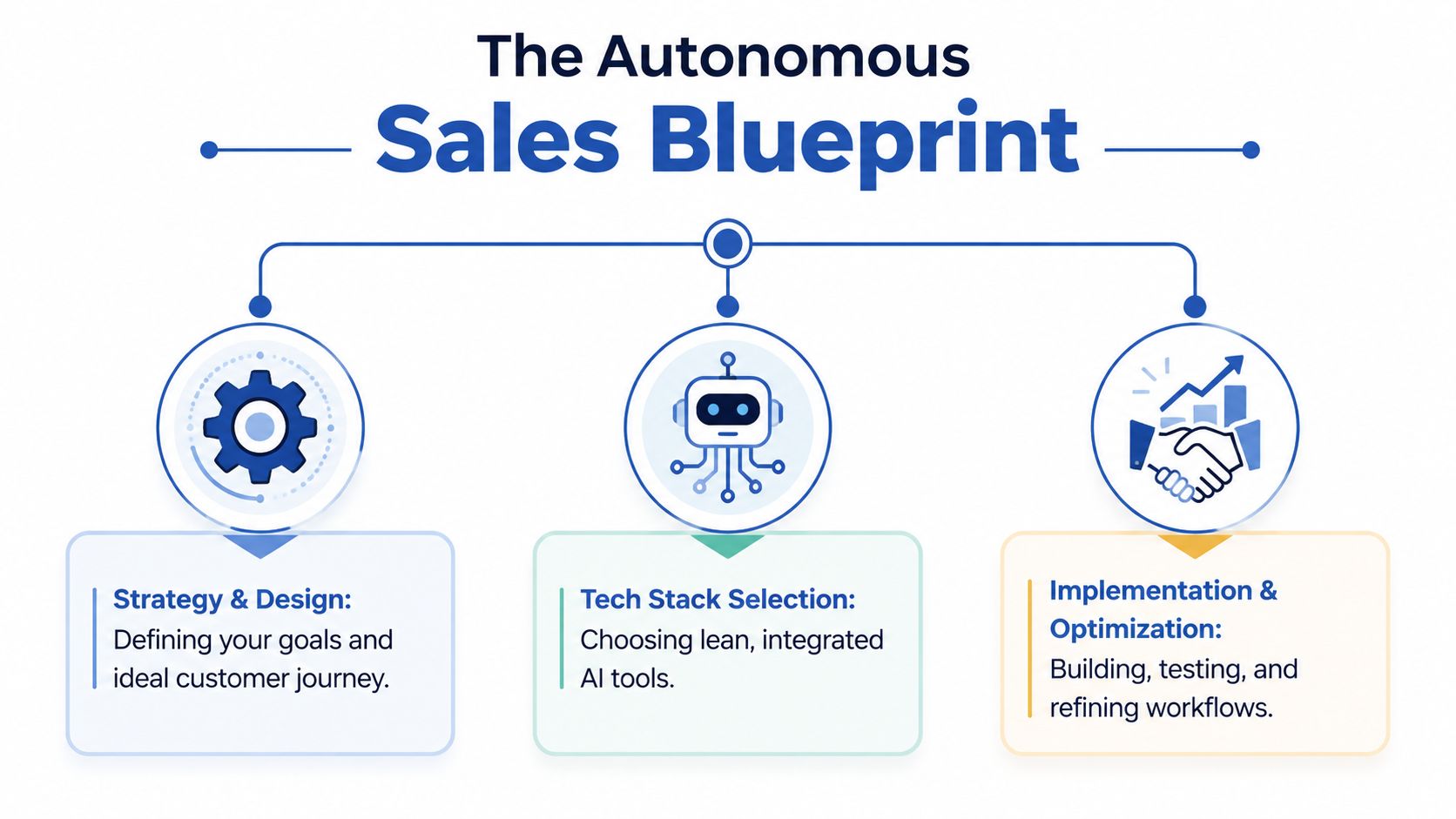
The Autonomous Sales Blueprint
Before you touch Zapier, HubSpot, Close, Pipedrive, or any model API, you need a blueprint. Otherwise you'll automate chaos and call it innovation.
I keep the architecture simple. Every autonomous workflow has three parts: triggers, agents, and actions. If one of those is vague, the workflow becomes brittle fast.
Triggers define when the machine wakes up
A trigger is the event that starts the workflow.
Examples are straightforward. A new form submission. A booked demo. An opened proposal. A contact added to a CRM stage. A no-reply period after first outreach. A call transcript arriving in Gong, Fireflies, or Fathom.
Good triggers are unambiguous. They happen or they don't. That matters because autonomous systems fail when the starting signal is fuzzy.
Agents decide what should happen next
In this context, AI earns its keep.
The agent reviews the available context and makes a bounded decision. It classifies the lead. Drafts the follow-up. Summarizes the call. Suggests a next step. Flags missing CRM fields. Routes a contact based on territory, product interest, or urgency.
But the agent should not run your sales strategy on autopilot.
One of the most useful rules in autonomous sales workflows for small teams is this: automate the work that is clear, repeatable, and reversible. Highspot's guidance says the highest-ROI use cases are lead routing, CRM hygiene, and follow-up drafting, and recommends keeping humans involved in higher-judgment tasks like account prioritization through a clear decision framework for sales workflow automation.
Actions move the process forward
An action is the output the rest of your systems can use.
That might mean:
- Updating the CRM record with source, segment, or lifecycle stage
- Sending a draft email to a rep for approval
- Creating a follow-up task with due date and context
- Posting an alert in Slack when a lead shows intent
- Assigning ownership based on geography or product line
If the action doesn't change what your team does next, it's not a useful automation.
What to automate first and what to leave alone
I'm opinionated here because I've seen too many small businesses buy complexity they can't maintain.
Use this filter before you automate anything:
| Workflow type | My recommendation | Why |
|---|---|---|
| Lead routing | Automate now | Clear trigger, deterministic logic, easy rollback |
| CRM field updates | Automate now | Low judgment, high repetition |
| Follow-up drafting | Automate now | Strong productivity gain with human review |
| Meeting prep summaries | Automate soon | Useful context, low buyer risk |
| Full outbound prospecting | Delay | Quality control and brand risk are real |
| Deal rescue decisions | Keep human-led | Context is messy and stakes are high |
| Account prioritization | Human with AI support | Requires judgment, timing, politics |
My practical rule: if bad output would annoy a buyer, confuse your CRM, or misdirect rep time, keep a human checkpoint.
You don't need a fully autonomous sales org. You need an operational layer that handles the tedious, rule-based work so reps can stay in revenue-generating conversations. That's the blueprint. Simple enough to run. Strong enough to scale.
Choosing Your Lean AI Sales Stack
Most “AI sales platforms” are oversized for small teams. They look impressive in demos because they bundle everything. In practice, they often create another system to manage, another sync to troubleshoot, and another subscription to justify.
I'd rather see you build a lean stack that does three jobs well. Store the truth. Move data. Apply intelligence.
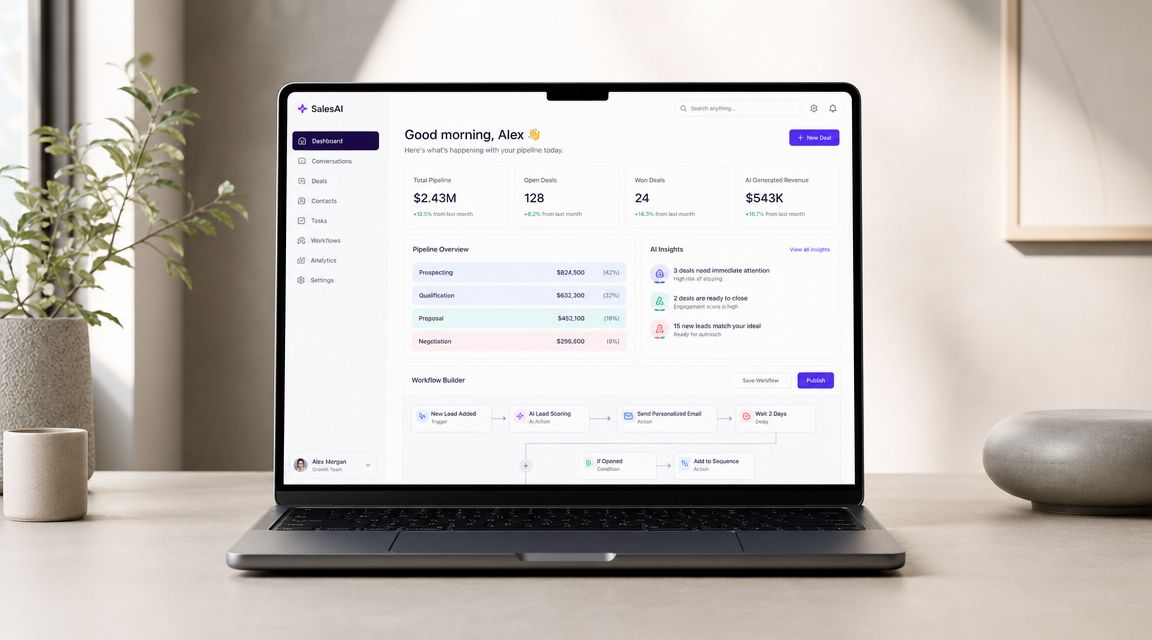
Your CRM is the source of truth
If your CRM is messy, your automation will become a machine for spreading bad data faster.
For small teams, I usually prefer CRMs that are easy to customize and easy to maintain. HubSpot works well if you want marketing and sales in one ecosystem. Pipedrive is often cleaner for straightforward pipeline management. Close is strong for outbound-heavy teams that live in calls and email.
Don't pick based on AI branding. Pick based on whether your team will keep it updated.
Your automation layer is the nervous system
Tools like Zapier, Make, and Relay.app matter.
Zapier is usually the easiest for small teams to launch with. Make gives you more flexibility if you're willing to accept a steeper setup curve. Relay.app is promising for teams that want cleaner human-in-the-loop steps. Whichever logo you buy, what matters is having one orchestration layer that owns the workflow.
If you want a broader breakdown of categories and implementation trade-offs, I put together a guide on AI workflow automation tools for business teams.
Your model layer should stay lightweight
For most small sales teams, you don't need a giant custom ML stack.
You need an LLM that can reliably handle summarization, classification, extraction, and drafting. That usually means a practical API setup using OpenAI, Anthropic Claude, or Google Gemini, depending on your stack and preferences. The key is controlled prompts and limited scope.
Here's the mistake I want you to avoid. Don't let the model improvise on high-risk decisions. Use it to transform context into useful outputs. Then route those outputs into predictable actions.
Buy for maintenance, not for demos
Small teams consistently underestimate setup time, CRM sync depth, and maintenance burden. Guidance focused on lean GTM teams recommends lightweight AI agents that connect existing tools and warns against buying complicated platforms that create more process debt than they remove, as outlined in this small-team sales engagement platform analysis.
That matches what I've seen in the field.
A lean stack for autonomous sales workflows for small teams usually looks like this:
- CRM such as HubSpot, Pipedrive, or Close
- Automation platform such as Zapier, Make, or Relay.app
- LLM layer such as OpenAI, Claude, or Gemini
- Email and calendar inside Google Workspace or Microsoft 365
- Call summary tool such as Fathom, Fireflies, or Gong if you already use one
- Team alerting through Slack or Teams
If a platform needs a full-time operator before it saves your team time, it's the wrong platform for your team.
One more thing. You only need one place where workflows get built and monitored. Fragmented automations are where small teams lose control. Keep the stack boring. Boring systems make money.
Building Your First High-Impact Automation
Your first workflow should solve a painful, repetitive problem that already happens every day. I recommend starting with lead engagement and follow-up.
Why this one? Because it hits three failure points at once. Slow response. Inconsistent follow-up. Messy CRM updates.
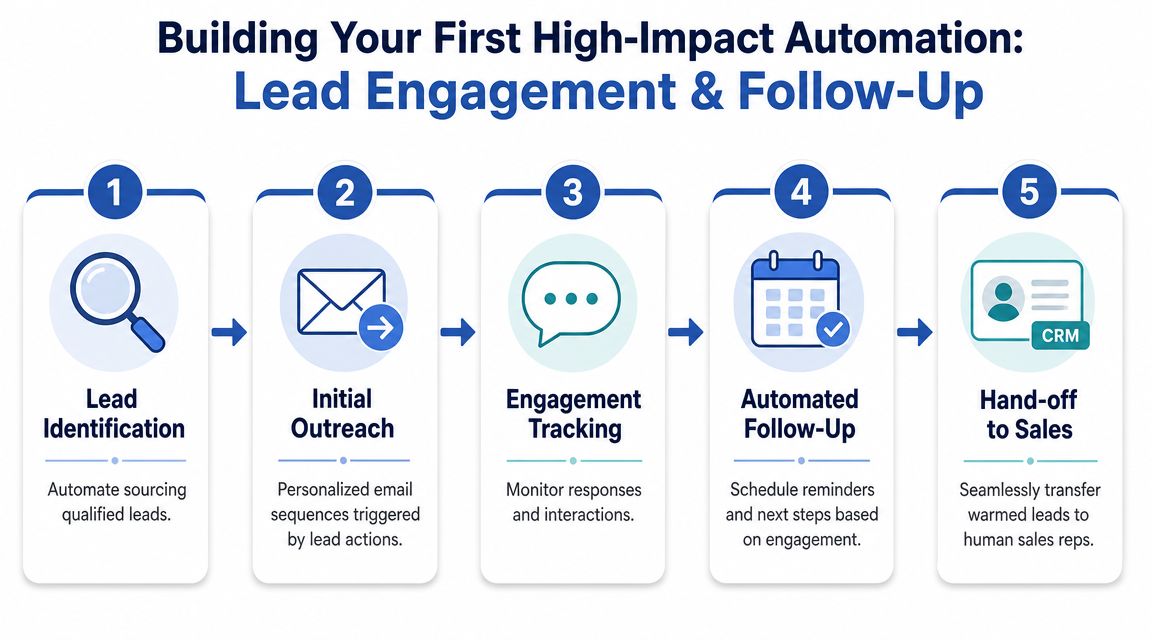
The workflow to build first
The sequence I recommend is simple and proven. Map the current funnel, isolate one manual and rule-based task, define triggers and actions clearly, test it thoroughly, then monitor key metrics before adding complexity. That phased rollout is the approach recommended in this small business sales workflow automation guide.
Here's the workflow:
The trigger fires when a new lead submits your website form or books a demo.
Enrichment and classification come next. The system checks required fields, standardizes company name, and asks the model to classify lead type, urgency, and likely product fit.
Then the model drafts outreach, writing a customized first-touch email using approved tone and offer language.
In the CRM action, the workflow creates or updates the contact, assigns owner, logs source, and schedules the next follow-up task.
The last step is human approval or auto-send. For high-value leads, the rep approves before sending. For lower-risk inbound acknowledgments, you can auto-send within guardrails.
A lot of founders ask me for the fancy version first. Wrong move. Build the version that stops leads from sitting untouched.
Prompt design that actually works
The model needs constraints. Give it context, limits, and an expected output format.
Use a prompt structure like this inside Zapier or Make:
You are a sales assistant for [Company Name].
Review the lead data below and do three things.
- Classify the lead as one of the following: qualified inbound, low-intent inbound, partner inquiry, support request, or unknown.
- Draft a short first-response email in our brand voice. Keep it concise, helpful, and specific to the lead's request. Do not invent facts.
- Return the recommended next step for the sales team in one sentence.
Lead data:
[paste form fields, company name, job title, page viewed, referrer, notes]Output as JSON with fields: classification, email_subject, email_body, next_step.
That prompt does three useful things. It narrows the task. It prevents rambling. It makes the output easy to push into other systems.
If you want examples of how I structure these systems at the agent layer, I've written more about AI agents for sales workflows.
The actual tool flow
A practical stack might look like this:
| Step | Tool example | Job |
|---|---|---|
| Intake | Typeform or website form | Capture lead |
| Trigger | Zapier or Make | Start workflow |
| CRM check | HubSpot or Pipedrive | Find or create contact |
| LLM step | OpenAI or Claude | Classify and draft |
| Action | CRM plus Gmail/Outlook | Update record and send or queue email |
| Notification | Slack | Alert rep for review |
Keep the first version deterministic. Don't add web scraping, intent scoring layers, and multi-channel branching on day one. Those are second-wave upgrades.
A practical resource if you want a wider view of process design is this guide on how to automate your business. It's useful because it frames automation as an operational system, not a pile of disconnected hacks.
Here's a walkthrough video if you want to see the broader mechanics in action.
Guardrails that stop embarrassing failures
This is the part people skip. Then they wonder why their automation made a mess.
Use these controls from the start:
- Approval gates for sensitive outreach so reps review high-value or ambiguous messages before sending
- Fallback routing when the model returns “unknown” or fields are missing
- Prompt restrictions that explicitly forbid invented claims, pricing, or unsupported personalization
- Audit logs inside your automation platform so you can see what fired, what failed, and what was written
- Rollback simplicity so one toggle stops the workflow if something breaks
Don't automate a step unless you can explain exactly how to turn it off and what happens next.
That's the first high-impact automation I'd deploy for almost any small team. It won't make for a flashy conference talk. It will keep leads moving and stop your reps from doing clerical work disguised as sales.
Measuring What Matters and Handling Failure
A sales automation that isn't measured is just software. A sales automation without failure handling is a liability.
Once your workflow is live, stop obsessing over how clever the AI looks. Watch whether the system improves speed, consistency, and conversion quality. That's what matters.
Track a small KPI set
The infographic below shows sample metrics visually, but don't treat those numbers as your benchmark. Use the categories.
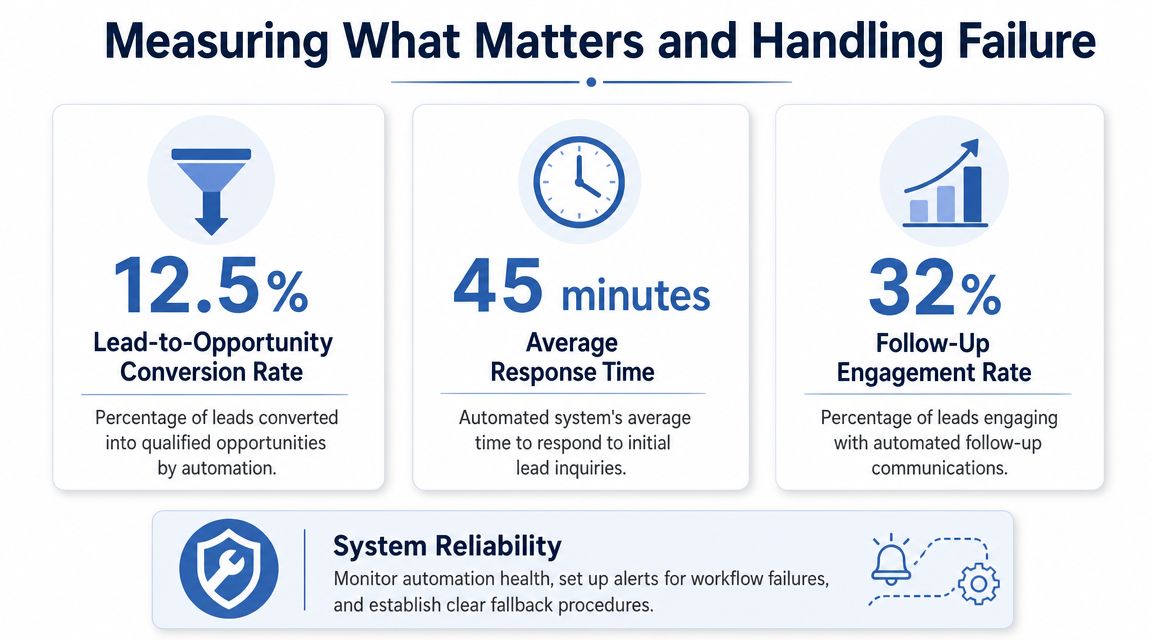
I tell clients to track four things first:
Time to first touch, meaning how long it takes from inbound lead to first response or assigned rep action.
Follow-up completion rate, which shows whether the system creates and completes the next step instead of leaving contacts idle.
Lead-to-opportunity movement. Are the leads entering the workflow progressing into qualified conversations at a healthier rate?
Failure rate by workflow step, which tells you which parts break most often: trigger, model call, CRM update, email action, or notification.
This is also where business impact becomes clearer. Mature sales automation has been linked with 10% to 20% revenue growth within 6 to 9 months and 27% higher close rates in reported industry summaries, with common use cases including auto-logging CRM fields and sending follow-ups, according to this sales automation statistics roundup.
Those numbers matter less as promises and more as proof of direction. Well-built workflows can move revenue. But only if they run consistently.
Build a simple failure protocol
Every workflow needs a boring operating routine.
I recommend this:
Get an alert the moment a run fails. Send failures to Slack or email with the step name and record ID.
Check the cause quickly. Most failures are simple. A changed form field. A disconnected app. An expired auth token. A required CRM field that got added last week.
Decide whether the lead needs manual rescue. If a workflow fails after intake, assign a human to review that record the same day.
Log the fix once. Keep a short failure log in Notion, Google Docs, or your ticketing tool. Small teams forget recurring issues when they don't write them down.
Review the system weekly
A small team needs a weekly habit of discipline, and nothing heavier than that.
Use a weekly check-in with these questions:
| Question | Why it matters |
|---|---|
| Did every trigger still fire correctly? | Intake changes break automations silently |
| Were draft outputs usable? | Prompt quality drifts when inputs change |
| Did CRM updates map cleanly? | Field mismatches create reporting errors |
| Did any buyer-facing message feel robotic or off-brand? | That's where trust gets damaged |
For a broader framework on outcome tracking, this article on how to measure marketing effectiveness is useful because the same discipline applies here. Tie activity back to business movement, not vanity output.
Reliable automation wins because it reduces inconsistency. Unreliable automation just moves the inconsistency into your software.
That's the mindset shift: you are operating a system.
Your Path to Taking Market Share
Once your first workflow is working, don't sprint into complexity. Stack the next narrow win.
The next automations I usually recommend are practical. A meeting-prep agent that summarizes account history before a call. A stalled-deal nudge that alerts a rep when an opportunity sits too long without movement. A CRM hygiene agent that flags incomplete records before forecasting meetings. None of these are glamorous. All of them protect revenue.
Here, small teams begin to differentiate themselves from competitors. One team still runs on rep memory and inbox chaos. The other team has autonomous sales workflows for small teams handling routing, reminders, drafts, logging, and internal alerts with consistency. Same headcount. Different operating speed.
I advise founders to build a bionic sales team instead of chasing full autonomy because it sounds advanced. Humans own judgment, relationships, negotiation, and positioning. The system owns coordination, admin execution, and the repetitive work that kills momentum.
That's how you punch above your weight class.
And yes, there's an upside beyond efficiency. Industry reporting has linked more extensive automation programs to gains in productivity, conversion, and revenue achievement in some implementations, but the primary strategic advantage for a small business is simpler. You stop dropping opportunities that should have been worked. You respond faster. You maintain cleaner data. You follow up when competitors forget.
That is how smaller companies take market share.
If you're a founder reading this, my recommendation is straightforward. Pick one workflow this week. Make it narrow. Make it measurable. Make sure a human can override it. Then get it live.
Don't wait for the perfect stack. Don't buy a monster platform because the sales demo impressed you. Build the 20 percent of autonomous workflows that drive most of the revenue impact, and leave the complicated theater to bigger companies with bigger budgets and more tolerance for mess.
If you want help designing autonomous sales workflows that fit a lean team instead of an enterprise org chart, I work with small businesses on AI strategy, agent design, and workflow automation through my consulting and implementation services.
