
I use automation when I can write the exact path in advance, and an AI agent when I know the outcome I want but the path changes with the input. For most small teams the answer is a hybrid. Keep routing, approvals and logs deterministic, and put a narrow agent at the one step where a fixed rule keeps failing.
On Monday morning, this usually shows up the same way.
You have a workflow that looked smart six months ago. A form comes in, Zapier routes it, ChatGPT drafts something, your CRM gets updated, and the whole thing technically runs. But now the lead quality is mixed, the drafts miss context, the tags drift, and you keep reopening the same automation to patch edge cases you didn't think about the first time.
That's the ai agents vs automation question for a small team. It isn't philosophical. It's whether you should keep tightening rules, or let a narrow agent make a few decisions inside the workflow so the system stops falling apart every time reality changes.
I've shipped both. The boring automations still do the heavy lifting. The useful agents sit at the messy points where a rule breaks, context matters, and I don't want to do the judgment call manually every day.
Table of Contents
- Why This Choice Matters Right Now for Small Teams
- What AI Agents and Automation Actually Do
- AI Agents vs Automation Side by Side
- Where Each Approach Wins in Marketing and Growth
- How to Choose and When to Blend Both
- Implementation Patterns You Can Ship This Week
- Measuring ROI and Knowing When Not to Use Agents
Why This Choice Matters Right Now for Small Teams
A year or two ago, most solo operators could get pretty far with forms, filters, tags, and scheduled runs. If the work was repetitive enough, a clean automation handled it. If the work was messy, you handled it yourself.
That split is changing because agents are moving into normal software fast. One forecast says 40% of enterprise applications will include task-specific AI agents by the end of 2026, up from less than 5% in 2025, and projects more than one billion AI agents in use worldwide by 2029 through Hostinger's summary of agentic AI statistics. I don't care about that as a boardroom talking point. I care because the tools you already touch are starting to include agent behavior right where your workflows live.
The Monday morning problem
Here's the pattern I keep seeing. You automate intake, CRM updates, email sequencing, support routing, reporting. It works until one of those steps needs interpretation instead of routing.
A lead says, "I'm comparing options and need help migrating content next month." Your automation can't tell if that's a buyer, a browser, or a support issue. So it either sends the wrong follow-up or kicks everything back to you.
That's where the opportunity exists now. Software used to wait for your click. Recent industry reporting describes a shift toward systems that can reason through problems, make decisions, and take action across multi-step workflows in coding and business operations through UiPath's 2026 agentic AI report.
The money isn't in adding AI to everything. It's in finding the exact step where a fixed rule keeps failing and inserting judgment there.
What I'd change this week
If you're under ten people, your advantage is speed. You can redraw a workflow boundary in an afternoon.
Start by looking for jobs with these symptoms:
- You keep editing the same automation: The logic works, then breaks on context.
- The inputs arrive messy: Free text, screenshots, mixed lead intent, odd support requests.
- You still review outputs manually: The workflow runs, but you don't trust it enough to leave it alone.
If that sounds familiar, read this alongside my guide on deploying AI agents in a small team. The useful move isn't replacing your stack. It's deciding which tasks stay deterministic, which need judgment, and how to build that boundary without creating a maintenance nightmare.
What AI Agents and Automation Actually Do
People make this harder than it needs to be.
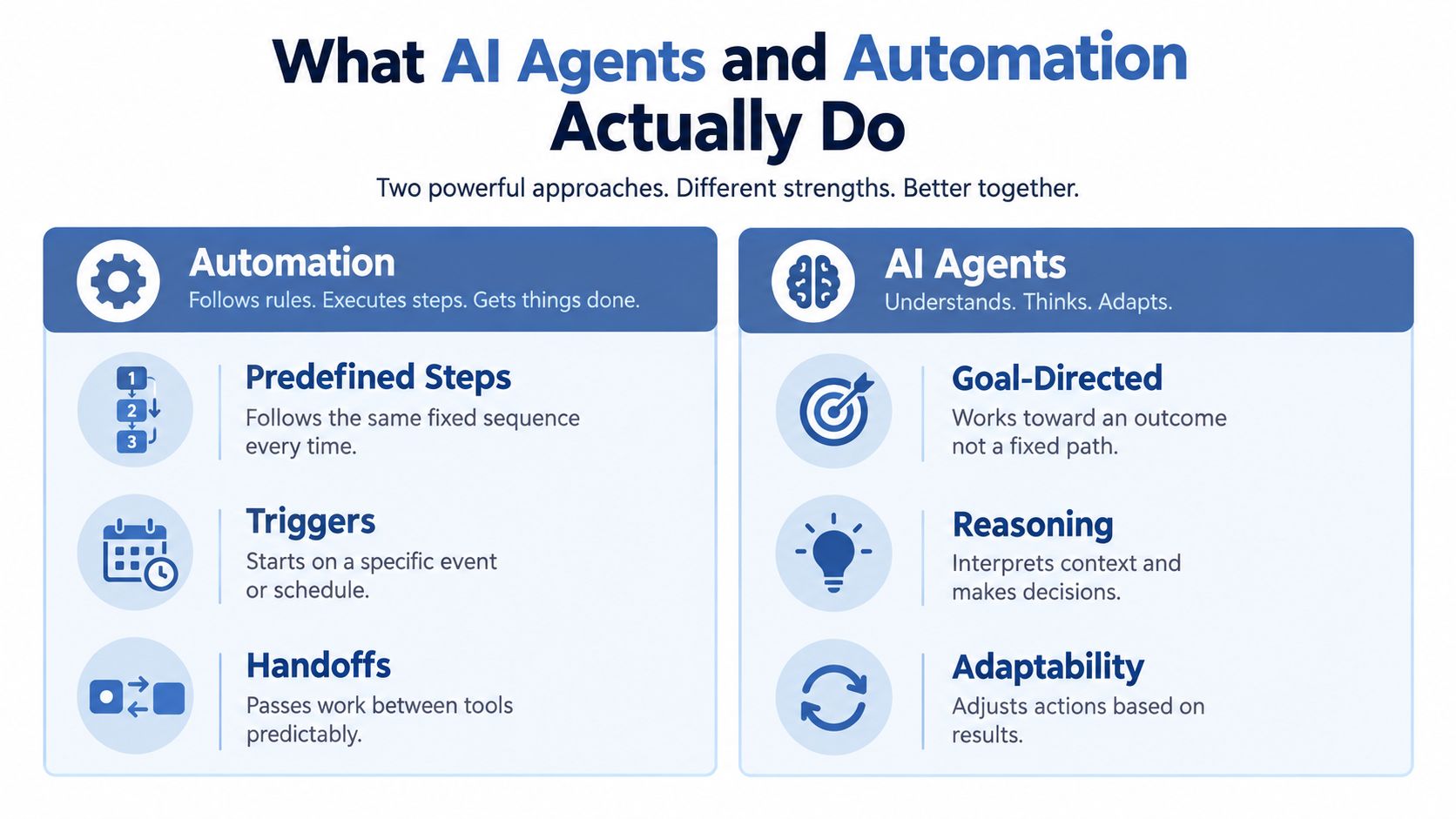
Automation follows a fixed path. A trigger fires, steps run in order, and each handoff happens the same way every time. Think Zapier, Make, Airtable automations, HubSpot workflows, scheduled scripts, webhook chains. Great when the job is stable.
An AI agent works from a goal. It takes in context, chooses a next step, uses tools, checks results, and adjusts. Google Cloud describes agents as systems that can understand a goal, build a multi-step plan, act under human guidance, and even coordinate with other agents to automate complex processes in its AI business trends report.
The simplest way to tell them apart
I use one test.
If I can write the exact path in advance, I use automation. If I know the outcome I want but not the exact path every time, I use an agent.
That difference changes how you build:
- Automation needs rules first. Trigger, condition, action.
- Agents need context first. Goal, constraints, tools, memory, guardrails.
- Automation assumes repeatability. Same input shape, same route.
- Agents assume variation. Different wording, missing details, unexpected branches.
A plain English example
Say you run a tiny newsletter business.
An automation can do this: when someone fills out a sponsorship form, add them to Airtable, send a confirmation email, create a task in Notion, and update a CRM field.
An agent can do this: read the form, check the sponsor's site, infer whether they're a fit, draft a response based on category and budget signals, flag missing info, and decide whether to queue a call or send a self-serve option.
That's why ai agents vs automation isn't really a feature comparison. It's a design choice about where logic ends and judgment starts.
AI Agents vs Automation Side by Side
The fastest way to make a bad build is to ask an agent to do a scheduler's job or ask an automation to do a researcher's job.
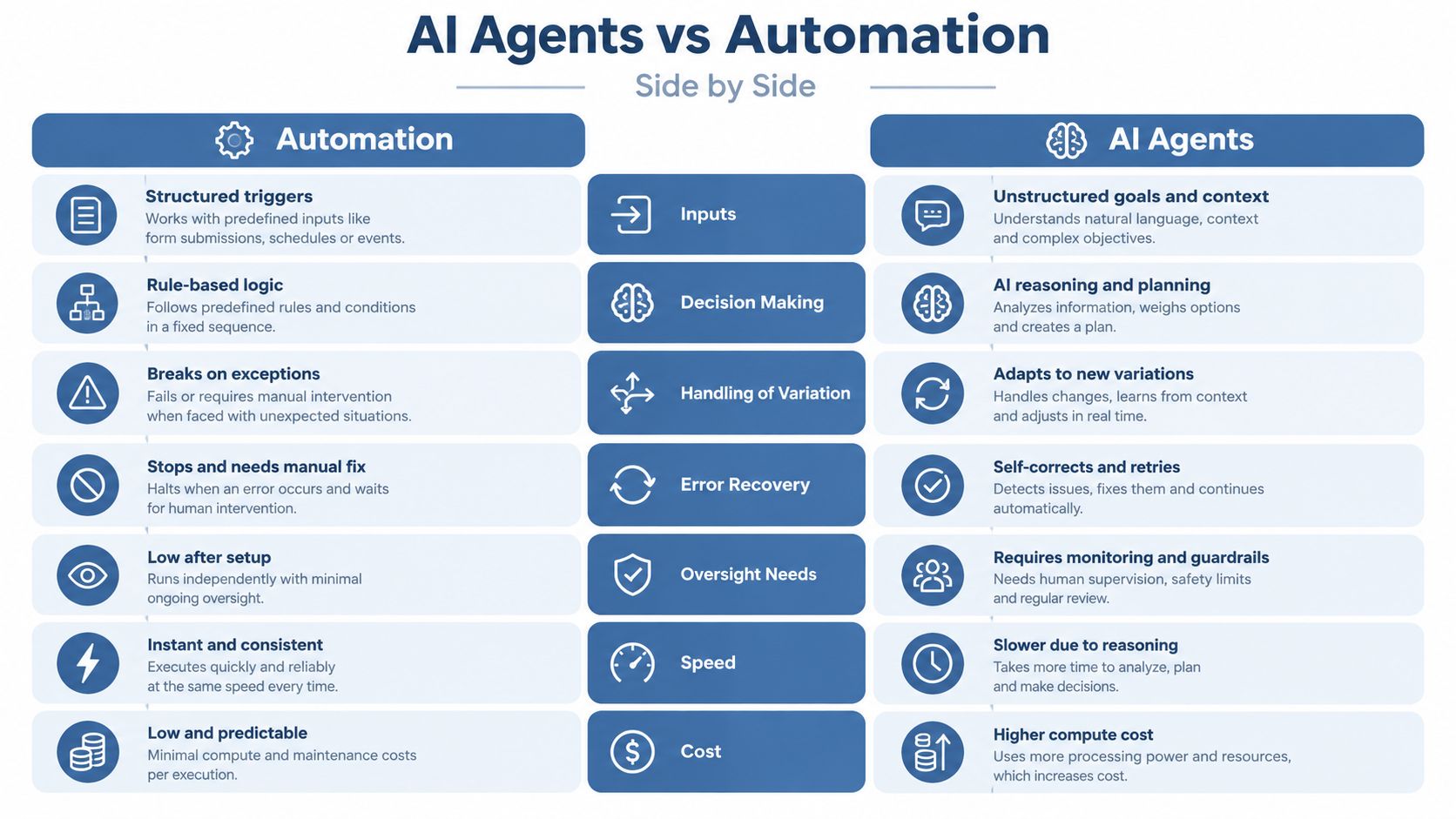
I use a simple matrix before I build anything.
| Workflow Trait | Automation Wins When | Agent Wins When |
|---|---|---|
| Inputs | The input is structured and predictable | The input is messy, free-form, or mixed |
| Decision making | The rules are known in advance | The workflow needs interpretation |
| Handling variation | Exceptions are rare | Exceptions happen constantly |
| Error recovery | A stop-and-fix approach is acceptable | The system should retry or adapt |
| Oversight | You want low-touch operation after setup | You can review outputs and edge cases |
| Speed | Fast, consistent execution matters most | Better judgment matters more than instant output |
| Cost profile | You want predictable cost and low overhead | You can accept higher monitoring and compute cost |
Where the split really shows up
Automation is strong when the environment stays stable. Rename files. Move data. Send reminders. Sync records. Trigger follow-ups from clean tags.
Agents help when the work changes shape. Qualify intent from a messy message. Decide which source to check next. Compare conflicting notes. Recover when the first tool call fails.
Key differentiator: Automation executes a path. An agent chooses a path.
That sounds small. It isn't.
A recent enterprise benchmarking paper argues that teams often focus too much on task accuracy and too little on latency, escalation rate, tool-call efficiency, and handoff quality, which are usually what determine whether an agent beats traditional automation in production through this arXiv benchmarking review. That's exactly what I see in small-team builds too. A clever agent that takes too long, calls too many tools, or hands you a mess isn't helping.
Conventional advice gets one thing wrong
A lot of advice says to replace brittle automation with agents because agents are more flexible.
I think that's backward for most small operators.
If your process is stable, fixed automation is better because it's cheap, fast, and easy to debug. Add an agent only where the workflow repeatedly hits ambiguity. Leave the routing, retries, approvals, and logs in deterministic systems.
A short demo helps if you're trying to visualize the difference in practice.
My decision rule
I ask three questions.
- Can I predict the next step? If yes, automate it.
- Will the input vary in ways I can't map cleanly? If yes, consider an agent.
- Will a wrong answer cause cleanup work bigger than the time saved? If yes, keep a human checkpoint.
That one screen of logic saves more wasted build time than any prompt trick.
Where Each Approach Wins in Marketing and Growth
Small teams either save real time or create expensive nonsense.
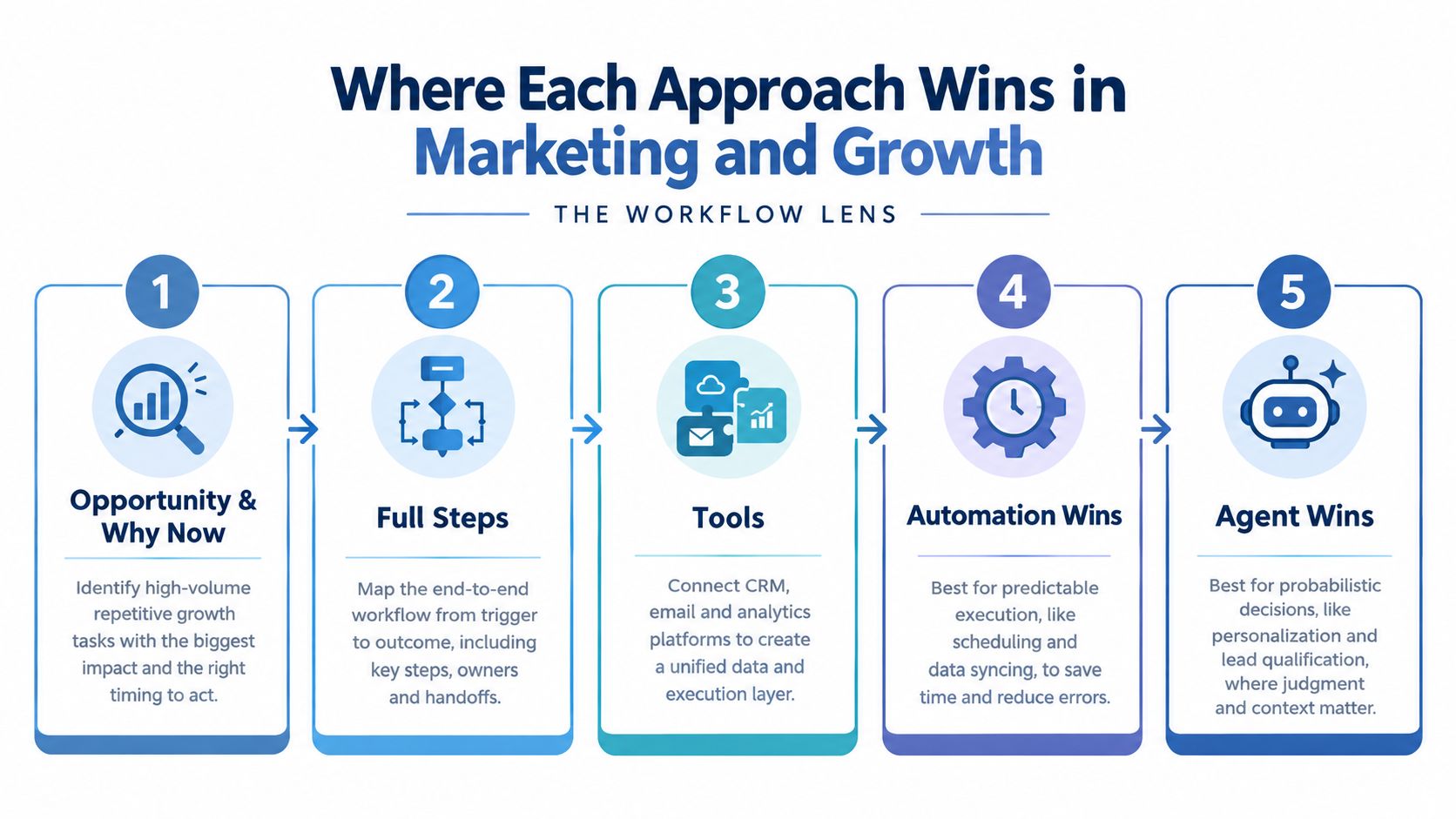
IDC's 2025 research says the practical split of work is changing. Humans are moving toward initiating requests, evaluating outputs, orchestrating workflows, and creating new ideas, while digital agents handle repetitive tasks, analysis, acting on behalf of humans, and generating recommendations in IDC's agentic workflows research. That's close to the line I use in actual builds.
Content research and briefing
This is a good first agent build for a solo operator.
Opportunity and why now. Search shifts faster, source material is scattered, and drafting from memory is weak. Models are finally good enough at reading multiple inputs, summarizing, spotting gaps, and producing structured briefs you can edit.
Workflow.
- New content idea lands in Notion.
- Make sends the topic to ChatGPT or Claude with a prompt like: "Research this topic for a solo operator audience. Extract the recurring questions, likely objections, practical use cases, and missing angles. Return a brief with sections, evidence needs, and warnings about claims that need verification."
- The agent queries saved notes, your previous posts, transcripts, and bookmarked sources.
- It drafts a brief in Google Docs.
- A deterministic automation files the brief, adds a due date, and creates a checklist.
- You review, cut fluff, and write.
What it replaces. A messy hour of tab-hoarding, copy-pasting notes, and forgetting what angle you were trying to pursue.
What data it needs. Your past content, audience notes, product positioning, and a list of trusted sources. Without that, it sounds generic fast.
The number to watch. I track user correction rate mentally on this kind of build. If I'm rewriting half the brief, the context is weak and the agent isn't ready. The framing comes straight from agent evaluation guidance that recommends watching task completion, goal fulfillment, error rate by task type, and user correction rate in Institute of Project Management's agentic AI metrics guide.
Where it breaks. My first version gave the model open web access and too little instruction about source quality. It returned confident junk and stale framing. Narrowing the source set fixed more than prompt polishing did.
I wrote up a version of that workflow in this guide to AI agents for marketing, because it's one of the easiest places to feel the difference between a fixed automation and an actual agent loop.
CRM enrichment and follow-up
This one is hybrid by default.
Use automation for the intake, dedupe, tagging, reminders, and stage updates. Use an agent for the ugly middle where someone writes a vague inquiry and you need to infer fit, urgency, and next best action.
My setup is simple: Typeform or Tally for intake, Airtable or HubSpot as the record, Make for routing, and an LLM step that scores intent with a prompt like, "Classify this lead into one of these buckets. Explain the signal used. If information is missing, list the exact follow-up question."
If the agent can't explain why it chose a bucket, I don't trust the bucket.
What it replaces is the half-focused admin work that steals the first hour of the day. What it needs is your service categories, exclusion rules, examples of good-fit and bad-fit leads, and a record of past outcomes. The number I watch is simple: whether the follow-up queue gets cleaner or messier after a week.
Support triage and reporting
Support triage looks like agent territory. Usually, only part of it is.
I keep deterministic automation on inbox routing, tag assignment, acknowledgments, SLA timers, and ticket logging. I give the agent the classification step, suggested reply draft, and knowledge-base lookup.
Reporting is similar. An automation can pull platform data on schedule and drop it into a sheet. An agent can turn that into a weekly note: what's off trend, what likely caused it, what needs checking. That's the sort of pattern I keep exploring in Bionic Business when a workflow proves useful enough to repeat.
How to Choose and When to Blend Both
The wrong question is which one is better.
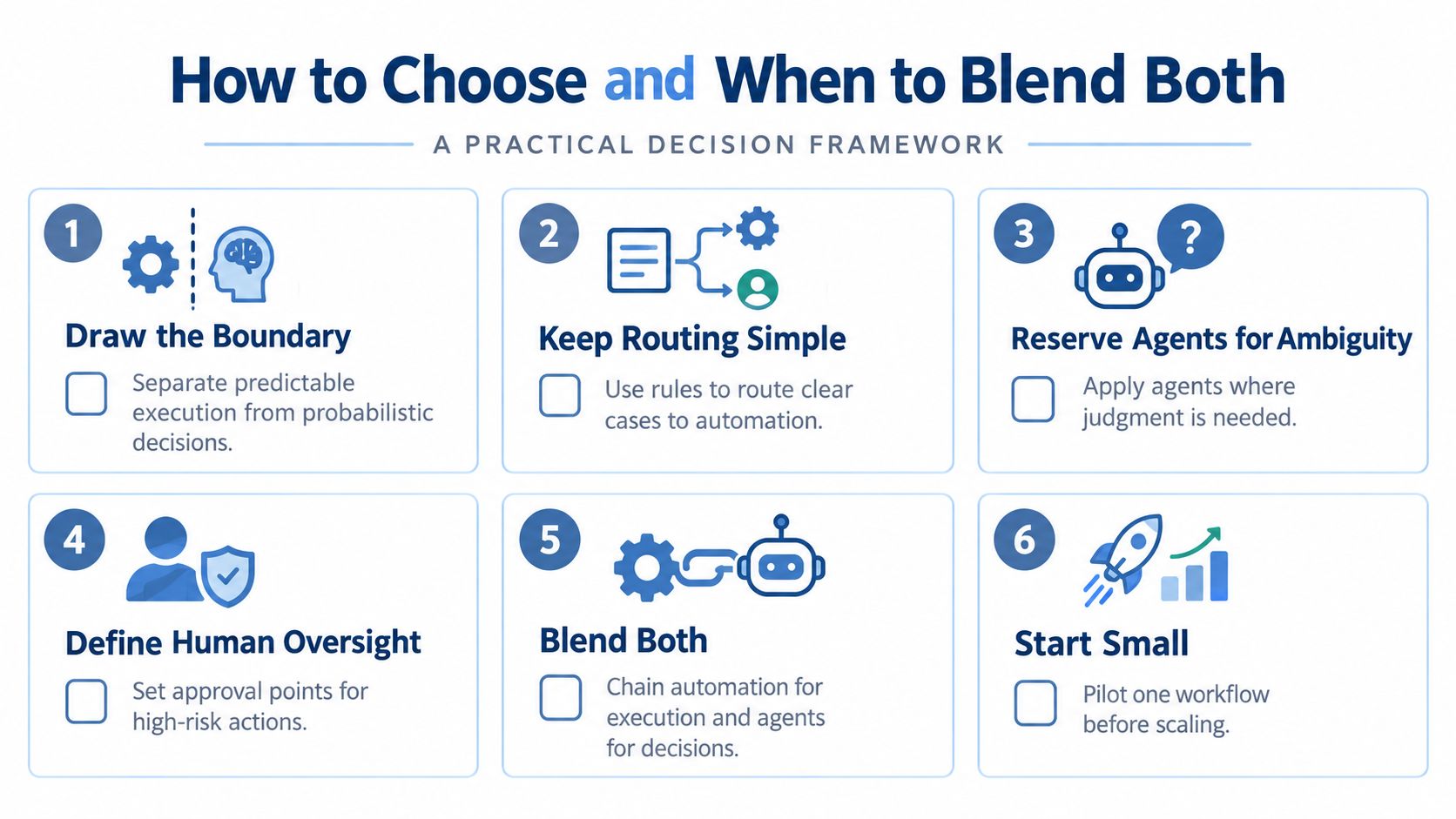
The right question is where your workflow shifts from predictable execution to probabilistic judgment.
Draw the boundary first
IBM reported that AI-enabled workflows were expected to rise from 3% to 25% by the end of 2025, while McKinsey's survey reading in the same report said 23% of organizations are actively scaling an agentic AI system in at least one business function and another 39% are experimenting, with no more than 10% scaling in any given function in IBM's June 2025 newsroom release. I read that as a practical warning. Many aren't replacing everything. They're testing narrow slices.
For a small team, that usually means:
- Keep automation on rails: Routing, approvals, retries, deadlines, field updates, notifications, audit logs.
- Hand agents the fuzzy work: Classification, research, drafting, planning, tool choice, exception handling.
- Insert a human checkpoint: Before anything customer-facing, expensive, or hard to reverse.
Three if-then rules I actually use
If the task happens often and the answer should be the same each time, use automation.
If the task happens often but the answer depends on context, use an agent inside an automated frame.
If the task happens rarely and the downside of being wrong is annoying but manageable, do it manually until the pattern becomes obvious.
Most "full agent" dreams are really two things mixed together: a stable workflow plus one messy decision point.
When I don't use an agent
I skip agents when the workflow has one of these traits:
- The source data is thin. No examples, no history, no clean labels.
- The action is hard to undo. Wrong invoices, wrong account changes, wrong public replies.
- The task is already solved by a rule. Adding AI only adds cost and debugging time.
That's where a simple Make scenario, a Google Sheet, or a plain Airtable automation still beats clever architecture every time.
Implementation Patterns You Can Ship This Week
You don't need a giant build. You need one recurring job, one clean input, one visible output, and one stop rule.
Pattern one: Agent inside automation
This is the one I use most.
A deterministic workflow handles the trigger and the finish. In the middle, an agent does one judgment-heavy step.
Example: new lead arrives, automation validates fields, agent classifies lead intent, automation routes to the right follow-up path.
Prompt:
- System instruction: "You classify incoming leads for a solo business. Use only the categories provided. If confidence is low, return unclear."
- User instruction: "Read this inquiry, assign a category, explain the signal, and write one follow-up question if anything important is missing."
What I got wrong the first time was asking for too many categories. The agent became vague because my business rules were vague.
Pattern two: Automation inside agent
This works when the agent is coordinating and the repetitive tasks are delegated to tools.
Example: "Prepare a weekly content ops report." The agent decides what to gather, then calls deterministic actions to pull analytics, fetch draft status, collect comments, and assemble a summary.
I only use this when the goal is clear and the tool access is narrow. If the agent can touch too many systems, debugging turns ugly fast. For migration ideas, my examples in marketing automation workflows are the sort of foundation I'd start from before adding any agent layer.
Pattern three: Human in the loop checkpoint
This is the pattern that keeps small operators out of trouble.
Use the agent to produce a recommendation, draft, or route. Then require approval before sending, publishing, or changing records.
The review prompt I use for myself is short:
- What did the agent decide?
- What evidence did it use?
- What would make this wrong?
- Do I approve, edit, or reject?
One other practical option sits in the middle of DIY tools and full custom work. Samuel Woods publishes build guides around agent and automation patterns for small online businesses, which can help if you want concrete workflow examples without starting from enterprise architecture.
Measuring ROI and Knowing When Not to Use Agents
If you don't measure the right thing, agents look smarter than they are.
A lot of builds complete the task and still create cleanup work. That's why I look at three layers together: task result, decision quality during the workflow, and business effect after the workflow.
The metrics that matter
I track these first:
- Task metrics: completion rate, goal fulfillment rate, error rate by task type.
- Trajectory metrics: where the agent hesitated, retried, chose the wrong tool, or needed intervention.
- Business metrics: latency, escalation rate, tool-call efficiency, and whether the output reduced manual work.
Those categories line up with recent agent evaluation advice, and they matter more than one pretty demo run.
The hidden cost small teams miss
The other trap is cost creep.
G2 reported that 40% of companies have a $1 million agent budget inclusive of software, cloud services, and staffing, while 81% of organizations plan to move beyond simple task automation toward more complex AI projects in 2026 in its 2025 AI agents report. You're probably not spending anywhere near that. The useful lesson is that agents create monitoring, evaluation, and safeguard work that plain automation usually doesn't.
So here's my Monday rule.
Pick one production workflow. Keep the routing and final action deterministic. Insert an agent at the one decision point you keep handling manually. Watch correction rate, escalation volume, and time-to-complete for one week. If cleanup grows instead of shrinks, remove the agent and go back to rules.
That's the answer to ai agents vs automation most small teams need. Build the judgment where it pays. Keep everything else boring.
Frequently Asked Questions
What is the difference between AI agents and automation?
Automation follows a fixed path. A trigger fires, steps run in order, and each handoff happens the same way every time. An AI agent works from a goal. It takes in context, chooses a next step, uses tools, checks results and adjusts. The simplest test is whether you can write the exact path in advance. If you can, automate it.
When should a small team use automation instead of an AI agent?
Use automation when the input is structured, the rules are known in advance, exceptions are rare and you want predictable cost. Renaming files, moving data, sending reminders, syncing records and triggering follow-ups from clean tags all fit. If your process is stable, fixed automation is cheaper, faster and easier to debug than an agent.
When is an AI agent worth using over a rule-based workflow?
An agent earns its place when inputs are messy or free-form, the work needs interpretation and exceptions happen constantly. Qualifying intent from a vague message, deciding which source to check next and recovering when a tool call fails are good examples. Skip agents when the source data is thin, the action is hard to undo, or a rule already solves the task.
Can you combine AI agents and automation in one workflow?
Yes, and for most small teams that hybrid is the right build. Keep routing, approvals, retries, deadlines, field updates, notifications and audit logs in deterministic automation. Hand the agent the fuzzy work such as classification, research, drafting and exception handling. Put a human checkpoint before anything customer-facing, expensive or hard to reverse.
How do you know if an AI agent is performing better than automation?
Run one production workflow for a week with the agent at a single decision point. Watch correction rate, escalation volume and time-to-complete, alongside latency and tool-call efficiency. A clever agent that takes too long, calls too many tools or hands you a mess is not helping. If cleanup grows instead of shrinking, remove the agent and go back to rules.
