
Your team is already overloaded. Everyone is doing two jobs, sometimes three, and now you’re supposed to “figure out AI agents” on top of everything else.
That’s why most small teams stall. They open ChatGPT, test a few prompts, maybe wire up one automation, then call it strategy. It isn’t. How to deploy ai agents in a small team has very little to do with hype and a lot to do with operational discipline.
I’m Samuel Woods. I’ve worked with machine learning since 2016 and generative AI since 2019. My view is simple. Small teams should stop trying to sound cutting-edge and start trying to ship systems that remove bottlenecks, increase output, and create speed their larger competitors can’t match.
Everyone Is Talking About AI Agents But No One Is Shipping Them
You’re not crazy for feeling a gap between the hype and your day-to-day reality. The gap is real.
In 2026, only 19% of organizations have successfully deployed AI agents in production, despite 67% using AI-powered tools, according to SaaStr’s write-up on Databricks agent deployment data. Most companies are still playing with tools, not building reliable systems.
That’s the good news.
If you run a startup or SMB, you do not need to beat massive enterprises at research. You need to beat them at shipping. Big companies can afford committee meetings, procurement cycles, and endless policy debates. You can move this week.
The real opportunity
Many assume the advantage comes from having the smartest model. Wrong. The advantage comes from deploying something useful into a real workflow before your competitors do.
That can mean a research agent that prepares lead context before sales outreach. It can mean a content ops agent that assembles first drafts from your product docs, customer notes, and campaign briefs. It can mean a support triage agent that routes issues cleanly and escalates only when needed.
My rule: if an agent doesn’t remove friction from a live business process, it’s a demo.
Small teams win with focus. You don’t need ten agents. You need one that saves time on work your team repeats every week and one that helps you move faster toward revenue.
If you need ideas before you build, review these practical AI agent use cases for business growth. Don’t browse them for inspiration. Browse them to find one painful workflow you’re sick of paying for with human attention.
Why this matters now
The market is crowded with companies talking about AI transformation while still manually stitching together research, briefs, reports, and customer follow-up. If you can operationalize one agent well, your team starts behaving larger than it is.
That’s the edge. Not magic. Throughput.
Start With the Right Problem Not the Coolest Tech
The first mistake I see is predictable. Founders chase the flashy use case.
They want an all-knowing company brain, an autonomous growth engine, or a universal assistant that can “handle marketing.” That’s how projects die. Your first deployment should be narrow, dull, and commercially useful.

Pick a beachhead task
I use the word beachhead on purpose. You’re not invading the whole company. You’re taking one small piece of territory that matters.
A good beachhead task has four traits:
- It’s repetitive. The team does it constantly, not once a quarter.
- It’s expensive in attention. It steals focus from people who should be doing higher-value work.
- It’s scoped. One workflow, one owner, one measurable output.
- It touches growth or delivery. If it works, the business feels it quickly.
Examples I like for small teams:
- Lead research before outreach. Pull company context, summarize public signals, draft notes into the CRM.
- Campaign research packs. Gather competitor messaging, customer objections, and source material into one brief.
- Content assembly. Turn transcripts, notes, and product docs into structured first drafts.
- Support triage. Categorize incoming issues, suggest responses, and escalate edge cases.
What a strong first use case looks like
Your first project should make someone on the team say, “I never want to do that manually again.”
That’s why marketing is often a strong starting point. Marketing teams that successfully deploy AI agents for tasks like research and content creation produce 29% more first-draft campaign assets, based on New Media’s AI agent usage statistics. More first drafts means more tests, faster launches, and less waiting on creative bandwidth.
Stop trying to automate genius work. Automate the work that blocks genius work.
A quick filter for choosing the first deployment
Use this simple decision table.
| Workflow candidate | Good first agent? | Why |
|---|---|---|
| Weekly reporting assembly | Yes | Repetitive, rules-based, easy to verify |
| Lead enrichment and research | Yes | High frequency, supports revenue teams |
| RFP response drafting | Yes | Clear inputs, clear outputs, strong time drain |
| Company-wide “AI assistant” | No | Too vague, no measurable boundary |
| Brand strategy creation | No | Too subjective for a first deployment |
| Fully autonomous outbound sales | Usually no | Too many failure points for version one |
What to avoid
Don’t start with customer-facing autonomy if your process is still messy internally. Don’t start with a workflow nobody owns. Don’t start with a task that changes every day and depends on tribal knowledge trapped in five people’s heads.
And don’t let your team say, “Let’s just see what the agent can do.” That sentence burns budget.
Start with a business problem. Then build around it.
Your First Agent Architecture The Supervisor-Worker Model
Most first-time builders make the same structural mistake. They create one oversized agent and expect it to reason, search, write, validate, decide, and act across multiple tools.
That setup is brittle. It works in a demo and breaks in production.
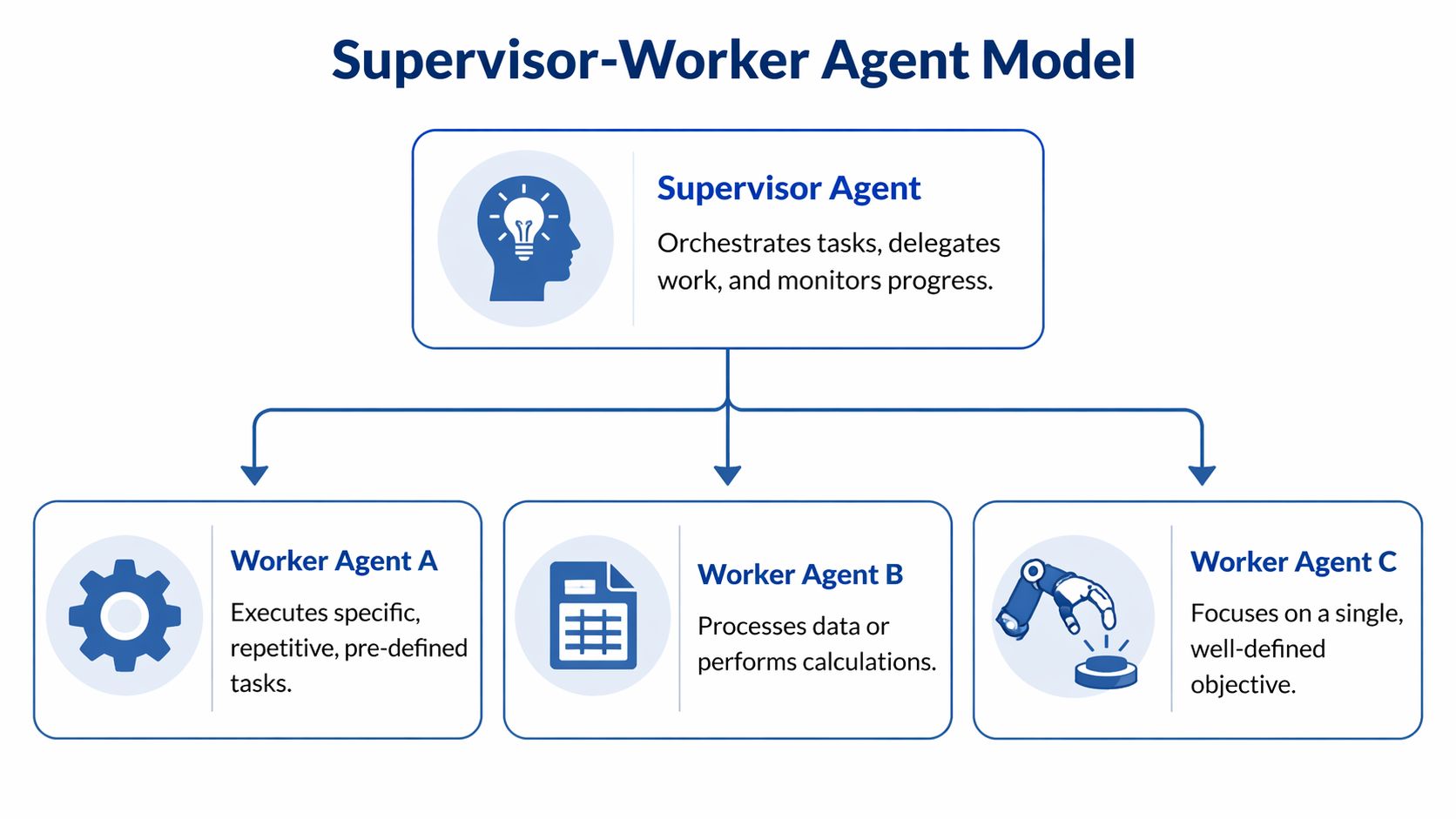
I use a Supervisor-Worker model for first deployments because it maps to how competent teams already operate. One system coordinates. Smaller systems execute specialized tasks.
Why this model works
Think of the supervisor as a manager. It receives the goal, breaks the task into parts, sends those parts to the right workers, then checks what comes back.
The workers stay narrow. One worker searches your knowledge base. Another drafts copy. Another formats a summary for Slack, HubSpot, or a spreadsheet. Because each worker has a smaller job, it fails less often and is easier to improve.
According to Spiral Scout’s deployment methodology for production agents, structured five-phase deployments centered on a Supervisor-Worker architecture raise project success from 20% for ad-hoc builds to 75% for phased deployments. That aligns with what I’ve seen in practice. Small teams don’t need complexity. They need reliability.
If your team is still figuring out retrieval and source quality, this practical guide on how to train a chatbot with your own data is worth reviewing before you wire knowledge sources into the workflow.
The five phases I’d use
Beachhead selection
Choose one concrete task with a visible outcome. Not “improve marketing.” Something like “generate campaign research briefs from approved sources” or “prepare lead summaries before the first sales touch.”
This phase is mostly business scoping. Owner, inputs, outputs, approval point.
Proof of concept
Build the smallest version that uses real data. I want a supervisor, a few workers, and one success condition everyone understands.
A weak PoC is clever and vague. A strong PoC completes a real task and lets a human compare the result with the old manual method.
Production build
Now you care about boring things. Logging, permissions, handoffs, failure states, retries, and where outputs get stored.
Operational advice: define human approval points before launch, not after the first mistake.
This is also where many teams discover they don’t have clean source data. Good. Better now than after rollout.
Expansion
Only after the first workflow behaves consistently should you extend it into adjacent tasks. If your research agent works, maybe it also drafts the campaign brief. If your support triage agent works, maybe it can suggest a response.
Expansion should reuse infrastructure, not restart the whole project.
Governance
Someone must own escalation rules, review logic, and change management. If nobody owns the system, the system decays.
For teams building more advanced orchestration, my thinking on agentic context engineering matters more than model choice. Context quality drives output quality.
When not to use this setup
If the workflow is tiny and linear, you may not need multiple workers at all. A simple automation with one model call can be enough.
But once a task includes searching, comparing, drafting, and deciding, splitting responsibilities is the safer move. That’s how you get dependable output instead of occasional brilliance mixed with random nonsense.
The Tools and Team You Actually Need
You do not need a lab. You need roles, ownership, and a tool choice that matches your team’s tolerance for complexity.
Most small teams should start with no-code or low-code. Build custom only when the workflow is proven and the limitations are obvious.

The minimum team
You need two people to get moving.
| Role | What they actually do | Common title they might already have |
|---|---|---|
| Domain expert | Defines the workflow, approves outputs, catches bad assumptions | Marketing lead, ops lead, support manager |
| Integrator | Connects tools, builds flows, handles prompts and routing | RevOps, technical marketer, ops generalist |
That’s enough for a first deployment.
If you later need deeper implementation support, hiring flexible technical talent can help. For teams that want cost-effective build capacity without overstaffing, I’d look at options to Hire LATAM developers who can support integrations, QA, and production hardening.
Tool choice by stage
Here’s the blunt version.
No-code
Use this when you’re validating the workflow. Tools in this bucket are good for getting a working MVP into the business quickly.
Best fit: non-technical teams, tight budgets, unclear requirements.
Trade-off: you’ll hit ceilings on orchestration, testing, and maintainability.
Low-code
This is the sweet spot for many SMBs. Platforms like n8n or Make let you connect apps, add logic, route data, and keep some control without needing a full engineering sprint.
Best fit: one technically curious operator, one clear use case, real need for integration.
Trade-off: workflows can become messy if nobody documents them.
Custom build
Only do this when the process is stable and differentiated enough to justify it. If your use case is core to your advantage, custom can make sense.
Best fit: proven workflow, repeatable ROI, specific product or data needs.
Trade-off: more maintenance, more dependency on technical talent, slower first launch.
Put the agent where people already work
This is the part teams underestimate. If the agent lives in a separate interface, adoption drops because people forget it exists or avoid the extra step.
According to Dust’s guidance on reliable agent deployment, embedding agents in Slack or Teams increases adoption by 5x and reduces context-switching by 40%, while precise prompt engineering can improve reliability from 60% to over 92%. That’s why I prefer delivering outputs in Slack, Teams, HubSpot, or the CRM your team already opens all day.
A good walkthrough helps if you’re still deciding on the stack. I’ve broken down the main AI workflow automation tools and where each one fits.
A practical example is below.
Prompting is part of the system, not an afterthought
Bad prompts break good workflows. The instruction set should define task, context, success criteria, tool permissions, and edge cases.
Don’t tell the model to “help with support.” Tell it to categorize the ticket, search the internal knowledge base first, draft a response only when confidence is sufficient, and escalate exceptions to a human. Small teams win when they remove ambiguity early.
From Test to Triumph Your Rollout and Iteration Playbook
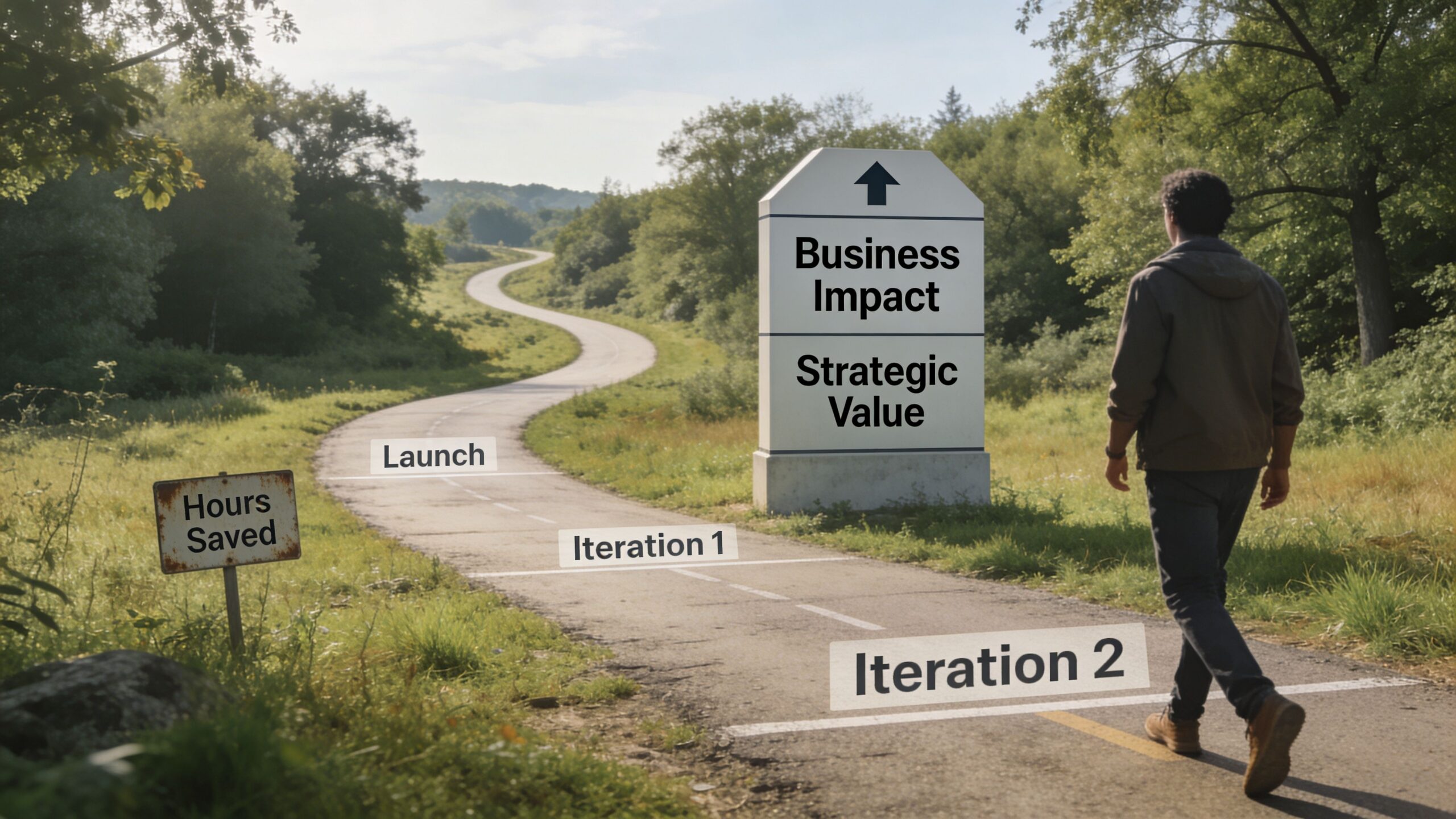
Launching the first version means almost nothing. Plenty of teams launch. Very few iterate with discipline.
The fastest way to kill momentum is to report “hours saved” and expect leadership to care. Time savings are useful internally, but they are not enough. If the agent doesn’t influence pipeline quality, conversion efficiency, campaign output, retention, or delivery speed, you’ll struggle to justify keeping it.
What to measure first
I track three layers.
System health
This is the operational layer. Is the agent doing the job reliably?
Look at task completion, failure patterns, approval frequency, and whether outputs arrive in the right place and format. If the system is unstable, no business metric will save it.
Unit economics
This tells you whether the workflow is economically sane. You should know what each task costs and whether the cost is justified by the business value of the output.
If your agent is producing work no one uses, even a cheap task is expensive.
Business impact
This is the number executives care about. Tie the agent to one KPI that matters.
Examples:
- Lead research agent tied to lead qualification quality or sales response quality
- Content agent tied to publishing velocity, testing volume, or cost to produce assets
- Support triage agent tied to resolution flow or team capacity
Don’t ask whether the agent saved time. Ask whether it improved a metric the business already respects.
Why most teams abandon their agents
The measurement gap is bigger than commonly understood. Only 22% of SMBs quantify AI agent value in revenue terms, which contributes to 40% abandonment in marketing workflows, according to Particle41’s analysis of how small teams compete with AI agents.
That’s brutal, but not surprising.
If your dashboard says “the team feels faster,” budget scrutiny will destroy the project. If your dashboard shows the agent influences CAC, lead quality, conversion path efficiency, or retention-related workflow performance, the conversation changes.
A rollout pattern that works
I like this sequence for small teams:
Run the agent in shadow mode
Let it complete the task without taking final action. Compare its output against your current process.Add human approval
Keep approvals tight at first. You’re not slowing the system down. You’re collecting corrections that make the next version stronger.Limit rollout to one team or one segment
One campaign type. One lead source. One support queue. Keep the blast radius small.Review failures weekly
Don’t just celebrate wins. Find the bad outputs, broken assumptions, and missing context.Swap models or prompts when needed
Sometimes the expensive model isn’t the right model. Sometimes a smaller model is fine for one worker while the supervisor needs stronger reasoning.
If you want to see what stripped-down deployment can look like at the very beginning, this example of how to deploy an AI agent quickly is useful as a mindset reference. Speed is good. Just don’t confuse a fast setup with a production-ready system.
What I’d put on the dashboard
Keep it brutally simple.
| Layer | Question | Example signal |
|---|---|---|
| Reliability | Did it complete the task correctly? | Approval rate, corrections needed |
| Cost | Is the output worth the run cost? | Cost per task, human review burden |
| Business | Did it move the KPI it was assigned to? | Better lead handling, faster asset production, stronger campaign throughput |
Where iteration actually happens
Not in the model. In the workflow.
You improve agents by tightening inputs, refining prompts, limiting scope, cleaning data sources, and clarifying escalation rules. Most “AI quality” problems are process design problems wearing an AI costume.
That’s why non-technical leaders can win here. You don’t need to write the code yourself. You need to understand the workflow better than anyone else and refuse vague success criteria.
The Unfair Advantage Is Speed Not Magic
AI agents are not little employees with souls. They are systems for moving information through your business faster and more consistently.
Used badly, they create noise. Used well, they compress the gap between signal and action. Your team sees something, processes it, and responds before competitors finish their meeting.
What this changes for a small team
A founder with a good agent system can review sharper market context before a sales call. A lean marketing team can move from idea to first draft without waiting on bandwidth. A support team can handle more inbound without immediately adding headcount.
That doesn’t make your company autonomous. It makes your company faster.
The companies that win with agents aren’t the ones with the fanciest demos. They’re the ones that turn repeated work into a dependable operating system.
The practical takeaway
If you want to know how to deploy ai agents in a small team, don’t begin with model benchmarks or abstract AI strategy.
Begin with one painful workflow. Give it an owner. Use a Supervisor-Worker setup when the task has multiple steps. Put it inside the tools your team already uses. Measure business impact, not vanity output. Then expand only after the first system earns its place.
That’s the playbook.
Your competitors will keep talking about AI. You should be shipping it.
If you want help designing or deploying this inside your business, you can learn more about working with Samuel Woods at SamuelJWoods.com.