
An AI marketing campaign generator turns one campaign brief into a tested set of assets. Mine works because the prompts sit inside a system: a dated input bundle of offer, audience and approved claims, three narrow prompts with structured output, a review step for claims, and a holdout test measured on conversion rate.
The popular advice is to improve your prompts. That's where most AI marketing campaign generator tutorials stop, and it's the reason many campaigns produce more copy without producing more customers.
I built mine as a small operating system for recurring campaigns. It takes a brief, combines it with product and audience data, creates a connected bundle of assets, saves every version, sends candidates through a review step, and measures the result against a holdout. The prompt matters, but the surrounding system decides whether the output is usable.
The opportunity exists because AI-assisted campaign work has moved into routine marketing operations. A 2026 industry report says 87% of marketers use generative AI in at least one recurring workflow, up from 51% in 2024 and 76% in 2025. Marketers using AI recover an average of 6.1 hours per week, while senior practitioners save 8–10 hours and junior staff save 3–4 hours (Digital Applied's 2026 AI marketing data).
That's enough time for a solo operator to build a repeatable campaign loop instead of rewriting the same email every week.
Table of Contents
- Why Prompting Alone Won't Build Your AI Marketing Campaign Generator
- Defining Goals and Inputs Before You Generate Anything
- Prompt Templates and Model Choices for Campaign Generation
- Data Pipelines and Orchestration You Can Run Solo
- Testing and Measuring the Generator Against Real Numbers
- Where It Breaks, What I Got Wrong, and Your Monday Build Plan
Why Prompting Alone Won't Build Your AI Marketing Campaign Generator
A clever prompt can give you a good headline. It can't decide which customer segment should receive it, preserve the winning claim across channels, protect a control group, or tell you whether the extra work produced a profitable sale.
That's the shift. You're building a system with inputs, generation steps, approval rules, and measurement, not a chat session you run whenever a blank page makes you uncomfortable.
The market has caught up with the idea. A 2026 market summary places AI marketing automation at $35.4 billion in 2026, with 28% year-over-year growth, while another compilation puts the broader marketing automation market at $6.65 billion in 2024 and projects $15.58 billion by 2030, at a 15.3% CAGR (AI Gearbase's marketing automation statistics). Those figures describe the surrounding category, not a single campaign tool, but they show why campaign generation is becoming part of a wider automation stack.
The system I wanted
I picked one recurring job first: a weekly promotion for an online product. The generator received the offer, audience notes, past creative, approved claims, exclusions, and the previous cycle's results. It returned a brief, message angles, email copy, ad variants, social adaptations, and a test recommendation.
That replaced the worst parts of manual production:
- Reopening old documents to find approved language.
- Rewriting one idea for every channel.
- Sending drafts back and forth for basic corrections.
- Losing track of which version was tested.
- Choosing winners by instinct before enough data had arrived.
I use resources like that for ideas about asset production, then add the parts most tutorials skip, especially controls and measurement.
The number that matters
I watch conversion rate first, then acquisition cost and hours saved per cycle. Click-through rate tells me whether the message earned attention. Conversion rate tells me whether the message and offer survived the journey.
The first version of my system failed because I measured output volume. It generated plenty of assets, so I assumed it was working. The folder filled up while the campaign stayed mediocre.
Practical rule: A generator earns its place when it improves a business metric or removes repeatable work without damaging the first metric.
The build below starts with the objective and data, then moves through prompts, orchestration, testing, and failure handling. You can assemble the first version with a spreadsheet, a folder, an automation platform, and an AI model this week.
Defining Goals and Inputs Before You Generate Anything
Most weak outputs begin with a weak assignment. “Write a compelling campaign” gives the model no useful target, so it fills the gap with familiar marketing language.
I start with one narrow campaign job. A weekly email promotion works. A product reactivation message works. “Handle all marketing” doesn't.
Write the objective as a decision
The objective should tell the generator what success looks like and what it must avoid. I write it in this format:
Create a weekly promotion for [offer] sent to [audience]. Optimize for completed purchases while preserving [margin, price, or claim constraint]. Produce one control-ready campaign and several distinct alternatives. Do not invent proof, urgency, customer results, or product capabilities.
That final sentence matters. The system can only optimize against the information I provide. An expert review of AI in marketing identifies poorly defined objective functions, biased or opaque models, unsafe training environments, and the need for explainable, controllable systems as core risks (Harvard Business School's review of AI in marketing).
I create the holdout plan before generation. One audience group receives the existing human-created control, while another receives a generated candidate. I keep the audience definition, offer, timing, and destination consistent enough that the creative remains the main difference.
Build the input bundle
My input record has five parts:
- Offer details: Product name, price, availability, delivery terms, eligible buyers, and the single action I want.
- Audience context: The segment's problem, current awareness, objections, prior purchase behavior, and language preferences.
- Approved evidence: Customer language, verified product facts, testimonials I'm allowed to use, and claims that need qualification.
- Creative history: Previous subject lines, hooks, calls to action, and performance labels such as control, winner, loser, or inconclusive.
- Constraints: Tone, banned claims, character limits, channel rules, legal wording, and the required output format.
For a weekly course promotion, I might enter:
- Offer: A recorded course for solo online operators.
- Audience: Subscribers who clicked a related tutorial but haven't purchased.
- Outcome: Help them build a campaign workflow they can run alone.
- Proof: Only the approved product description and verified customer wording.
- Objections: “I can do this manually,” “I don't have a large audience,” and “Setup sounds technical.”
- CTA: View the course details.
- Constraint: Don't promise revenue, rankings, or a specific time saving.
That bundle gives the model context without giving it permission to improvise facts.
Keep source data fresh
I add a date to every product and proof record. A claim that was accurate during one promotion may be wrong later. I also separate “approved” from “needs review” so the generator doesn't treat an unverified note as publishable copy.
The success record includes the control, candidate, audience definition, send date, conversion rate, acquisition cost where paid traffic is involved, and hours spent. Those fields let me judge the generator as an operating expense rather than a writing toy.
Prompt Templates and Model Choices for Campaign Generation
I use three prompts. Each one has a narrow job, a defined input, and a predictable output. That makes it easier to inspect failures and pass results into the next step.
The first prompt expands a rough idea into a brief:
SYSTEM
You are a campaign brief editor. Use only the supplied facts. Separate verified facts from assumptions. If information is missing, write MISSING rather than guessing.

USER
Campaign job: {{campaign_job}}
Offer data: {{offer_data}}
Audience data: {{audience_data}}
Approved proof: {{approved_proof}}
Constraints: {{constraints}}
Previous results: {{previous_results}}

Return:
{
  "objective": "",
  "audience_problem": "",
  "promise": "",
  "proof_points": [],
  "objections": [],
  "message_angles": [],
  "missing_information": [],
  "measurement_plan": {
    "primary_metric": "",
    "control": "",
    "candidate": ""
  }
}
The MISSING instruction prevents a polished hallucination from entering the rest of the pipeline. The JSON structure gives me fields I can store in a spreadsheet or automation record.
The second prompt creates variants:
SYSTEM
You are a direct-response copy editor. Generate distinct campaign variants from the approved brief. Do not add facts. Keep the offer, audience, and CTA unchanged unless the brief says otherwise.

USER
Approved brief: {{brief}}
Channel: {{channel}}
Format limits: {{format_limits}}
Number of candidates: {{candidate_count}}

For each candidate, return:
{
  "variant_id": "",
  "angle": "",
  "headline": "",
  "body": "",
  "proof_used": "",
  "objection_answered": "",
  "cta": "",
  "claim_check": "PASS or REVIEW",
  "reason_for_test": ""
}
I ask for a reason for test because “different wording” isn't a meaningful hypothesis. I want to know whether the candidate leads with an outcome, proof, an objection, or a different problem.
The third prompt adapts one approved message across channels:
SYSTEM
You are a channel adapter. Preserve the central promise, proof, audience, and CTA. Change only the structure required by the channel. Do not introduce new claims or emotional pressure.

USER
Source message: {{source_message}}
Channel: {{target_channel}}
Audience segment: {{segment}}
Channel rules: {{channel_rules}}

Return:
{
  "channel": "",
  "adapted_copy": "",
  "preserved_promise": "",
  "preserved_proof": "",
  "format_check": "PASS or REVIEW",
  "claim_check": "PASS or REVIEW"
}
I keep a separate set of channel rules for email, paid ads, and social posts. The model shouldn't decide those rules from memory.

Choose the model by task
The conventional advice is to use the biggest available model for everything. I think that wastes money and time for a solo operator.
I use a reasoning-focused model for the brief when the input contains competing constraints, unclear positioning, or a messy history of campaign results. I use a faster, cheaper model for straightforward channel adaptations and formatting checks. Variant generation can also use a fast model when the brief is already clean.
The trade-off is review effort. A cheaper model may need more correction on nuanced positioning. A larger model may produce a more thoughtful answer while adding cost and latency to jobs that only require restructuring.
I keep the prompt-engineering notes separate from the campaign system. My guide to prompt engineering for marketing covers the mechanics, while this generator handles the records around each prompt.
Before any output moves forward, I require the same fields: variant ID, angle, copy, proof used, claim status, and test reason. If a model returns prose instead of the schema, the automation sends it back for repair rather than saving it as a candidate.
Data Pipelines and Orchestration You Can Run Solo
A chat window creates an answer. A pipeline creates a campaign record.
I keep a simple folder structure:
Campaigns/
  2026-09-weekly-promo/
    01-inputs/
    02-brief/
    03-variants/
    04-channel-adaptations/
    05-approvals/
    06-results/
The product feed sits in 01-inputs, along with audience notes and approved claims. The automation platform reads those files on a schedule, sends the input bundle to the brief prompt, passes the approved brief to the variant prompt, then creates channel adaptations. I save every response with a timestamp and variant ID.
The run produces a connected bundle:
- One campaign brief.
- Several message angles.
- Channel-specific versions.
- Localization fields where needed.
- A claim review status.
- A test record linked to the original variant.
The system removes work. I no longer copy the same message between documents, rename files manually, or wonder which ad came from which brief.
The overwrite mistake
My first automation used the offer name as the filename. Each new run replaced the earlier campaign, including a variant that had performed well. That was a stupid integration decision. The generator had no memory of the version it destroyed.
I fixed it by making the filename depend on campaign date, channel, segment, and variant ID. Winning candidates are copied into a protected controls-and-winners folder, and new runs can read them but can't overwrite them.
The generator may learn from a winner. It must never silently replace the record of one.
The data pipeline needs more than copy. It needs clean source material, stable IDs, and a way to distinguish approved claims from suggestions.
I've also written about marketing data integration because the hard part is usually the handoff between product facts, campaign history, and the generation step.
You can assemble the first version with a spreadsheet as the database, cloud folders as storage, an automation platform as the scheduler, and one model API or chat workspace. Add publishing integrations later. Manual approval at the end is safer than automating distribution before the claim and message checks work.
Testing and Measuring the Generator Against Real Numbers
A generator can increase production while lowering performance. I test the campaign, not the amount of copy it creates.
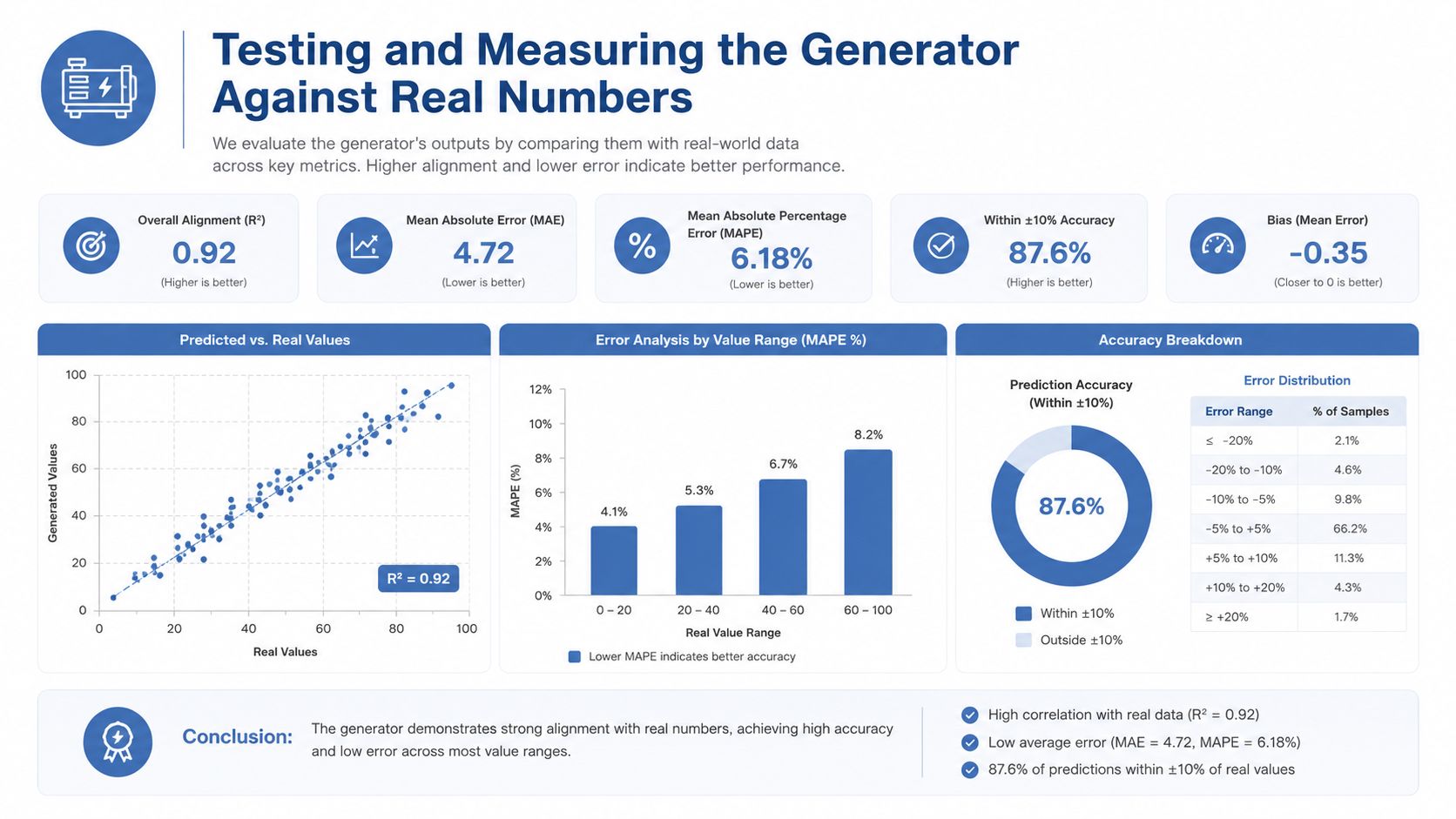
My weekly record has four numbers: click-through rate, conversion rate, cost per acquisition, and hours saved per cycle. I also record the audience definition, control message, candidate message, destination, offer, and dates. Without those fields, I can't tell whether a result came from the creative or from a different audience or offer.
I keep a holdout wherever the channel allows it. The control receives the human baseline. The test group receives a fully generated variant. I avoid changing multiple major variables at once because a result becomes difficult to interpret.
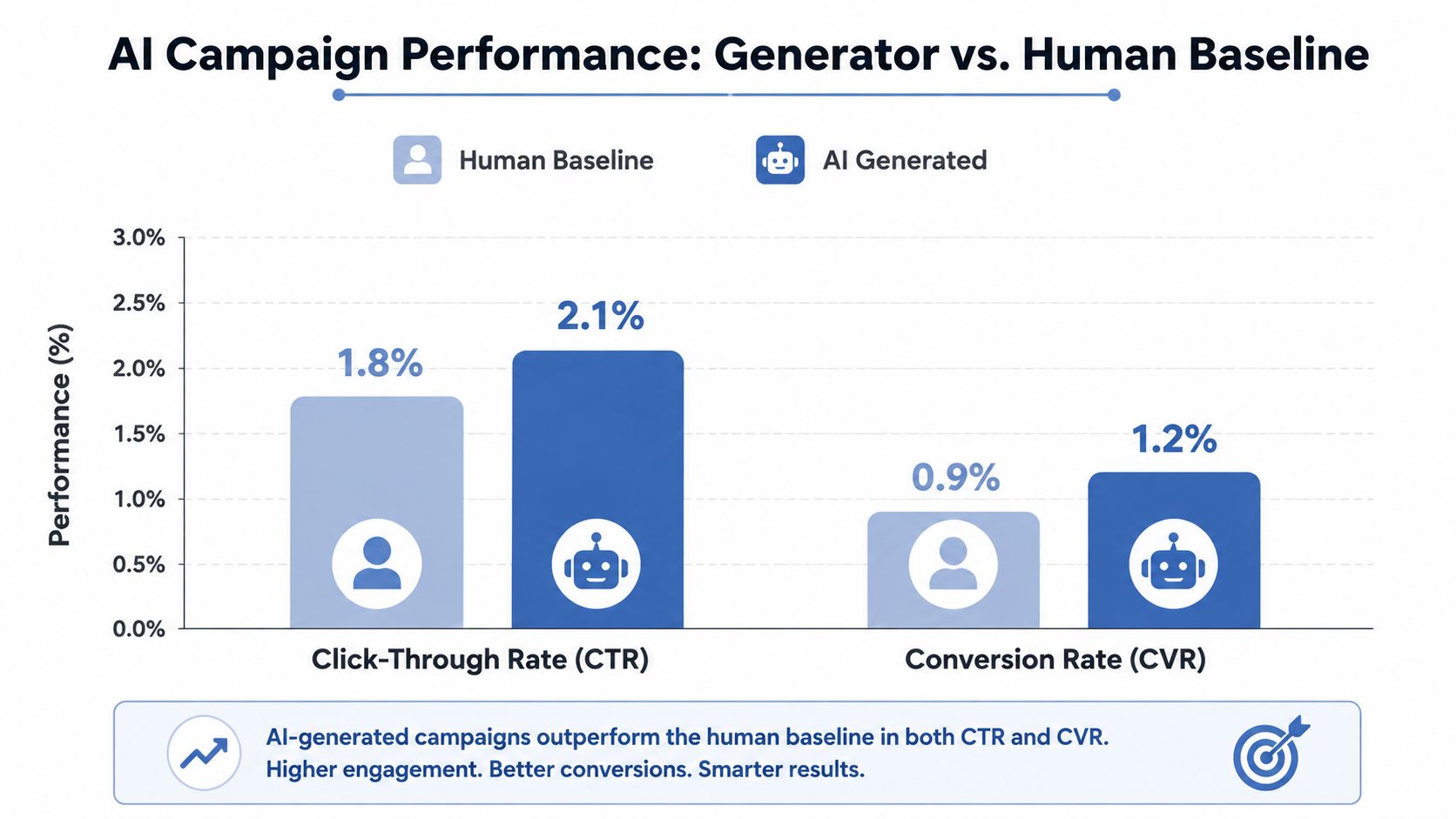
A field study of 105,999 Google Display Network ad impressions found that CTR increased from 3.73% for human expert ads to 4.44% for fully AI-generated ads, a 19% relative lift (the published display-ad study). The same study found no significant improvement for AI-modified human ads, while disclosing that an ad used generative AI reduced CTR by 31.5%.
That result changed how I test. I generate complete alternatives rather than asking the model to lightly polish an existing ad, and I remove visible AI cues from the final creative where disclosure isn't required. I still follow the applicable platform and legal rules. The point is to test the message and creative, not an accidental signal about the production method.
Ship, Iterate, or Kill, Reading Your Variant Results
| Signal from test | What it means | What to do Monday |
|---|---|---|
| CTR rises, conversion rate stays flat | The message earns attention but the offer or destination doesn't close the gap | Keep the hook only if it matches the destination, then test the offer explanation |
| CTR and conversion rate rise | The complete candidate is worth extending | Preserve it as a new control and adapt it carefully to another channel |
| CTR falls, conversion rate rises | Fewer people click, but the visitors are better qualified | Check acquisition cost before killing it |
| Both metrics fall | The candidate failed its main job | Archive it, record the failure reason, and test a different angle |
| Results are too close to interpret | The test didn't answer the question | Keep the control, rewrite the hypothesis, and run a cleaner comparison |
I don't react to an early wobble. I check whether the audience split, offer, destination, tracking, and delivery conditions were consistent before changing the copy.
My measurement notes live alongside the campaign record, and I've documented the wider process in how to measure marketing effectiveness. The practical question remains simple: did the generated candidate create more completed actions at an acceptable cost, and did the time saved justify keeping the workflow?
Where It Breaks, What I Got Wrong, and Your Monday Build Plan
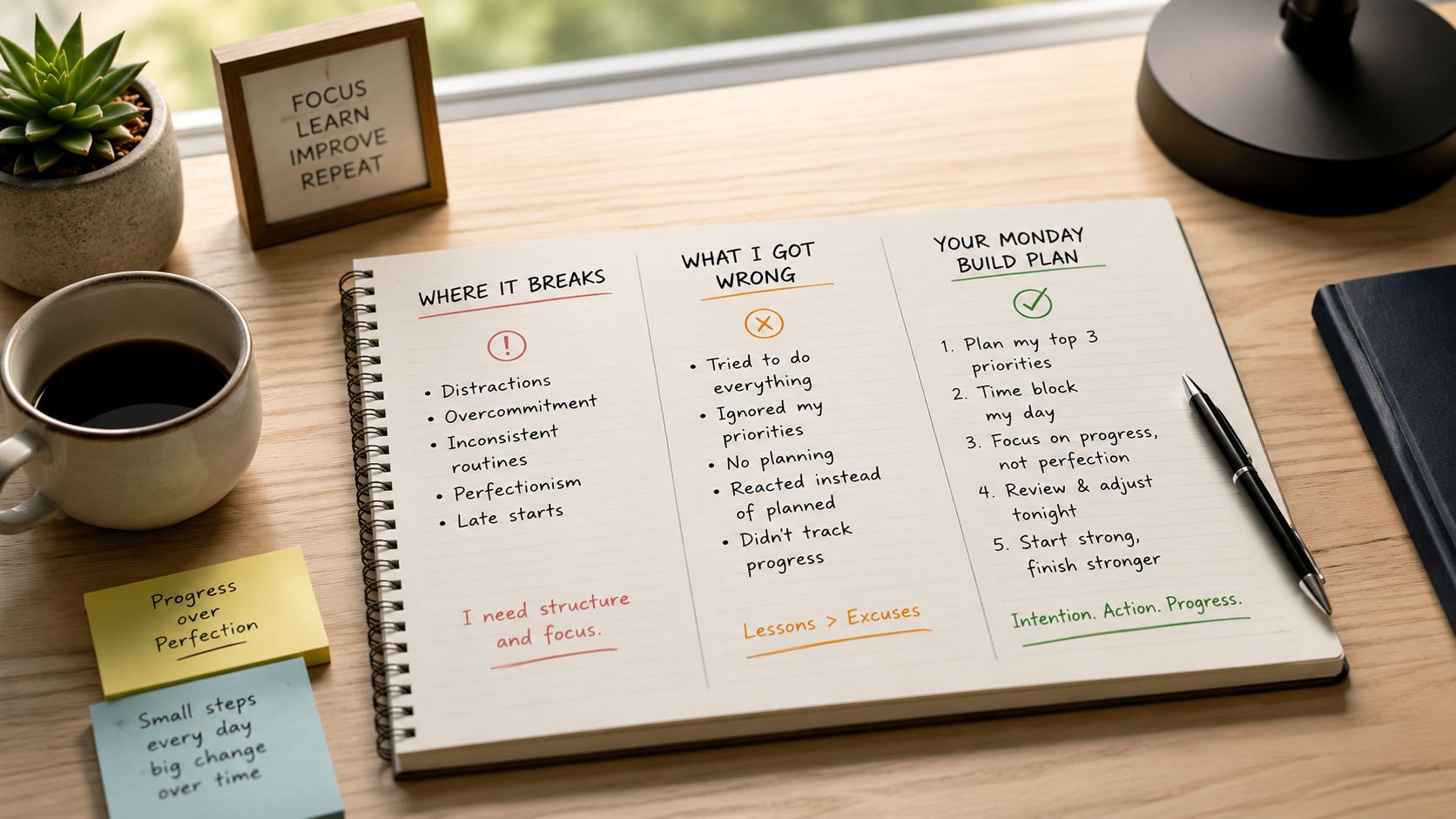
The first failure was brand drift. One variant sounded restrained, another sounded like an aggressive infomercial, and a third used claims I'd never approve. More variants created more places for inconsistency to hide.
The second failure was stale data. An old product note stayed in the input folder, so the generator reused outdated wording. I now date source records, mark approved claims clearly, and route anything marked REVIEW to a manual check.
The third failure was output counting. I celebrated the number of emails, ads, and posts generated. The only output that mattered was the campaign result and the hours I got back.
More generation requires stricter claim handling. That runs against the common assumption that automation reduces the need for review. It does the opposite when every unverified input can appear in multiple assets.
I don't use a generator for a high-stakes launch with no time for a control. I also avoid it when a regulated claim needs specialist review, or when the audience is likely to react badly to visible synthetic creative. In those situations, a carefully written human campaign is the better choice.
Your Monday build plan
- Monday: Choose one recurring campaign job, write the conversion objective, and create the control record.
- Tuesday: Gather offer facts, audience notes, approved proof, objections, constraints, and past creative.
- Wednesday: Add the three prompts, require structured fields, and run a small batch.
- Thursday: Review claims, protect winning files, adapt the approved brief for each channel, and select one candidate.
- Friday: Launch the control and candidate, record the audience split, and start the results log.
I continue the deeper versions of these operating systems in Bionic Business, where I document what breaks after the first attractive demo and how I repair the workflow.
Use this week to build the smallest complete loop: one offer, one audience, one control, one generated candidate, and one conversion number. Save every input and output, then decide next Monday whether the generator earned another run.
Frequently Asked Questions
What is an AI marketing campaign generator?
It is a system that takes a campaign brief, combines it with product and audience data, and produces a connected bundle of assets: a brief, message angles, email copy, ad variants and social adaptations. A useful one also saves every version, sends candidates through a claim review, and measures results against a human-written control. The prompt is only one part of it.
Is better prompting enough to build a campaign generator?
No. A clever prompt can give you a good headline, but it cannot decide which segment should receive it, keep the winning claim consistent across channels, protect a control group, or tell you whether the work produced a profitable sale. Those jobs belong to the inputs, approval rules and measurement that sit around the prompt.
What inputs does an AI campaign generator need?
Five parts cover most campaigns. Offer details such as product, price and the single action you want. Audience context including problems, objections and past purchases. Approved evidence you are allowed to use. Creative history labeled control, winner, loser or inconclusive. Constraints covering tone, banned claims, character limits and output format. Date every record and keep approved claims apart from notes that still need review.
Which AI model should you use to generate campaigns?
Match the model to the task. A reasoning-focused model suits the brief when inputs contain competing constraints, unclear positioning or messy past results. A faster, cheaper model handles channel adaptations and formatting checks, and can generate variants once the brief is clean. The trade-off is review effort, because a cheaper model may need more correction on nuanced positioning.
Do AI-generated ads perform better than human-written ads?
In one field study of 105,999 Google Display Network impressions, fully AI-generated ads reached a 4.44% click-through rate against 3.73% for human expert ads, a 19% relative lift. AI-modified human ads showed no significant improvement, and disclosing that an ad used generative AI cut CTR by 31.5%. Test complete alternatives against a control instead of lightly polishing existing ads.
When should you avoid using an AI campaign generator?
Skip it for a high-stakes launch with no time to run a control, for regulated claims that need specialist review, and for audiences likely to react badly to visible synthetic creative. In those cases a carefully written human campaign is the better choice. More generation also means stricter claim handling, because one unverified input can spread across many assets.
