
The email marketing automation strategies that pay off respond to intent: engagement-based branches, template-driven cold outreach, win-back sequences, cart and browse abandonment, post-purchase onboarding, lead scoring, purchase-history promotions, multi-channel coordination and a launch checklist that controls the rest. Each one needs a clear trigger, an exit rule, suppression logic and one number to watch.
Most email automation fails before the first message is sent. The trigger is vague, the data is incomplete, or the sequence asks the customer to do too much too soon.
The popular advice says to send more automated messages. That advice can damage your list when your thresholds are aggressive, your integrations duplicate events, your copy feels generic, or disengaged subscribers keep receiving every promotion. I build email marketing automation around nine complete workflows instead. Each one has a clear opportunity, trigger, sequence, required context, metric, and failure point.
AI can create copy variations, suggest routing rules, and help classify replies. It can't decide whether your event data is trustworthy or whether a subscriber has given permission for a particular message. You still need explicit entry and exit rules, suppression logic, testing, and one number to watch.
Automation earns its place when it responds to intent. Benchmark reporting puts automated emails at 320% more revenue than non-automated emails, while automated messages represented about 2% of email volume and drove roughly 37% of email-generated sales in major ecommerce datasets, according to Omnisend's email marketing statistics. That makes a small, carefully controlled system more useful than a giant sequence library.
Table of Contents
- 1. Behavioral Trigger Sequences Based on Email Engagement History
- 2. Template-Based Cold Email Sequences Driven by List Attributes
- 3. Win-Back Sequences for Inactive Subscribers Using Reactivation Hooks
- 4. Cart Abandonment and Browse Abandonment Sequences Triggered by Event Data
- 5. Post-Purchase Onboarding Sequences Based on Product or Package Purchased
- 6. Lead Scoring Sequences That Automatically Escalate High-Intent Prospects
- 7. Segmented Promotional Campaigns Based on Purchase History and Category Affinity
- 8. Multi-Channel Workflow Coordination Using Email as the Primary Trigger
- 9. Email-Centered Automation Implementation Checklist and Common Pitfalls
- 9 Email Automation Best Practices Compared
- Build One Reliable Loop on Monday
1. Behavioral Trigger Sequences Based on Email Engagement History
A subscriber who clicks a product link has given you more useful information than a subscriber who merely received the same email. I use that signal to change the next message, rather than treating every contact as if they had identical intent.
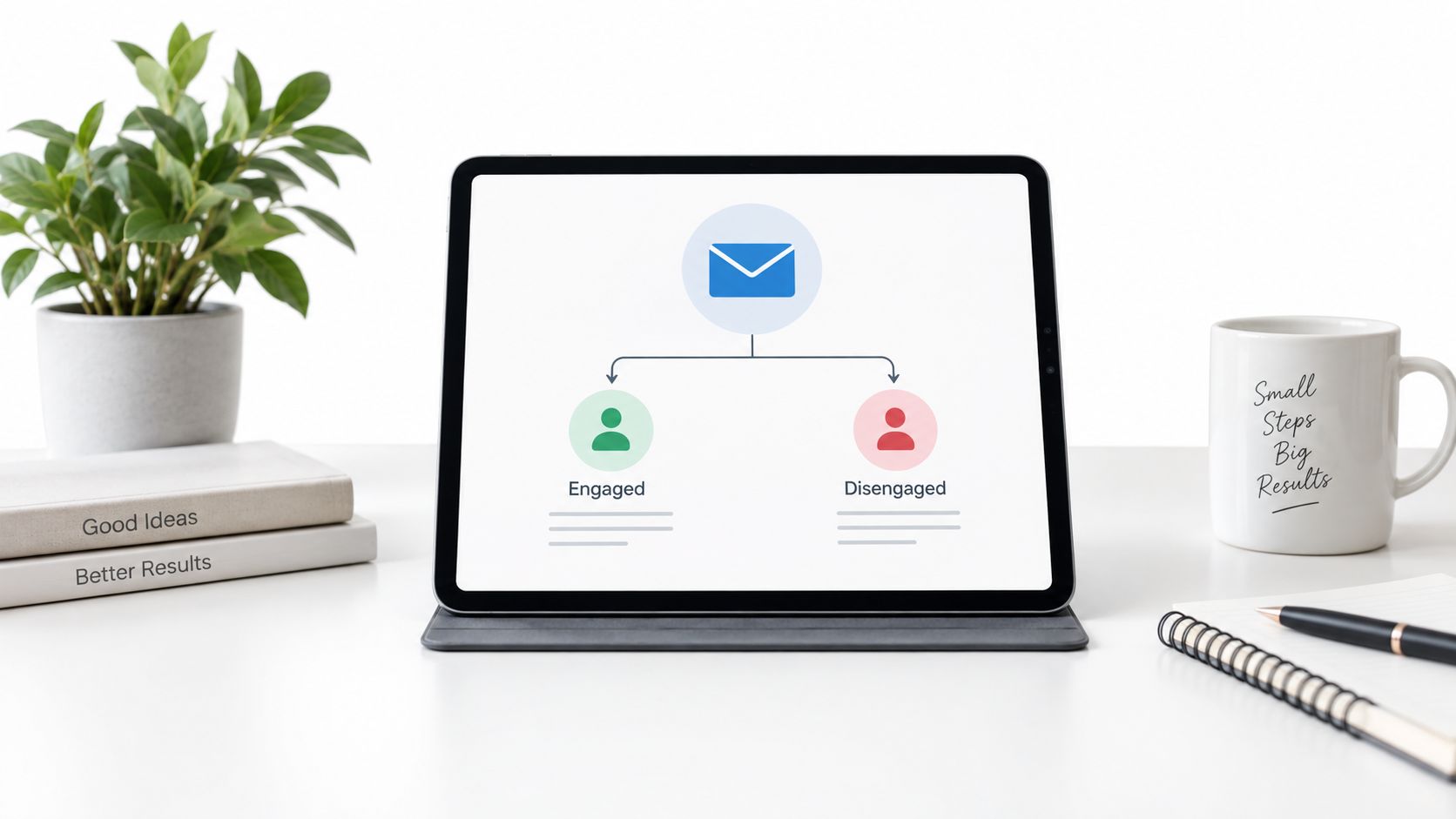
Start with two segments, engaged and disengaged. A product-page click can route someone into product-focused follow-ups. A review-link click can send social proof. A SaaS non-opener after two emails can receive a customer-story angle instead of another feature-benefit email.
Build the first branch
Use your email platform's native automation first. Klaviyo, ConvertKit, and ActiveCampaign can all handle basic engagement branches without custom scripts.
The workflow is simple:
- Send the initial email.
- Check whether the subscriber opened or clicked.
- Route clickers into a relevant follow-up.
- Route non-openers into a different subject-line or content angle.
- Suppress disengaged contacts from unrelated promotional sends.
- Review the engagement score weekly.
A coaching business might move someone who opens three emails in a row into a VIP weekly sequence, while low-engagement contacts receive a monthly digest. Those thresholds should come from your own baseline. Don't copy another brand's open-rate target when your audience behaves differently.
Practical rule: Add complexity only after the two-segment version has produced a pattern you can understand.
The system replaces manual list sorting and repeated follow-up decisions. It needs reliable open, click, link, unsubscribe, and purchase events. AI can draft two angles for non-openers, but I still approve the claim and make sure the variation matches the segment.
Watch click-through rate by branch, then revenue where purchase tracking exists. The first version I got wrong tried to create ten segments before I knew whether engaged and disengaged contacts behaved differently. A re-engagement path matters because a disengaged subscriber who remains eligible for every flow can hurt list health.
2. Template-Based Cold Email Sequences Driven by List Attributes
Cold outreach becomes brittle when every message is manually rewritten. A small template system lets you vary one relevant detail while keeping the underlying offer and reply path consistent.
I start with one variable, usually the company name or industry. An agency owner writing to ecommerce founders might use a product-category observation. A software founder contacting managers might mention a verified tool-stack detail. A consultant contacting directors might reference a recent company update and ask one specific question.
The workflow
- Export the prospect list.
- Normalize company names and job titles.
- Remove blank or doubtful fields.
- Choose one variable for the first test.
- Write one short base email.
- Create a small number of approved variations.
- Send from a dedicated address.
- Capture replies in Gmail filters and a spreadsheet.
- Review positive replies by template.
The data source changes the risk. LinkedIn exports often contain messy titles. Company databases can contain inconsistent industry fields. Spend an hour cleaning before you build personalization around unreliable data.
This replaces repetitive research and copy changes, though it doesn't replace judgment. Use a dedicated sending address, because hundreds of personalized messages from your main business address can trigger provider limits or account flags. Warm the account for 3 to 5 days with small sends to existing contacts before increasing volume.
The number to watch is positive reply rate by template, not how many variables you managed to insert. AI can turn a clean row into a draft, but the prompt needs strict boundaries:
“Use only the verified fields in this record. Write a short email that mentions one relevant detail, asks one clear question, makes no unsupported claim, and does not invent familiarity.”
I initially overbuilt these templates. Five variables created more bad personalization than useful relevance. One accurate detail and a clean reply capture system beat a paragraph that pretends to know the prospect.
3. Win-Back Sequences for Inactive Subscribers Using Reactivation Hooks
A cold subscriber is a list-management decision, not a permanent audience member. Continuing to send to every inactive address muddies engagement data and can weaken future targeting. Set the inactivity window from the buying cycle. For a newsletter, I might start after 60 days without an open. A fast-moving publication may use a shorter window, while a slower cycle may justify more patience.
Build the sequence around one easy return action. Start with a value recap:
“We haven't seen you in a while. You missed,”
Then link to the strongest recent posts. A SaaS company can point to a requested release and its notes. An ecommerce brand can show products or categories the subscriber previously viewed.
Ask for one confirmatory click. Do not make the reader re-enter a password or confirm the email address. The click should update the subscriber's status and route them back to the right nurture path.
Branch the workflow after each event:
- Clicked: Mark the subscriber active and return them to the appropriate nurture sequence.
- Opened but didn't click: Send one more message with a different reason to return.
- No engagement: Suppress or remove the address when the sequence ends.
- Unsubscribed or bounced: Exit immediately and apply that status across every sending system.
This replaces manual list cleaning. Required data includes an inactivity field, consent status, recent engagement, and a suppression rule that works reliably across campaigns. Track reactivation click rate, then review bounce and unsubscribe behavior for signs that the offer or audience is poorly matched.
Win-back campaigns may recover a small portion of cold addresses, but I treat that result as directional because audience quality and inactivity definitions vary. The failure point is assuming every inactive contact remains a future customer. A smaller active list gives you cleaner decisions, more useful engagement signals, and better inbox health.
4. Cart Abandonment and Browse Abandonment Sequences Triggered by Event Data
Abandonment flows only work when the event is real. If the cart, product, price, or customer status is missing, the email feels broken immediately.
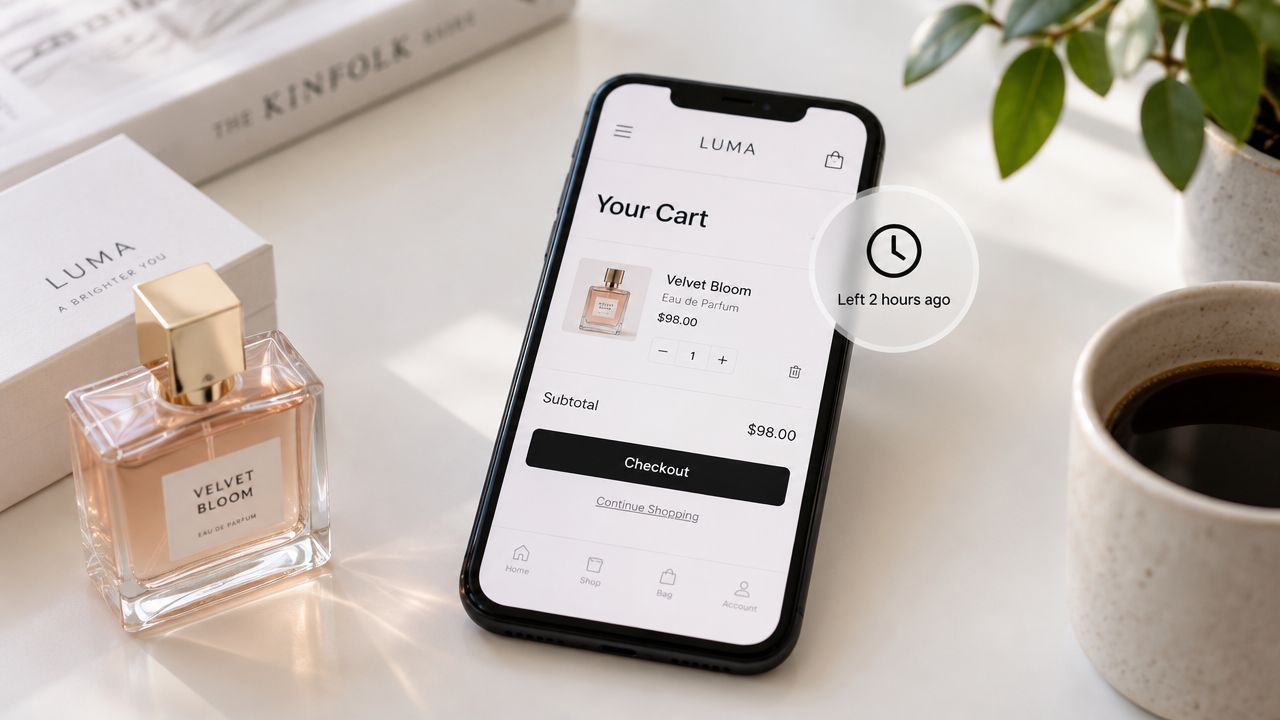
For a standard ecommerce sequence, I use three messages across 48 hours. The first arrives 60 to 90 minutes after abandonment and shows the exact product. The second arrives later with a different objection-handling angle or incentive. The third closes the loop without assuming the recipient still wants the item.
Logic by intent and value
A fashion store might show the item first, then test a discount, then test free shipping. A high-ticket store with an order value above $500 might skip discounts and offer help instead. A SaaS product can treat an unfinished purchase as a request for implementation guidance, using a testimonial or a calendar link rather than a coupon.
Segment by product category and cart value. Someone leaving a $15 item and someone leaving a $300 basket shouldn't receive identical messaging. Also suppress the sequence as soon as the order event arrives.
The workflow replaces manual reminder emails and gives you a consistent recovery path. It needs product ID, image, price, inventory or availability context, cart value, customer identity, purchase status, and consent.
Track purchases attributed to each email, not only clicks. The second email can outperform the first when the incentive or objection answer arrives at the right moment. The third often receives less attention, so don't assume every step deserves equal effort.
For a broader set of marketing automation workflow examples, I focus on the event and the exit rule first. The first version I got wrong treated browse abandonment like cart abandonment. Browsing shows interest. A cart shows a stronger buying signal, and the copy should respect that difference.
5. Post-Purchase Onboarding Sequences Based on Product or Package Purchased
The purchase event should trigger a clear path to the customer's first useful result. I send the first onboarding message within 1 to 2 hours. A digital product needs its download or access link. A subscription needs login instructions. A high-ticket service priced at $5,000 or more needs the support owner and a kickoff booking link.
The sequence should change with the purchase:
- Digital product: immediate delivery and welcome, a Day 3 quick-start guide, a Day 7 usage example, a later support check-in, then a Day 30 second-purchase or next-step offer.
- Subscription: access first, followed by a product tour or feature explanation and a check-in.
- Service package: preparation for the kickoff call, including what the customer should bring or complete, rather than a generic tutorial.
Use the purchase event to stop irrelevant messages and select the correct path. The workflow replaces manual delivery, repeated access instructions, and one-off follow-up. Required data includes SKU or package, payment status, access details, support ownership, and the customer's next action.
Measure completion of the next onboarding step, not just opens or clicks. If a large share of customers opens the message but does not complete the step, inspect the instruction, link, timing, and product access before rewriting the email. A weak call to action may be the symptom, while a missing permission or confusing login flow is often the actual failure point.
A digital product should deliver the file, not merely point to a portal. I learned that after sending a portal link while customer enthusiasm was highest. I keep email drip campaign templates nearby when mapping the sequence, then remove any message that does not help the customer reach the first useful result.
6. Lead Scoring Sequences That Automatically Escalate High-Intent Prospects
Lead scoring earns its place when it changes the next action. A dashboard number without routing, suppression, or follow-up adds work instead of removing it.
Start with a small rule set. In a practical SaaS workflow, an email open adds 10 points, a pricing-page click adds 25 points, and a demo request adds 50 points. Reaching 50 points moves the contact into a sales-ready email sequence and sends a Slack notification to the assigned owner.
The points should match the buying process. A coaching business might score workshop attendance and consultation bookings. An ecommerce business could score product views, cart additions, and a return visit after an email. Copying a template without checking intent quality creates noisy alerts.
Set the workflow around the events your system can identify reliably:
- Email open: low-effort interest.
- Pricing click: stronger commercial intent.
- Demo request: direct intent that should outweigh passive activity.
Store the event name, contact identity, score history, decay rule, and alert owner. This replaces manual engagement-report checks and scattered notifications.
Scores also need an expiry rule. In the example workflow, the score resets after 30 days without new activity, so an old pricing click does not keep a contact permanently hot. Review the model every 90 days. If alerted contacts are cold, raise the threshold. If very few prospects reach it, consider lowering the threshold as well, then check whether event tracking or identity matching is broken.
Measure qualified-reply rate after escalation. That metric tests whether the handoff produces useful conversations, rather than merely increasing notifications.
AI can summarize activity and suggest a next message. Keep a human check before it converts weak evidence into a confident sales claim. My first scoring model rewarded too many low-effort actions. The correction was simple: give direct requests far more weight than passive engagement, and suppress the sales path when the evidence has gone stale.
7. Segmented Promotional Campaigns Based on Purchase History and Category Affinity
Promotions work better when they reflect what someone bought. I don't infer category affinity from a vague profile field when purchase history gives me a clearer signal.
An apparel store can send dress promotions to customers who bought dresses and accessory promotions to accessory buyers. Mixed-category buyers can receive a broader recommendation. A digital creator can promote a copywriting course to email-marketing students, then reverse the offer for copywriting students.
Build from actual orders
- Export completed purchases.
- Group customers by product or category.
- Exclude recent purchasers of the promoted item.
- Select a related product with a clear reason to buy.
- Create a discount and no-discount version.
- Send the campaign to the relevant segment.
- Return non-buyers to regular nurture.
A SaaS business can use the same logic for plan upgrades and add-ons. Someone on a starter plan may receive a professional-plan message, while a professional customer sees an add-on. A customer who hasn't logged in for 30 days may need a win-back message instead of a routine upgrade pitch.
This replaces manual audience selection and broad promotions that force every subscriber to see the same offer. It needs order history, product category, purchase date, current plan or subscription state, and suppression rules.
Watch revenue per recipient by segment and offer version. A discount can increase orders while reducing margin, so I compare the full-price version rather than assuming a coupon wins. The first version I got wrong promoted the same product shortly after purchase. That made the store appear careless, and the fix was a recent-purchase exclusion.
I keep the implementation notes in my email segmentation best practices reference, especially the part about starting with observed behavior instead of imagined preferences.
8. Multi-Channel Workflow Coordination Using Email as the Primary Trigger
Email should coordinate other channels, not activate all of them simultaneously. It already records signups, clicks, bounces, and replies, giving a solo operator a practical event layer for this workflow.
Start with a concrete path. A new signup receives an immediate welcome email. If the person has provided the required consent, an SMS welcome follows after an hour. A hard bounce calls a webhook, flags the contact in the CRM, and creates an operations task. A high lead score starts an email sequence and alerts the relevant person in Slack.
I write the event map before connecting tools:
- Choose the primary email event and required fields.
- Define the next channel action.
- Set the delay, condition, or score threshold.
- Specify what happens if delivery or the integration fails.
- Store consent separately for each channel.
- Add retries for webhooks and APIs.
- Test missing data, rate limits, duplicate events, and unsubscribes.
- Review the event log after launch.
The workflow replaces manual copying between email, CRM, Slack, SMS, and operations systems. It needs a stable contact ID, channel-specific consent, event timestamps, delivery status, and an audit trail.
Measure completion rate for the intended cross-channel action, such as an appointment booked after the email and SMS path. Email may be enough when the action is not time-sensitive. Each extra channel adds another consent requirement and another opportunity to create fatigue.
Start with one or two integrations, usually a CRM and Slack. A newsletter reader who clicks one link should not receive an email, SMS, push notification, and personal message for the same action. Duplicate events and missing consent are the failures I check first.
Bionic Business covers this kind of practical weekly systems work when I have a new workflow worth documenting.
9. Email-Centered Automation Implementation Checklist and Common Pitfalls
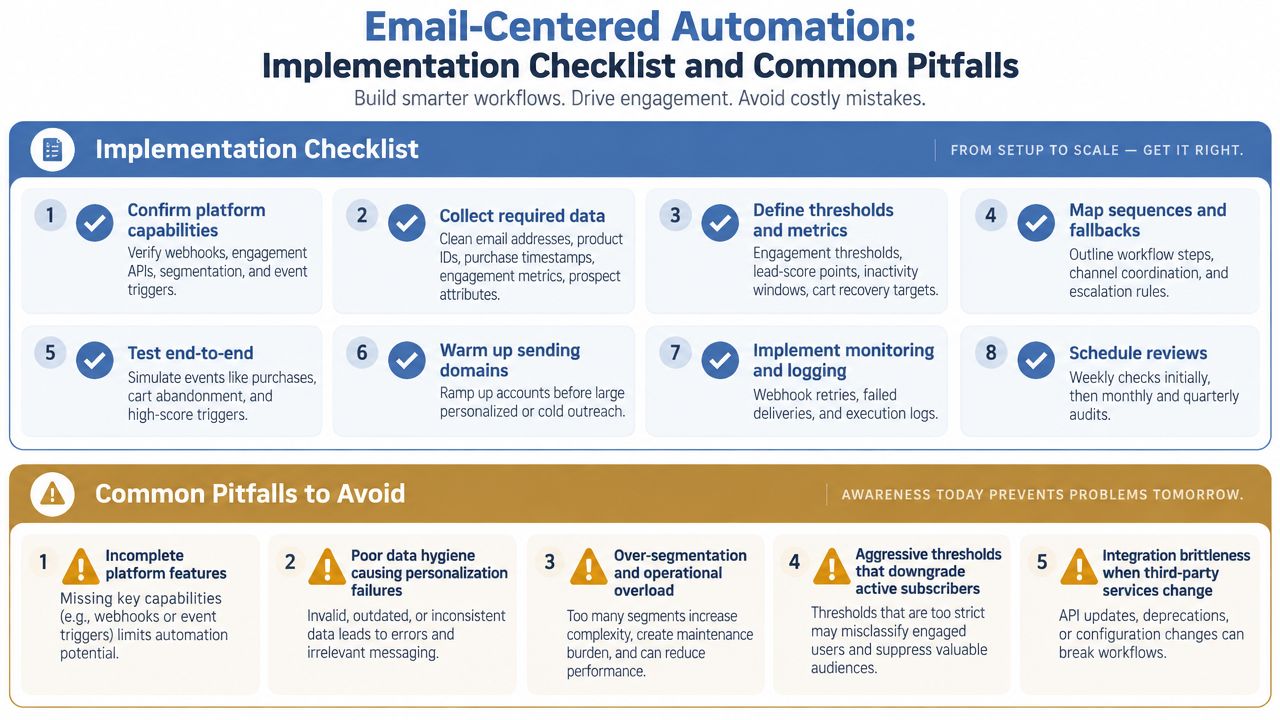
The ninth workflow is the control loop around the other eight. Before launch, I want one documented trigger, one audience definition, one exit rule, one suppression path, and one metric.
Automated emails often outperform scheduled campaigns, but deliverability can worsen when automation runs without list hygiene. A 2025 benchmark report from Acoustic's marketing benchmark coverage notes that scheduled sends can show lower bounce rates than automated sends, a useful warning against assuming that “automated” always means “better.”
The launch check
- Trigger: Name the exact event and required fields.
- Audience: State who can enter and who must be excluded.
- Sequence: Write every delay, branch, and message.
- Exit: Remove buyers, unsubscribers, bounces, and completed contacts.
- Consent: Confirm the lawful basis and channel permission.
- Data: Test product, purchase, engagement, and identity fields.
- Delivery: Check domain authentication, suppression, bounce handling, and frequency.
- Testing: Run a real or test record through every branch.
- Metric: Record a baseline before changing copy.
GDPR still applies to triggered messages. Consent must be freely given, specific, informed, and unambiguous, and each message must remain within the scope of the permission or lawful basis originally collected, according to this GDPR email marketing guide. Stale re-engagement campaigns may require re-permission rather than a careless “last chance” blast.
The number I watch first is revenue per recipient, because benchmark reporting places automated emails at $3.41 per send versus $0.155 for campaigns, according to Shno's email automation statistics. I also review unsubscribes, bounces, overlap, and complaints monthly.
AI can help classify failures and draft alternatives. It can't repair a missing purchase event or decide whether your consent record covers a new channel. I once launched a flow with a correct message and a broken fallback. The customer received nothing when the product field was absent, which is why every branch now has an explicit failure path.
9 Email Automation Best Practices Compared
| Item | Implementation complexity | Resource requirements | Expected outcomes | Ideal use cases | Key advantages |
|---|---|---|---|---|---|
| Behavioral Trigger Sequences Based on Email Engagement History | Medium, needs threshold logic and platform support | Engagement data (2–3 campaigns), API access, list hygiene, monitoring | Improved relevance; ~8–15% engagement lift; fewer sends to disengaged | Nurture flows, re-engagement, behavior-based routing | Personalized messaging, saves sending costs, improves list health |
| Template-Based Cold Email Sequences Driven by List Attributes | Low–Medium, template mapping and data validation | Clean prospect data (company, title), sending account warm-up, template system | Higher reply rates (3–5x vs generic); target reply rate ~8–15% | Scaled outreach, SDRs, B2B prospecting | Scales personalization, reduces manual work, consistent outreach |
| Win-Back Sequences for Inactive Subscribers Using Reactivation Hooks | Low, sequence setup and inactivity rules | Engagement reports, CTA/links, scheduling discipline | Recover 5–15% of inactive; remove 20–40% to improve deliverability | Newsletter cleanup, list hygiene, reactivation campaigns | Improves deliverability, recovers subscribers, automates cleanup |
| Cart Abandonment and Browse Abandonment Sequences Triggered by Event Data | High, real-time events, webhooks and cadence logic | E‑commerce API/webhooks, product/cart data, technical integration | Recover 12–25% of abandoned cart value; strong revenue lift | E‑commerce checkout recovery, product-specific incentives | Direct revenue recovery, personalized incentives, high ROI |
| Post-Purchase Onboarding Sequences Based on Product or Package Purchased | Medium, product mapping and tailored content | Purchase data (product ID, tier), onboarding content, tracking | Higher activation; target 60–75% activation within 7 days; fewer support tickets | Digital product onboarding, high‑touch services, subscriptions | Boosts activation, reduces support, increases retention and upsells |
| Lead Scoring Sequences That Automatically Escalate High-Intent Prospects | Medium–High, scoring model and site tracking | Website tracking/pixel, CRM integration, data to calibrate (30–60 days) | Focused handoffs; target 20–40% conversion for thresholded leads | B2B SaaS, sales-driven teams, intent-based outreach | Prioritizes qualified leads, improves marketing→sales handoff, scalable |
| Segmented Promotional Campaigns Based on Purchase History and Category Affinity | Medium, segment design and recommendation logic | Clean purchase history, product catalog tags, segment rules | 2–3x revenue per email vs blanket sends; higher conversion | Promotional cross-sell, category-driven offers, lifecycle marketing | Increases promo revenue, reduces irrelevant offers, better targeting |
| Multi-Channel Workflow Coordination Using Email as the Primary Trigger | High, multiple integrations and conditional logic | Webhooks/Zapier, APIs for SMS/push/CRM, consent records, monitoring | Better coordinated touchpoints; measurable cross‑channel lift and ops automation | Omnichannel journeys, time‑sensitive flows, complex operations | Centralizes coordination, reduces tool overhead, timely multi‑channel actions |
| Email-Centered Automation: Implementation Checklist and Common Pitfalls | Low–Medium, guidance and validation rather than code | Platform capability checks, test data, monitoring tools, review cadence | Fewer failures; higher workflow success (aim 98%+); smoother rollouts | Program planning, audits, scaling multiple automations | Standardizes implementation, prevents common errors, improves reliability |
Build One Reliable Loop on Monday
Choose the workflow closest to demand you already have. If customers abandon carts, start there. If your list contains many inactive subscribers, start with win-back. If purchases happen but customers stall after buying, build onboarding before another promotional campaign.
Export the required data on Monday morning. Write the trigger in one sentence, such as “Enter when a known subscriber adds a product to cart and doesn't purchase.” Then write the exit rules just as clearly: purchase, unsubscribe, hard bounce, completed action, or manual suppression.
Create the smallest useful sequence. For cart abandonment, that might mean the product reminder, one objection-handling message, and a final close. For onboarding, it might mean access, first action, and support. Don't add a branch until you know which decision it will change.
Test every event with a real or test record. Check the product image, name, price, links, personalization fields, unsubscribe link, consent status, delay, purchase exit, and duplicate-send protection. A workflow that looks correct in the editor can fail when an integration sends a blank field or repeats the same event.
Record one baseline metric before launch. Use revenue per recipient for a commercial flow, reactivation click rate for win-back, next-step completion for onboarding, or positive reply rate for cold outreach. Automated emails have been reported at 48.57% average open rates compared with 37.93% for standard campaigns, according to QRCodeChimp's email marketing statistics, but opens alone won't tell you whether the workflow earns its place.
Review the result after 30 days before adding another flow. Look for missing fields, duplicate sends, consent gaps, unsubscribe failures, excessive frequency, and broken fallbacks. Tighten suppression when engagement decays. Run email addresses through an Email Validation API when list quality needs an external check, but don't treat validation as a substitute for permission.
I document these experiments in Bionic Business at bionicbusiness.com when they reveal a useful system or a failure worth avoiding. On Monday, build one loop, test it end to end, and let the data earn the next automation.
Frequently Asked Questions
What is the best email automation to set up first?
Pick the workflow closest to demand you already have. If customers abandon carts, start with cart abandonment. If your list holds many inactive subscribers, start with a win-back sequence. If people buy but stall afterward, build onboarding before another promotion. Write the trigger in one sentence, write the exit rules just as clearly and keep the first sequence as small as it can be.
How many emails should a cart abandonment sequence have?
Three messages across 48 hours works for a standard ecommerce sequence. The first arrives 60 to 90 minutes after abandonment and shows the exact product. The second takes a different objection-handling angle or incentive. The third closes the loop without assuming the person still wants the item. Stop the sequence as soon as the order event arrives.
When should you remove inactive subscribers from your email list?
Set the inactivity window from your buying cycle. For a newsletter, 60 days without an open is a reasonable starting point, with a shorter window for fast-moving publications. Run a short win-back sequence that asks for one easy click. Contacts who click return to nurture, and addresses with no engagement are suppressed or removed when the sequence ends.
How does lead scoring work in email automation?
Each tracked event adds points, and a threshold triggers the next action. In a sample SaaS setup, an email open adds 10 points, a pricing-page click 25 and a demo request 50. Reaching 50 moves the contact into a sales-ready sequence and alerts the owner in Slack. Scores reset after 30 days without activity so an old click does not keep a contact hot.
Do automated emails perform better than regular campaigns?
Often, yes. Omnisend’s benchmarks show automated messages made up about 2% of email volume while driving roughly 37% of email-generated sales. Automation still needs list hygiene. Acoustic’s 2025 benchmark notes scheduled sends can show lower bounce rates than automated ones, so judge each flow by revenue per recipient rather than assuming automated means better.
Does GDPR apply to automated emails?
Yes. Consent must be freely given, specific, informed and unambiguous, and each triggered message has to stay within the scope of the permission or lawful basis you originally collected. Store consent separately for each channel before adding SMS or other touchpoints, and expect stale re-engagement campaigns to need re-permission rather than a last-chance blast.
