
You're probably dealing with this right now. You have a strong model, decent prompts, and a pile of business data locked in Google Drive, Notion, GitHub, HubSpot, a warehouse, and internal tools. Then someone asks the obvious question: why can't the AI just use all of it without another custom integration sprint?
That bottleneck is why Model Context Protocol matters. I've been working with ML since 2016 and Generative AI since 2019, and I can tell you the integration layer is where a lot of AI projects stall. The model is rarely the weak part. The plumbing is messy, brittle, and expensive.
Table of Contents
- Introduction to Model Context Protocol
- Understanding Model Context Protocol Core Concepts
- How MCP Fits into the LLM Ecosystem
- Implementation Patterns and Sample Payloads
- Business Use Cases for Model Context Protocol
- Best Practices and Security Considerations
- Troubleshooting Common MCP Issues and Metrics to Track
- Conclusion and Next Steps
Introduction to Model Context Protocol
In most businesses, the real problem is AI access.
Your model can write, summarize, reason, and classify. But if it can't securely read the right document, check the right record, or trigger the right action inside your stack, it stays a demo. That's where teams waste months. One custom connector for Claude. Another for ChatGPT. Another workaround for Gemini. Same intent. Repeated engineering cost.
I've seen this pattern over and over. For marketing, you want the assistant to pull approved messaging. For sales, you want CRM context. For support, you want policy docs and ticket history. For product, you want feature status. Every request sounds simple until you, or the developer you hire, start stitching together one-off integrations that break as soon as the model, tool, or auth flow changes.
As a practical rule, if every new model forces you to rebuild access to the same systems, your architecture is the problem.
Model Context Protocol, or MCP, is the answer to that mess. It gives AI systems a shared way to connect to tools and data, which is why people call it the USB-C for AI. That description is useful because it frames the business value clearly. Fewer bespoke connections, faster deployment, and a cleaner path from prototype to production.
Understanding Model Context Protocol Core Concepts
MCP appeared because custom AI integrations don't scale.
Why MCP showed up when it did
The Model Context Protocol was officially announced by Anthropic on November 25, 2024, marking the shift from bespoke integrations to a unified open standard for AI-tool connectivity according to the MCP overview on Wikipedia. That date matters because it formalized something the market already needed. A standard context layer between models and business systems.
Here's the visual mental model I use when I explain it:
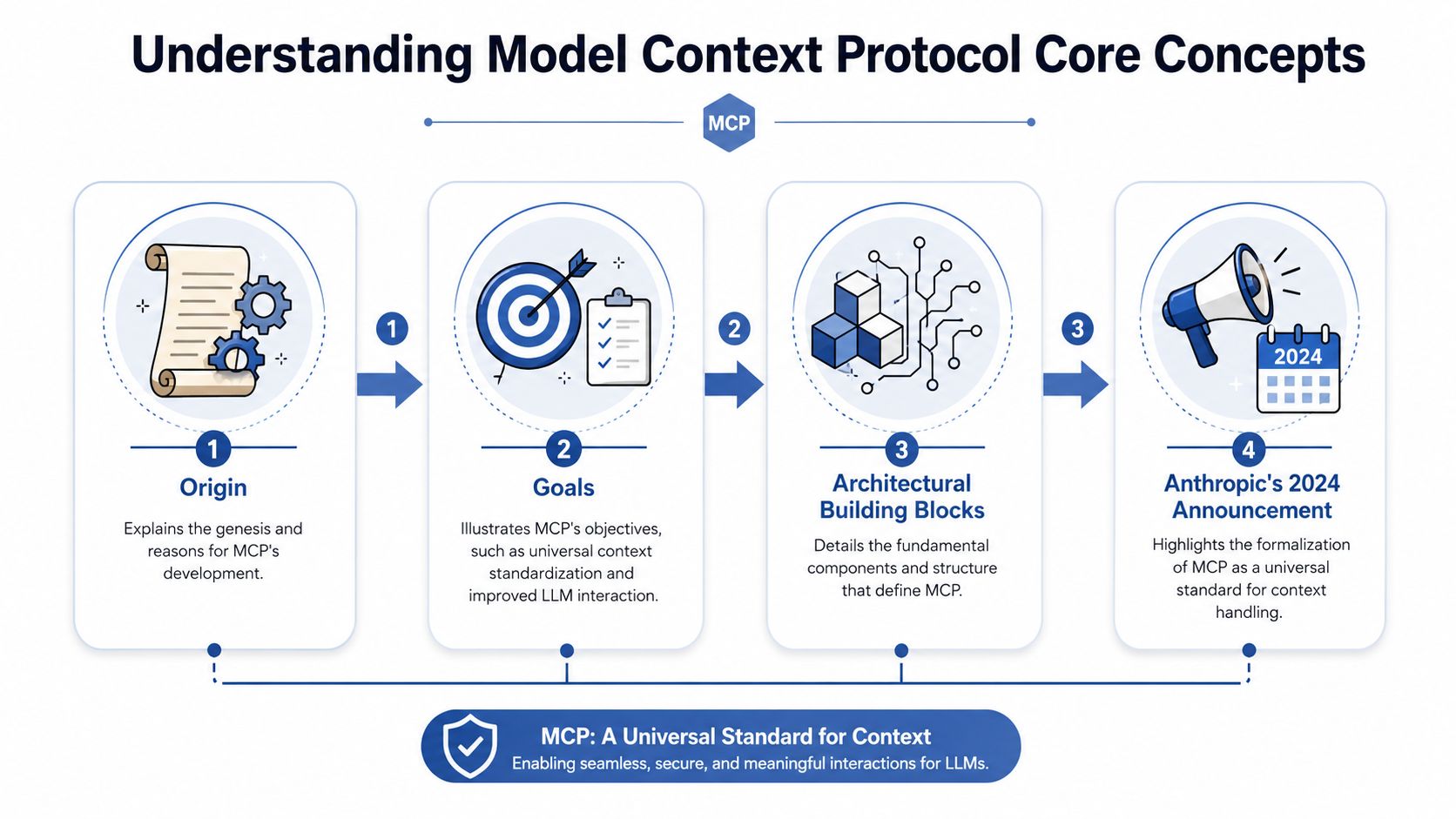
The core idea is simple. You stop wiring every model separately into every tool. Instead, you expose tools and data through a standard interface the model host can discover and use.
That shift matters if you care about speed. It also matters if you care about maximizing impact. Teams building transforming data with AI assets already know the hard part is getting the right context into the right workflow at the right time. Generating text is the easy bit.
If you're still treating prompt quality as the main differentiator, you're behind. The bigger edge comes from context quality and tool access. I've written more on that distinction in my guide on context engineering versus prompt engineering.
A short explainer helps if you want to see the concept from another angle.
The architecture that actually matters
Under the hood, MCP is less mysterious than people make it sound. It's a client-server protocol for AI context and tool use.
The ecosystem is commonly described as four components: clients, the protocol itself, servers, and services. In practice, that means an AI host such as Claude Desktop, Cursor, Windsurf, or another app runs a client. That client connects to an MCP server. The server exposes resources or tools from some underlying service like GitHub, a database, or a file system.
A few design choices make MCP useful in practice:
- It is an open standard, so you're not locking your tool access to one model vendor.
- It supports runtime discovery. The AI can discover what capabilities are available instead of relying on brittle hardcoding.
- It gives you a shared integration layer, so one server can support multiple AI experiences.
- It cuts duplicated engineering, because you write fewer one-off adapters.
MCP matters because it moves AI integration from handcrafted wiring to reusable infrastructure.
That's the answer to the question, what is Model Context Protocol. It's the connective tissue that lets AI operate inside the systems your business already runs on. Models, prompt libraries and agent frameworks are separate layers.
How MCP Fits into the LLM Ecosystem
If you're trying to place MCP in your stack, don't put it in the “model” bucket. Put it in the runtime integration bucket.
Where it sits in your stack
An LLM has a context window. Your retrieval system pulls in relevant information. Your orchestration layer decides whether to answer, search, ask for clarification, or call a tool. MCP fits into that middle layer where the system needs live access to external context and actions.
This hierarchy provides the clearest understanding:
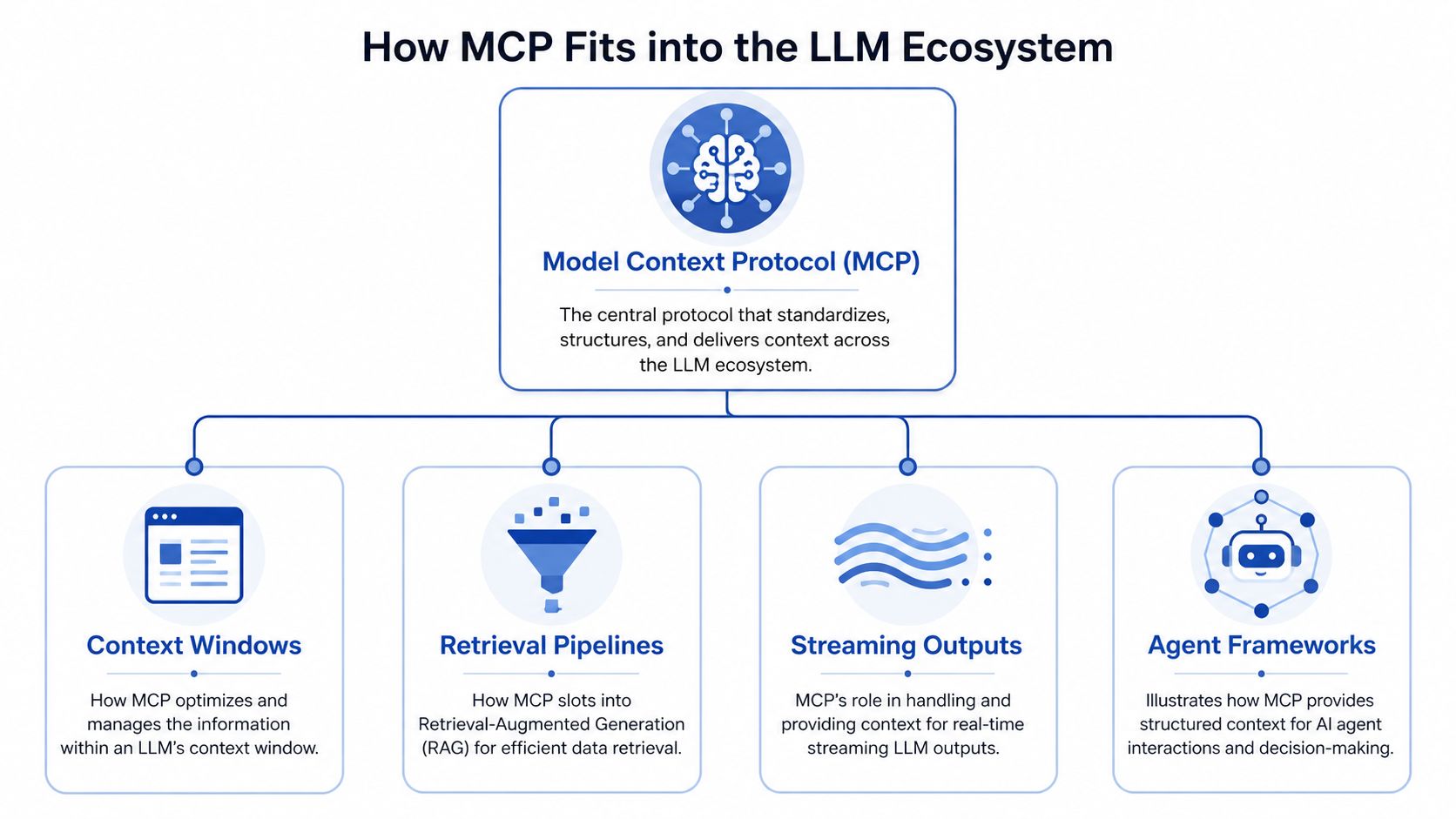
MCP complements several parts of the LLM stack:
- With context windows, it helps the host pull in relevant live context instead of stuffing prompts with static background text.
- With retrieval pipelines, it works alongside RAG when you need live system access rather than only indexed documents.
- With streaming outputs, it supports long-running workflows where progress and partial responses matter.
- With agent frameworks, it gives agents a standard way to access tools without custom wiring for every service.
That makes it useful in practical workflows. A sales assistant can fetch account notes, then call a pricing tool, then draft a response. A support bot can read internal docs, check order status, and create a ticket. A developer agent can inspect a repo, read local files, and trigger a CI-related action through a connected service.
For teams building voice and conversion workflows, this pattern matters outside chat too. If you look at products like AI Call Assistant, the winning pattern is structured access to customer context, routing logic, and operational systems at runtime, on top of good model output.
Why the ecosystem is moving this way
The strongest signal is adoption.
As of mid-2025, over 100 official MCP servers are published, with enterprise platforms like Databricks and Google Cloud integrating support to break down information silos according to the official MCP getting started documentation. That tells you MCP has already moved beyond theory. There's enough ecosystem momentum to treat it as an infrastructure decision, not an experiment.
This is also why I don't advise founders to overbuild proprietary tool-connection layers anymore. If you want competitive advantage, focus on your domain workflows, permissions model, context ranking, and business logic. Don't waste time rebuilding generic orchestration plumbing that the market is standardizing.
For more complex multi-tool execution, that orchestration layer still matters. MCP won't replace it. It feeds it. My thinking on that lives in this piece on AI agent orchestration.
Here's my blunt take. If your competitors can connect faster to customer data, support content, developer environments, and internal systems, they'll ship useful AI features before you do. That loss shows up in revenue.
Implementation Patterns and Sample Payloads
At this point, teams either keep things clean or create a future mess.
The common patterns I see in production
MCP is architecturally defined as a stateful, bidirectional layer on JSON-RPC 2.0, enabling dynamic discovery and context state across interactions without boilerplate code according to the MCP specification dated 2025-06-18. That sentence sounds technical, but the business takeaway is straightforward. You can maintain ongoing context with a server and discover capabilities without manually coding every possible interaction.
The production patterns I see most often are these:
Read-only context access
The model reads local files, documentation, CRM notes, or product specs. This is the lowest-risk starting point and usually the right first pilot.Tool execution
The model triggers a defined function such as querying a database, creating a ticket, or checking a status. This creates faster workflows, but risk rises immediately because the AI now acts as well as reads.Stateful multi-step workflows
The host maintains a conversation with one or more MCP servers across a task. The model asks for data, gets partial results, requests clarification, and then completes the action.Prompt and context templates from the server
The server exposes structured prompts or reusable interaction patterns. This matters when you want consistency across teams and hosts.
If you are building agents with memory, don't bolt memory on as an afterthought. Treat memory, retrieval, and tool access as one system. I break that down more thoroughly in this guide to AI agent memory.
Sample JSON-RPC payloads
A minimal MCP interaction often looks like a capability discovery step followed by a resource or tool call.
Here's a simple JSON-RPC style request to list available tools:
| Field | Description |
|---|---|
jsonrpc |
Protocol version, commonly 2.0 |
id |
Unique request identifier for matching responses |
method |
The action being requested, such as listing tools or reading a resource |
params |
Input parameters for that method |
Example request:
{
  "jsonrpc": "2.0",
  "id": "req-001",
  "method": "tools/list",
  "params": {}
}
Example response:
{
  "jsonrpc": "2.0",
  "id": "req-001",
  "result": {
    "tools": [
      {
        "name": "query_customer_orders",
        "description": "Query order records for a customer"
      },
      {
        "name": "read_pricing_policy",
        "description": "Read the latest internal pricing policy"
      }
    ]
  }
}
A tool invocation might look like this:
{
  "jsonrpc": "2.0",
  "id": "req-002",
  "method": "tools/call",
  "params": {
    "name": "query_customer_orders",
    "arguments": {
      "customer_id": "CUST-123"
    }
  }
}
And a resource read can be just as simple:
{
  "jsonrpc": "2.0",
  "id": "req-003",
  "method": "resources/read",
  "params": {
    "uri": "file:///playbooks/support-refund-policy.md"
  }
}
You don't need exotic implementation to get value. You need clear method naming, strong schema discipline, and predictable responses.
Keep your first server boring. Read-only resources, a small tool surface, and tight schemas beat a flashy demo server that nobody can govern.
What to lock down early
The protocol gives you flexibility. That's useful. It's also where teams get reckless.
I recommend these implementation guardrails from day one:
- Constrain the method scope by exposing only the resources and tools that map to a clear business task.
- Separate read from write by putting read-only operations on a different server or permission path from write-capable actions.
- Use structured errors that return explicit schema and permission errors so your host can recover cleanly.
- Plan authentication before rollout. Newer MCP guidance includes OAuth 2.1 support and elicitation patterns, which is exactly where you should focus before opening access broadly.
- Log every tool call. If the model touches a sensitive system, you need a trail.
Most failed AI integrations fail because nobody designed the interface contracts or the permissions model with production in mind.
Business Use Cases for Model Context Protocol
MCP becomes valuable when your business depends on current information and repeatable execution. That's most businesses.
Where MCP earns its keep
In marketing, I use MCP to connect models to approved messaging, campaign history, content libraries, and analytics notes. The payoff is consistency. You stop asking the model to “remember the brand voice” and start giving it controlled access to the exact sources that define the brand.
In sales, the win is speed with context. An AI assistant can pull account notes, product details, and support history before drafting follow-up language. That shortens prep time and improves response quality, which matters when your competitor is already in the inbox.
Support is an obvious use case. A model can read policy docs, product documentation, and account status before answering. If you do this well, whoever handles support spends less time searching scattered systems and more time resolving the issue.
Product and engineering work benefits in a different way. MCP lets internal assistants inspect documentation, repo context, and environment-specific tools through one integration pattern. That reduces friction across bug triage, feature review, and release coordination.
A few strong use cases stand out:
- For revenue operations, give AI structured access to CRM records, pricing references, and proposal templates.
- For customer support, surface the right internal guidance and status data without forcing anyone to search five tabs.
- For marketing operations, connect content systems, brand standards, and campaign repositories for faster execution.
- For developer workflows, expose repositories, issue trackers, and environment tools through standardized interfaces.
The businesses that win with AI connect it to the systems where money is made or lost. The fanciest prompt library comes second.
When I would not use it
I wouldn't use MCP for every integration.
If you have one narrow workflow, one model, one internal app, and no expectation of reuse, a direct integration may be simpler. If ultra-low latency is the absolute priority, custom paths can still make sense. And if the workflow is highly sensitive but not yet governed, don't hand an AI runtime access to it just because the protocol makes it easy.
That last point matters. Standardization increases effectiveness. It also increases blast radius when you make a bad permission decision.
Best Practices and Security Considerations
Most MCP content online is too optimistic about security. That's a mistake.
The security gap most teams ignore
Once you standardize access to tools and data, you create a new layer of risk. The model can now discover capabilities and act through them. If untrusted content enters the workflow, prompt injection and unauthorized tool execution become operational problems, not theoretical ones.
This is a mainstream concern. 68% of security teams cite governance controls for MCP clients connecting to sensitive systems as their top concern, which points to a gap in existing adoption guides according to Stytch's introduction to Model Context Protocol.
Here's the security framing I use. The bigger danger than “AI says something wrong” is “AI uses the wrong system in the wrong way with the wrong permissions.” That's where legal, compliance, and brand damage show up.
This visual captures the trade-off clearly:
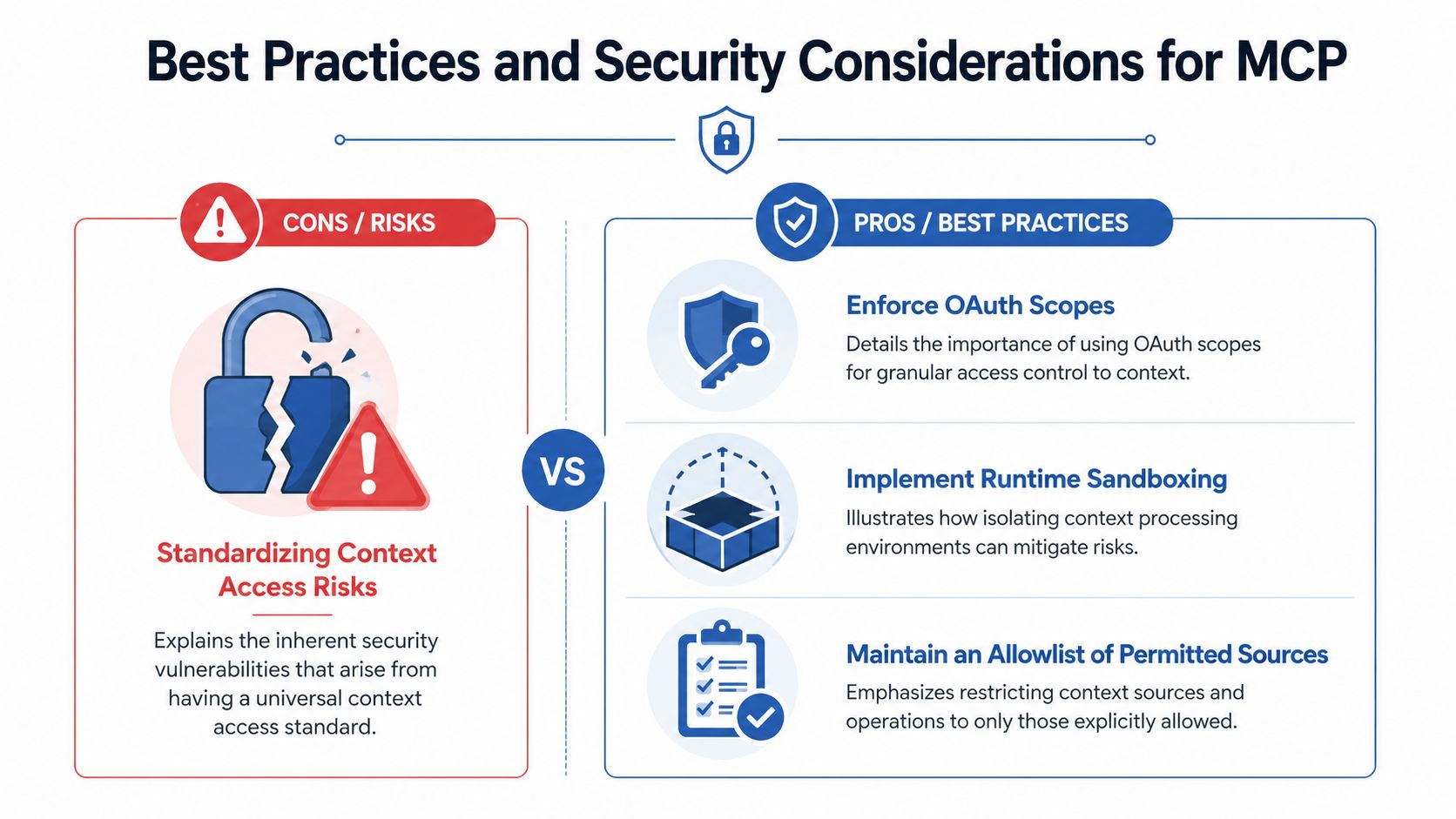
The controls I recommend
If you're adopting MCP in a real business, I recommend a stricter default than most vendor demos imply.
- Enforce OAuth scopes so each host and user gets only the minimum access required for the task.
- Implement runtime sandboxing to isolate execution, so one compromised workflow can't roam through the rest of your environment.
- Maintain an allowlist. Approve specific methods, resources, and servers, and don't let the host call whatever it happens to discover.
- Separate trusted from untrusted content. External content should not automatically gain the ability to influence sensitive tool calls.
- Require human approval for write actions, especially financial changes, customer communications, or destructive operations.
I also advise classifying MCP servers by risk. A read-only documentation server sits in one category. A server that can write CRM records, send messages, or touch production systems sits in another.
Start with read-only servers tied to non-sensitive content. Prove logging, permissions, and monitoring work before you expose action-taking tools.
The governance gap is where a lot of companies will stumble. They'll celebrate interoperability, skip the controls, and then discover too late that a universal connector without guardrails is just a faster way to make expensive mistakes.
Troubleshooting Common MCP Issues and Metrics to Track
MCP usually breaks in predictable ways. That's good news because predictable problems are manageable.
What usually breaks first
Authentication failures are common early on. The host can see the server but can't use the capability because token handling or scopes are wrong. Fix the auth flow before you debug prompts. Prompt changes won't repair permission failures.
The next issue is capability mismatch. Your host expects a tool or resource shape that the server doesn't expose cleanly. Tighten your schemas and version your interfaces. Loose contracts create brittle orchestration.
JSON-RPC errors are the third category. Invalid params, bad request IDs, or inconsistent method naming can derail an otherwise solid integration. This is why naming discipline and structured error responses matter more than people think.
The metrics that actually matter
The performance trade-off is real. MCP reduces integration time by 40–60% but adds 15–25 ms per call due to JSON-RPC overhead, which can impact conversion rates by up to 7% in high-traffic flows according to this MCP performance discussion on Medium.
The answer is to deploy MCP intelligently.
Track these metrics:
- Average RPC latency, especially for customer-facing flows where speed affects conversions.
- Error rate by method, because you need to know whether the problem sits in discovery, reads, or tool execution.
- Authentication failure rate, which shows whether governance and usability are fighting each other.
- Context utilization, to see whether the host is fetching useful context or just adding token bloat.
- Tool success rate. A tool that exists but fails often is worse than no tool at all.
If the workflow is user-facing and latency-sensitive, reserve MCP for the high-value calls and keep commodity interactions lean. Flexibility is great. Slow checkout, slow lead routing, or slow support response is not.
Conclusion and Next Steps
MCP matters because it turns AI from a sealed box into an operational system. It gives models a standardized way to reach the tools, files, and data that drive actual business outcomes.
My recommendation is simple. Start with one read-only MCP server tied to a high-value workflow. Measure integration speed, relevance, security behavior, and latency. If the pilot improves execution without creating governance chaos, expand carefully into action-oriented tools.
That's how you answer the question behind what is Model Context Protocol: with practical business application rather than theory.
