
You’re running a 10-person company or team, and the math feels broken.
Bigger competitors have more specialists, more managers, more budget, more time to waste on bad process, and more room for slow decisions. You don’t. Every hire matters. Every delay hurts. Every repeated task steals attention from work that moves revenue.
That’s why most founders are asking the wrong question about AI. They ask, “Which tool should we try?” I think that’s backwards. You should be asking, “Which parts of our operating system should humans stop doing manually?”
I’m Samuel Woods. I’ve been working with ML since 2016 and Generative AI since 2019. My view is simple. AI agents for a 10 person team deserve a central role. Used properly, they become your execution layer. They let your people spend less time moving information around and more time making decisions, shipping campaigns, closing deals, and spotting market shifts before competitors do.
Stop Competing on Headcount, Start Competing with AI Agents
A 10-person team usually loses in the same places. Research takes too long. Follow-up gets missed. Reporting lags. Nobody has enough time to turn insight into action fast enough.
That’s where internal AI agents change the game. The shift is already happening. 75% of executives believe AI agents will reshape the workplace more profoundly than the internet, and 88% are allocating additional budgets for internal AI initiatives according to Merge’s AI agent statistics roundup. That matters because smart operators aren’t waiting for perfect certainty. They’re rewiring execution now.
For small teams, the payoff is direct. The same source notes that generative AI tools can double the productivity of workers on complex tasks. If you’re trying to outmaneuver larger firms, that’s the point. You don’t need to match their headcount. You need to increase output per person.
My rule of thumb: don’t deploy agents to look innovative. Deploy them where speed compounds into revenue, margin, or strategic advantage.
I don’t recommend thinking in terms of isolated bots. That’s amateur hour. A chatbot here, a copy tool there, a random automation in Zapier. That creates clutter, not efficiency.
I recommend building a bionic operating system. Humans own judgment, positioning, relationships, and final decisions. Agents handle research, monitoring, synthesis, prep work, draft generation, task routing, and repetitive execution. The result is a business that responds faster than bigger competitors and learns faster than slower ones.
If outbound is part of your growth model, start by fixing how your team finds and acts on signal. I’d pair this article with redefining outbound sales in the Age of AI because the win comes from building a system that notices opportunity earlier and acts on it with relevance. Sending more messages won’t do that.
What this changes inside your business
A bionic team works differently, and faster.
- Founders stop being human routers for every decision and follow-up.
- Specialists stay in their zone. Marketers market. Salespeople sell. Operators manage exceptions instead of clicking through repetitive tasks.
- The business gets sharper because agents create continuity across research, execution, and feedback loops.
That’s the moat: operational superiority, without the AI theater.
Map Your First Agents to Business-Critical Roles
Teams often start in the wrong place. They buy a platform before they identify the work that deserves an agent. That’s how you end up with expensive demos and no business result.
Start with roles, not tools.

Audit the work your team is already doing
Look at your last two weeks. Not your org chart. Not your strategy deck. The actual work.
I want you to separate tasks into four buckets:
Revenue-adjacent repetitive work, such as prospect research, lead enrichment, first-draft outreach, follow-up reminders, proposal prep, CRM updates.
Research-heavy marketing work, such as competitor tracking, trend synthesis, content briefs, SERP review, voice-of-customer analysis, campaign QA.
Operational coordination, such as status collection, meeting summaries, handoffs, documentation, task routing, reporting.
High-judgment work, such as positioning, negotiation, brand calls, hiring decisions, pricing strategy, key client communication.
Agents belong in the first three buckets. Humans stay firmly in the fourth.
If a task is repeated, rules-based, data-heavy, and painful to do manually, it’s a strong candidate for an agent.
Prioritize by business impact, not novelty
The fastest wins usually come from sales support, customer response, and internal research. That lines up with the numbers. Sales teams using AI agents report 81% revenue growth and save 2-5 hours weekly on non-selling tasks. Customer service teams using agents handle 13.8% more inquiries per hour according to AI4SP’s analysis of AI agents in business teams.
That doesn’t mean your first agent should write blog posts. It means your first agent should remove friction from the work that touches revenue or capacity.
Here’s the framework I use with small teams.
| Role area | Good first agent | Why it matters |
|---|---|---|
| Sales | Prospect research and personalization agent | Frees reps from prep work and improves speed to outreach |
| Marketing | Market intelligence agent | Gives your team a daily read on competitor moves and customer language |
| Customer success or support | Triage and draft-response agent | Increases throughput without sacrificing human review |
| Operations | Meeting-to-task agent | Cuts admin drag and keeps execution from slipping |
For a broader set of practical examples, I’d review these AI agent use cases and map them against your existing bottlenecks.
Pick your first three agents
If you’re a 10-person startup or SMB, I’d usually recommend this sequence:
- First, a market intelligence agent that watches competitors, customer discussions, reviews, and market shifts.
- Second, a sales support agent that researches accounts and drafts personalized opening lines.
- Third, an internal operations agent that turns meetings, Slack decisions, and form submissions into structured next steps.
Why this order? Because you need signal first, revenue second, coordination third. Most small teams do the reverse and wonder why they’re busy but not sharper.
What not to automate first
Some workflows look tempting and still deserve a hard no.
- Don’t let an agent publish brand-critical content to your main channels without review early on.
- Hold off on complex multi-step tasks with lots of edge cases. If a process constantly changes, your first version will be brittle.
- Anything with legal, financial, or sensitive customer impact should start in draft mode. Keep a human approver.
The goal is a system your team trusts enough to use every day. Proving the technology works is beside the point.
Choose Your AI Agent Architecture and Stack
Most founders don’t need a lecture on frameworks. They need a clean decision.
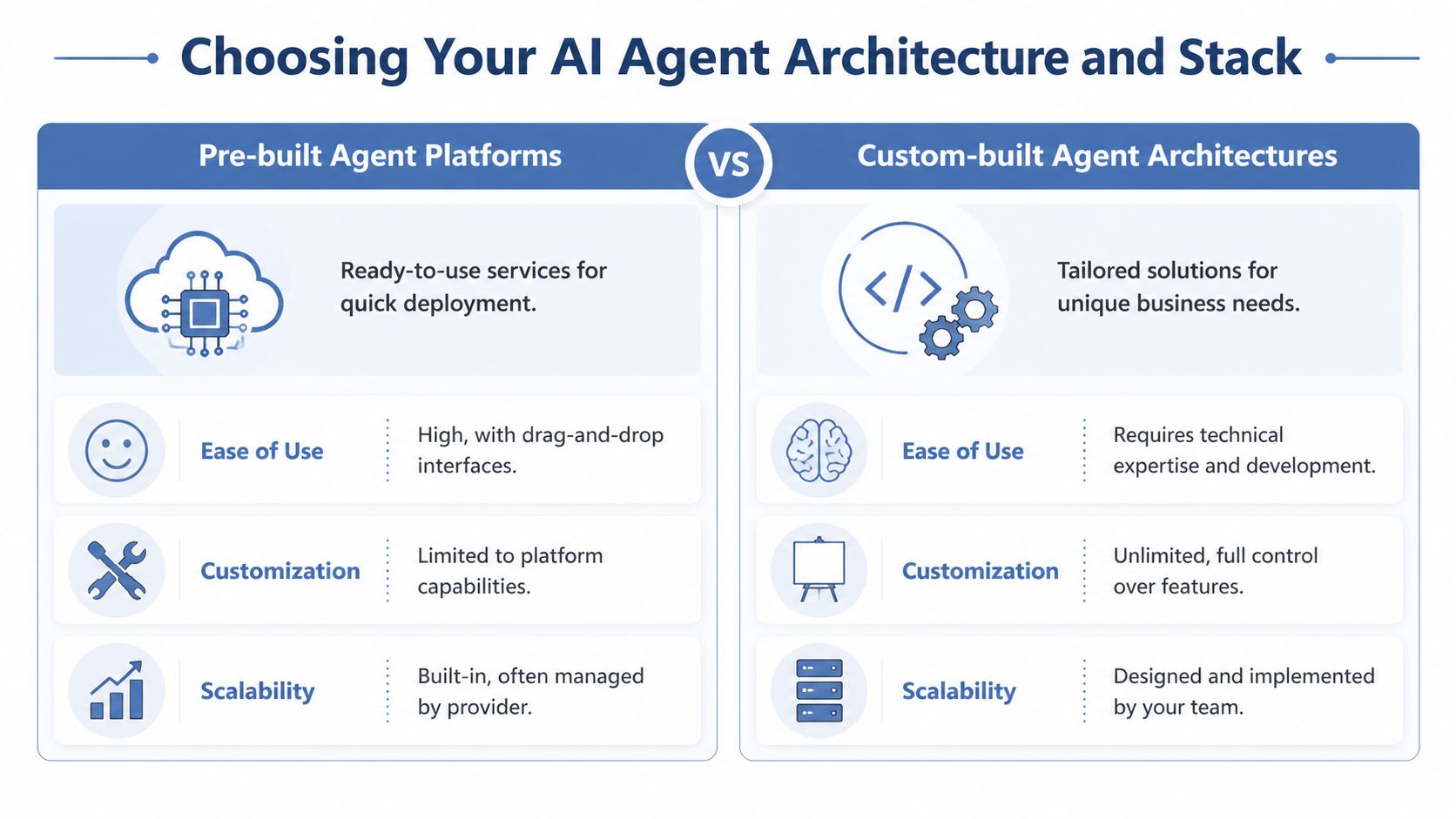
You have three realistic paths: no-code platforms, low-code orchestration, and custom-built systems. The right answer depends on how unique your workflow is, how much control you need, and whether your team can support the stack after launch.
Option one is no-code speed
If you need to ship fast, this is usually where I’d start. Tools like Zapier, Make, Airtable, Notion, Slack, and built-in AI features inside your existing software can get you surprisingly far.
This path is best when your process is already clear. New lead comes in. Agent enriches the account. Another step drafts a summary. A final step pushes it into your CRM or task board. Clean. Simple. Useful.
Use no-code when:
- Your workflow is straightforward, with a few triggers, a few actions, and predictable inputs.
- You need proof fast and want a working agent in days, not an engineering project.
- Your team is non-technical, and whoever runs marketing or ops can own it after setup.
The trade-off is obvious. You’ll move fast, but you’ll hit limits on customization, observability, and complex reasoning chains.
Option two is low-code control
This is my favorite zone for ambitious small teams. Frameworks like LangChain and Flowise let you build structured workflows with more flexibility than no-code, without the weight of a fully custom system.
That matters when one agent needs to call multiple models, check a knowledge base, use specific prompts, and route outputs differently based on context. That’s often where a true bionic workflow starts to emerge.
For a deeper look at what modern orchestrated systems can do, I’d suggest reviewing AI development services as a reference point for the kinds of custom logic businesses often need once they outgrow simple automation.
Build the simplest architecture that can survive real use. Complexity is not sophistication.
Option three is custom, and you should earn the right to do it
Fully custom agent architectures make sense when your workflows are core to your advantage. Think proprietary research pipelines, deep CRM integration, multi-agent systems tied to internal data, or agent layers that need fine-grained permissions and auditability.
That path gives you full control. It also gives you responsibility for debugging, maintenance, model changes, and infrastructure design. A 10-person team should not jump here unless the workflow is clearly strategic and already validated manually.
Here’s the short version.
| Path | Best for | Main strength | Main weakness |
|---|---|---|---|
| No-code | Early pilots | Speed | Limited flexibility |
| Low-code | Growing systems | Balance of control and speed | Needs some technical ownership |
| Custom | Strategic core workflows | Full control | Highest complexity |
If you want a practical overview of the category itself, start with this guide to AI agents.
My recommended starter stack
For most 10-person teams, I’d keep the first stack boring on purpose.
- Slack or email as the front-end layer where work gets delivered
- Notion, Google Drive, or Airtable as the knowledge layer
- Make or Zapier for automation
- ChatGPT, Claude, or Gemini as the model, chosen by task fit
- A spreadsheet, Airtable base, or CRM field to track outcomes
- A clear human approval step before anything customer-facing goes live
That’s enough to build useful agents. You don’t need architectural vanity. You need reliability, visibility, and a team that can operate the system without calling an engineer every time something breaks.
Build High-Impact Agent Workflows with Templates
At this stage, teams either get traction or waste a month.
They ask one agent to do too much. Then they blame the model. That’s not how this works. Even strong agents top out at a 43% success rate on complex business workflows if the task isn’t broken down. Undecomposed tasks often fail 80-100% of the time, while well-structured hybrid models can reach a 1.7x ROI according to AIMultiple’s analysis of AI agent performance.
So don’t build one giant super-prompt. Build short chains.
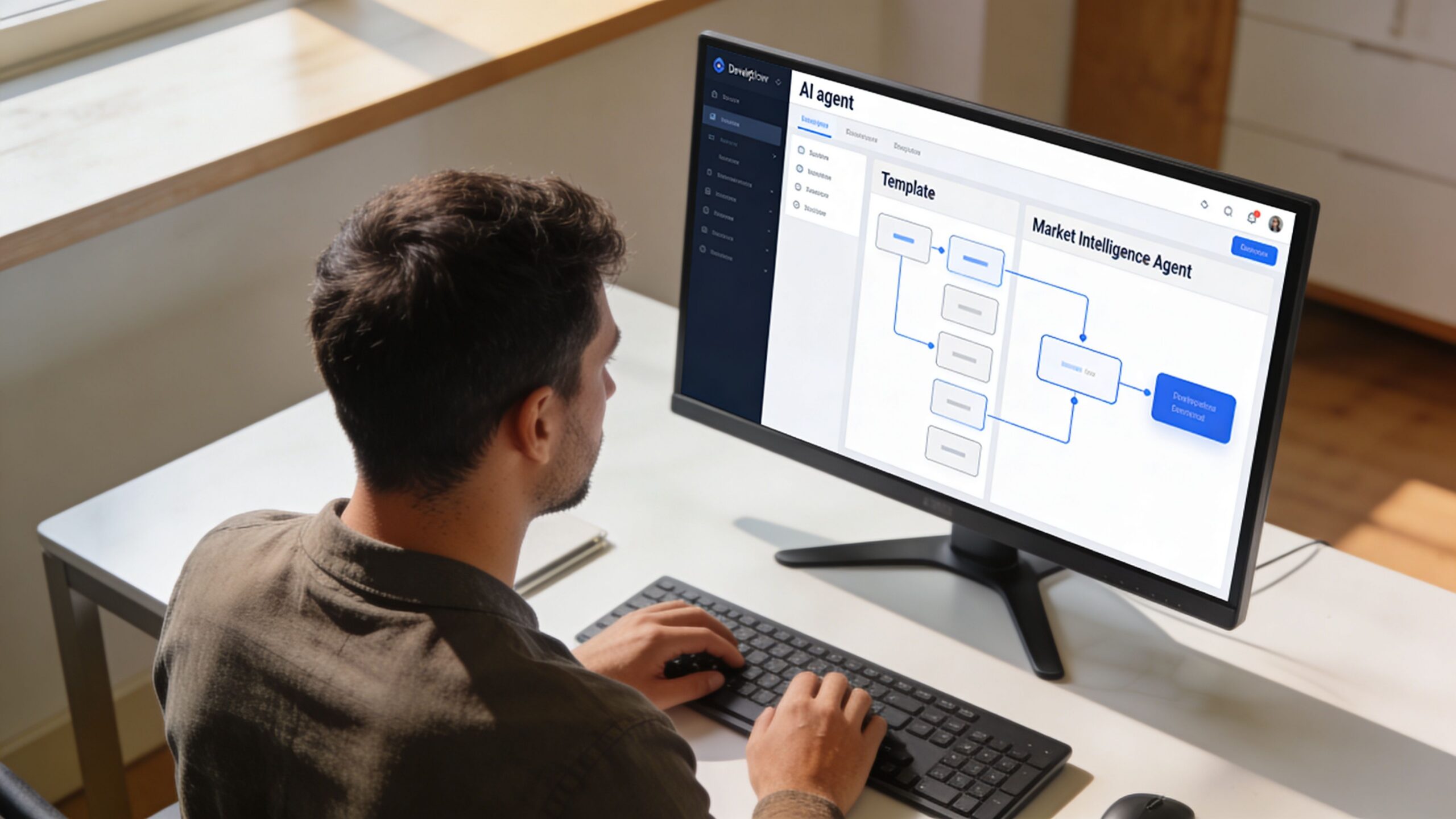
Workflow one is a market intelligence agent
This is the first agent I’d deploy for most growth-focused teams. Why? Because your competitors are constantly broadcasting signal. Homepage changes. Pricing page edits. New job posts. Customer complaints. Product launches. Positioning shifts.
Your team usually notices this too late.
Here’s the logic chain I use.
Collect sources. Pull from competitor sites, LinkedIn posts, review platforms, newsletters, customer communities, and your own notes.
Detect changes. Identify what changed since the last run. Don’t summarize everything. Only new signal.
Categorize. Sort changes into product, pricing, messaging, hiring, partnerships, demand signal, and customer pain points.
Interpret. Ask the model what the change likely means, what to ignore, and what deserves a human decision.
Deliver. Send one concise brief to Slack or email each morning.
A simple prompt for the interpretation step:
You are a market intelligence analyst for a growth-stage company. Review the collected updates, identify meaningful competitor or market changes, classify each change by business impact, and produce a short briefing. Prioritize shifts in messaging, offer structure, pricing, hiring, and customer sentiment. Exclude trivial updates. Flag anything that may require a strategic response from leadership or marketing.
Plain work, and it pays off.
Make the output decision-ready
Most AI summaries are useless because they stop at description. You need the agent to produce something a founder can act on.
I want these fields in the final brief:
- What changed
- Why it matters
- How urgent it is
- Recommended response
- Who should own it
That turns passive monitoring into an operational advantage.
Workflow two is a sales outreach personalization agent
Most outbound fails before the first sentence. Your team can usually write fine. Nobody has time to research every account properly.
This agent fixes that by doing prep work before a rep touches the lead.
Agent logic
| Step | Agent action | Human role |
|---|---|---|
| Research | Pull company info, recent news, role context, website messaging | Review for relevance |
| Synthesis | Identify likely pains, priorities, and triggers | Approve or adjust |
| Drafting | Write 3 opening lines and a short email angle | Choose best version |
| Routing | Push to CRM or sequence tool | Send or edit |
Here’s a prompt pattern that works better than “write a cold email”:
Research this company and contact using the provided sources. Find recent business context, likely strategic priorities, and any relevant trigger events. Draft three personalized opening lines for an outbound email. Keep each line specific, concise, and rooted in observable facts from the provided material. Do not invent achievements, initiatives, or metrics. If signal is weak, say so and produce a low-assumption opener.
That last line matters. Weak signal should produce restrained output, not confident nonsense.
A lot of teams also need help selecting the right stack for this kind of build. If that’s you, review these AI workflow automation tools and choose based on orchestration, approvals, and integration depth, not whatever has the prettiest landing page.
Here’s a practical walkthrough worth watching before you start chaining more advanced steps:
The mistake that kills most agent builds
Teams ask one agent to research, reason, draft, score, and send in a single pass. That’s lazy design.
Break the workflow into narrow tasks. Force the model to show intermediate outputs. Insert a human checkpoint where quality is critical. You’ll get more reliability, easier debugging, and cleaner improvement cycles.
Don’t optimize for autonomy first. Optimize for dependable throughput.
That’s how a 10-person team builds systems that scale instead of demos that collapse.
Deploy and Govern Your Agents for Scalable Operations
A useful agent that nobody trusts won’t get used. A powerful agent without guardrails will eventually create cleanup work your team didn’t ask for.
Governance sounds boring. Good. It should. Boring systems scale.

The reason this matters is simple. Without proper oversight, agent performance can decay by 50% in complex environments. Human-on-loop systems can boost process adherence by 25%. Trust remains a barrier for 28% of executives, and projects without governance contribute to a 65% pilot failure rate according to PwC’s AI agent survey.
Use a human-on-loop model by default
I don’t recommend full autonomy early on. I recommend supervised autonomy.
That means the agent can collect, classify, draft, and route. A human approves customer-facing or business-critical actions. Over time, some low-risk steps can become fully automated if your logs show consistent quality.
This is the deployment sequence I use most often:
- Start in draft mode, where the agent produces recommendations only.
- Move to approval mode next, where a human approves before the system acts.
- Allow conditional autonomy later, so only low-risk actions run automatically.
- Always escalate edge cases to a person instead of letting the agent take another guess.
Your deployment checklist
If you’re serious about AI agents for a 10 person team, use a checklist. Not vibes.
- Limit each agent to the minimum data and tools it needs.
- Version your prompts. Store production prompts in one managed library, not across random docs and Slack threads.
- Keep a record of inputs, outputs, actions taken, and exceptions.
- Set fallbacks that define what happens when the model is uncertain, a tool call fails, or data is missing.
- Require review for messages, pricing changes, publishing, or any sensitive workflow.
- Give your team one easy way to flag bad outputs and suggest improvements.
Assign owners as well as tools
Every agent needs a business owner. Not a “team.” A person.
| Agent type | Best owner | What they own |
|---|---|---|
| Market intelligence | Head of marketing or founder | Signal quality and briefing usefulness |
| Sales personalization | Sales lead | Relevance, throughput, and CRM fit |
| Support triage | Customer success lead | Accuracy, escalation, and tone |
| Ops coordination | Operations lead | Reliability and handoff quality |
When ownership is vague, quality drifts. Then people stop trusting the system. Then your “AI transformation” turns into shelfware.
A governed agent is a teammate. An ungoverned agent is a liability.
Protect the brand and the data
A small team can’t afford sloppy mistakes in public. Keep sensitive workflows behind review. Strip unnecessary customer data from prompts. Separate experimentation from production. If a tool makes data handling murky, don’t use it for critical processes.
You don’t need enterprise bureaucracy. You need operational discipline. That’s enough to keep your bionic system fast without making it reckless.
Measure What Matters: The True ROI of Your AI Team
If you can’t tie an agent to profit, capacity, or speed, it’s a toy.
One of the biggest gaps in this market is exactly that. Founders hear what agents can do, but they don’t get a usable business case. As noted in Ditchmanual’s discussion of the ROI gap in AI agent deployment, the missing piece is a framework that benchmarks role-specific productivity gains and setup costs so owners can justify budget shifts from headcount to AI infrastructure.
Use a simple ROI model
I like a basic formula:
ROI = value created + cost avoided + time recovered, minus tool cost, implementation time, and management overhead
That’s enough to make good decisions.
For each agent, track one primary business metric and two support metrics.
Market intelligence agent
- Primary metric: decisions influenced
- Support metrics: research hours saved, speed from signal to action
Sales personalization agent
- Primary metric: qualified conversations created
- Support metrics: rep prep time reduced, reply quality
Support triage agent
- Primary metric: cases resolved or routed correctly
- Support metrics: response speed, human effort saved
Benchmark against the old way
Don’t measure AI in isolation. Measure it against the manual process it replaces or improves.
Ask:
- How long did this workflow take before?
- How often did it happen each week?
- Who was doing it?
- What was the downstream business impact of doing it slowly or inconsistently?
- What changed after the agent was deployed?
That gives you a real comparison, not a vanity metric parade.
What I tell founders to look for first
Early ROI usually shows up in one of three places:
- Recovered founder attention
- Higher throughput without new hires
- Faster response to revenue opportunities or market shifts
That’s the frame. Not “how many prompts did we run.” Not “how many summaries did it generate.” Business output.
If an agent saves time but doesn’t redirect that time into higher-value work, you haven’t multiplied your efforts yet. You’ve just created spare capacity. The win comes when you deliberately turn that capacity into pipeline, better campaigns, tighter operations, or sharper decisions.
The teams that win with AI agents redesign how work flows through the business instead of buying software and hoping.
If you want help building that kind of bionic operating system inside your business, I offer hands-on consulting, frameworks, and workshops. You can work with me here.