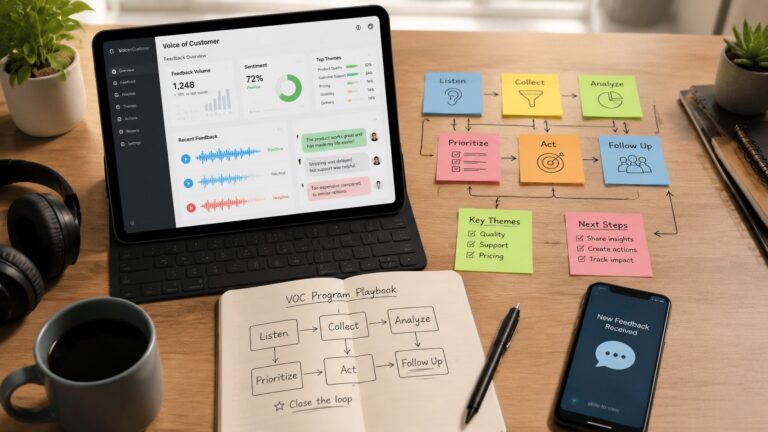
A voice of customer program captures feedback from every channel, turns it into consistent themes, routes each theme to a named owner, and tracks whether a decision shipped and the customer heard back. Surveys and dashboards alone don’t count. I judge mine by loop close rate and time-to-close rather than NPS.
Most voice of customer programs fail because people treat them like a survey project. They send forms, collect comments, export a dashboard, and call that listening. Then the same complaints show up again next month because nothing ever had an owner.
I've built and broken three VoC loops this year, and the pattern is always the same. Feedback is easy to gather, hard to act on, and useless when it lives without a decision path. A working voice of customer program is a closed-loop decision system, with names attached to themes, deadlines attached to decisions, and shipped changes attached to the customer pain you heard.
Table of Contents
- Why Most Voice of Customer Programs Fail Before They Start
- The Multi-Channel Capture Workflow I Actually Run
- Building the Analysis Pipeline With LLMs and Agents
- Closing the Loop From Insight to Shipped Decision
- The Metrics That Actually Prove ROI
- Where My First Program Broke and What I Changed
Why Most Voice of Customer Programs Fail Before They Start
The most expensive mistake is starting with the survey. That's the old advice, send a quarterly form, track a score, report the trend, and hope someone notices the comment thread. It feels structured, but it usually produces a pile of insight with no owner and no movement.
That's why the bottleneck is operationalization, not collection. Aberdeen's September 2021 research found that 64% of contact center and CX leaders were already using VoC programs to monitor and track customer sentiment, perceptions, and motivations, which tells you the category had already moved into mainstream operations by then. The same research framed VoC as an efficiency and financial lever, which is the right lens for a solo operator too, because feedback only matters when it changes retention, service cost, or revenue outcomes.
The six failure modes I see most often
The loop usually dies in one of six places, and the first two are where I've personally wasted the most time.
- Measuring instead of acting: dashboards fill up, but no one changes a workflow.
- Unclear ownership: a theme gets seen by everyone and owned by nobody.
- Taxonomy debt: tags multiply until the trend line turns into noise.
- Cadence mismatch: feedback arrives daily, but reviews happen monthly.
- Volume mistaken for value: more comments feel productive, even when they repeat the same issue.
- Insight that never reaches an action owner: the customer sounded off, then silence.
Practical rule: if a theme can't be routed to a named human within minutes, it's not a decision system yet.
The common advice to “just send more surveys” is backwards. Independent guidance says only 27% of VoC and CX measurement teams communicate insights in a timely way, and 62% of surveyed B2B companies cannot produce ROI from their CX programs (Davies Group guidance on VoC pitfalls). That points to a process problem, not a form problem. If your current setup can't turn a customer complaint into a documented decision, tearing down the survey calendar is often the right first move.
The Multi-Channel Capture Workflow I Actually Run
I stopped waiting for one perfect survey channel. Customers leave signals in support tickets, sales calls, reviews, community threads, social replies, and tiny in-app questions at the moment of experience. A modern VoC program needs a capture layer that treats all of those as raw material.
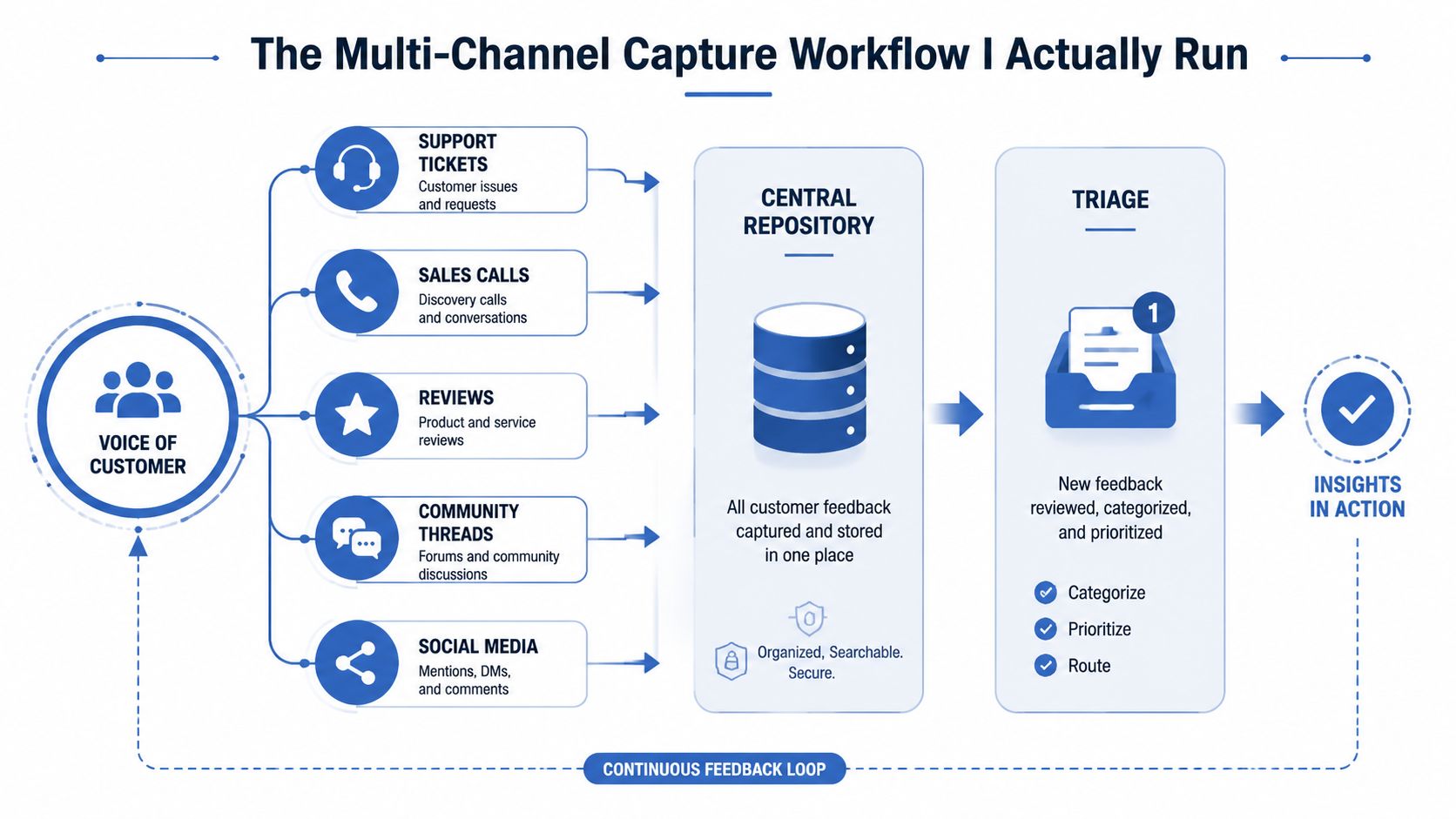
I route everything into one table in Airtable, then push urgent items to Slack. For call transcription, I use Whisper. For routing and normalization, I use a custom GPT that turns messy feedback into consistent fields, then Zapier moves the record into the right view. If you want the surrounding stack I use for customer data work, I've documented the broader setup in my AI customer data platform.
The capture sequence
- Support tickets first. I pull the issue text, the product area, and the customer segment into Airtable.
- Sales calls next. Whisper transcribes the call, then I pass the transcript through a prompt that extracts objections, buying friction, and product promises that didn't land.
- Reviews and community posts follow. These often contain cleaner phrasing than live support, because customers write them after the emotional spike has passed.
- Social replies and micro-surveys land last. I only ask at the moment of experience when I can, because feedback quality decays as time passes.
- Slack gets the urgent path. Anything tagged as account risk, outage, or repeated blocker gets pushed to a triage channel immediately.
That “moment of experience” part matters. A VoC metrics guide says feedback quality decays with every hour between the experience and the question, and it recommends collecting feedback on the customer's own channel, at the moment it happens (QMeter VoC guide). I've seen this myself. A complaint typed ten minutes after checkout is specific. The same person two days later gives you vague resentment.
The goal is to catch the signal before memory rounds off the edges.
The prompt I use for normalization is plain and strict. I ask the model to return the exact customer wording, a clean topic tag, a sentiment label, a severity label, and one sentence on why this matters. I also tell it not to summarize away the quote. If the source text says “the export button hid behind three menus,” I want that exact phrasing preserved, because the raw language is usually better than the category.
Data fields that matter
Every record lands with the same schema:
- Source channel
- Customer ID or anonymous handle
- Product area
- Exact quote
- Normalized theme
- Sentiment
- Severity
- Owner
- Status
- Timestamp
- Follow-up sent
That schema is what keeps the system from turning into a pile of screenshots and half-finished notes. I've also found that guides on strumenti di natural language analytics can help small teams think more clearly about turning unstructured text into usable fields, especially when you're working without a full research stack. The point isn't fancy analysis. The point is to make every signal land somewhere you can act on this week.
Building the Analysis Pipeline With LLMs and Agents
Many overtrust the model and underdesign the taxonomy. Raw feedback is messy by nature. If the tags are loose, duplicated, or too clever, the analysis gets worse as you collect more data.
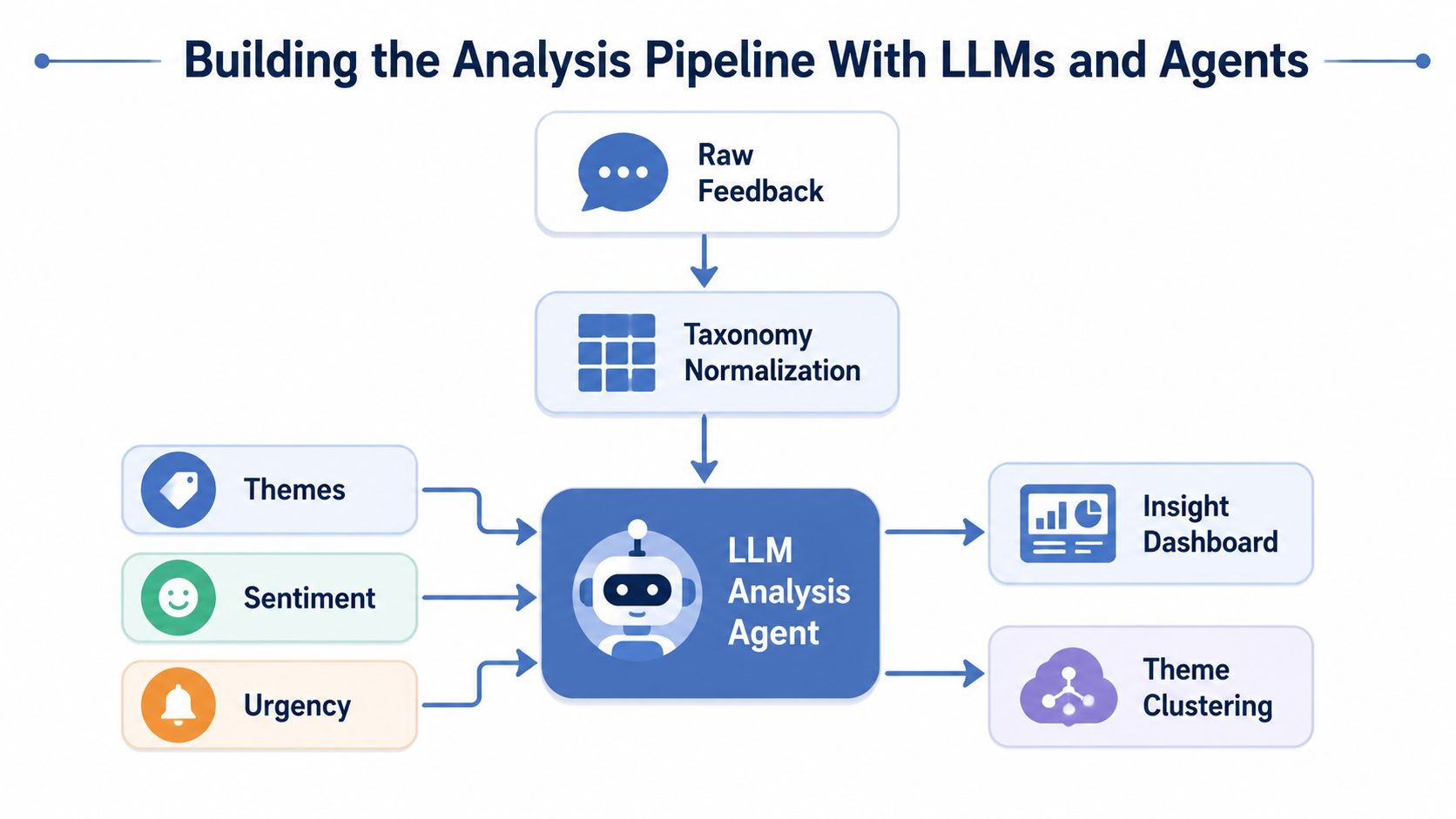
I keep the taxonomy boring on purpose. One layer for source, one layer for product area, one layer for customer stage, one layer for issue type, one layer for severity. Anything more detailed than that becomes taxonomic debt, which is just a polite way of saying you've created too many ways to describe the same thing.
The pipeline I trust
The flow is simple.
- Normalize first. Every raw item gets mapped to the same tag set.
- Cluster second. The LLM groups related themes, but it must quote the source text that supports each cluster.
- Review third. I scan the highest-volume themes and anything marked severe.
- Separate signal from noise. A directionally interesting pattern is not the same as a trend I should act on.
- Only then push to decisions. If the model can't point to exact customer wording, I don't trust the cluster.
A lot of “AI-powered insight” claims fall apart. Models are very good at smoothing language into something plausible. They're much less useful when you need auditability. That's why I make the prompt require source quotes. If the agent can't cite the customer's own words, the output stays in draft.
For teams that want a longer framework on this, I wrote the fuller version of my agent setup in AI agents for customer research. The same discipline applies here. Give the model a narrow job, force it to show its work, and keep a human in the loop for any theme that might affect pricing, onboarding, or churn.
Practical rule: if the model invents a theme that you can't find in the underlying quotes, throw it out.
Sample size matters too. A neutral planning source says a practical program should set a minimum sample size per customer segment at 80 to 100 responses, and that 200 to 300 total customers is usually enough for directional insight while 400+ responses gives reliable statistical significance for customer programs (Zykrr sample size guidance). I use that as a sanity check, not a law. If I only have a handful of loud comments, I treat the pattern as a lead, not a verdict.
The point of analysis is action. The output needs to tell you what changed, who should care, and what to do next.
Closing the Loop From Insight to Shipped Decision
This is the part most programs skip, then wonder why customers stop responding. If people never hear back, they stop believing their feedback matters. If your loop doesn't close, your future response quality drops because customers learn you're collecting, not fixing.
I split the loop into two clocks. The inner loop is the time from feedback to follow-up. The outer loop is the time from recurring theme to a shipped change. The first one keeps trust alive, the second one changes the product.
The routing system
Every theme gets a named owner the same day it appears. That owner can be me, a contractor, or the person closest to the issue, but it can't be “the team.” The owner gets three things: the quote, the context, and a deadline to decide what happens next.
Then I track whether the theme reached a documented action. A VoC operations guide breaks closure measurement into distinct mechanics, including loop close rate, time-to-close, theme resolution rate, follow-up coverage, and churn delta as the ROI outcome (Perspective on closing the VoC loop). That breakdown matches what I've needed in practice, because a single closure number hides too much.
Here's the workflow I use.
- Theme assignment. Route the item to one owner in Airtable and mirror it into Slack.
- Decision SLA. Set a clear response deadline, even if the decision is “not now.”
- Action taken. Mark whether the issue became a product change, a support fix, or a process adjustment.
- Customer follow-up. Send the customer a plain-language note about what changed or why it didn't.
The metrics I watch on Fridays
A strategy article on VoC best practices suggests checking for action rate above 60%, loop-closure rate above 70%, and time-to-close under 14 days as a guardrail against collect-and-ignore behavior (Zonka Feedback VoC strategy). I use those as practical targets, not absolutes. If my queue sits past two weeks, I know the system is drifting into theater.
A good VoC loop also keeps one line of accountability visible in Airtable. I use views for new themes, overdue decisions, shipped changes, and customers waiting for follow-up. If you're doing this solo, that visibility matters more than a fancy dashboard because it tells you what to do today.
The Metrics That Actually Prove ROI
Stop reporting NPS to yourself and pretending it answers the core question. NPS can sit on a chart while churn stays flat, support stays overloaded, and the same blocker keeps returning. What matters is whether the feedback pipeline changed an actual business outcome.
VoC metrics that replace vanity scores
| Metric | What It Measures | Target |
|---|---|---|
| Loop close rate | Share of feedback items that reached a documented action | Above 70% |
| Time-to-close | How fast the inner loop moves from feedback to follow-up | Under 14 days |
| Theme resolution rate | Share of recurring themes that produced a shipped change | Rising over time |
| Follow-up coverage | Share of respondents told what changed | As high as practical |
| Churn delta | Retention movement tied to closed themes | Directionally positive |
These metrics are operational, which is why they work. They show whether a complaint was routed, whether a decision happened, whether the issue got fixed, and whether the customer heard back. That's a lot more useful than a score everyone nods at and ignores.
The most important one for a small operator is the share of themes routed to a named owner. If that number is weak, the rest of the scorecard is cosmetic. I'd rather have a small program with fast routing and messy input than a polished dashboard full of abandoned themes.
For a compact reference set, I keep one internal view linked to my customer sentiment analysis tools notes, mainly so I can compare how I'm classifying sentiment against how the customer sounds. The tool doesn't matter as much as the discipline. One Friday view, one ownership column, one closure column, one follow-up column.
If the customer never hears what changed, you didn't close the loop. You filed a note.
The practical test is simple. Look at the last ten pieces of feedback. Can you tell me who owned each one, what was decided, what changed, and whether the customer got a reply? If you can't, the program is still a listening exercise.
Where My First Program Broke and What I Changed
I overbuilt the taxonomy first. I thought a deeper tag set would create better insight, but it only created more cleanup work and slower analysis. Every extra tag made it harder to compare themes month to month, and I spent too much time reconciling categories that meant nearly the same thing.
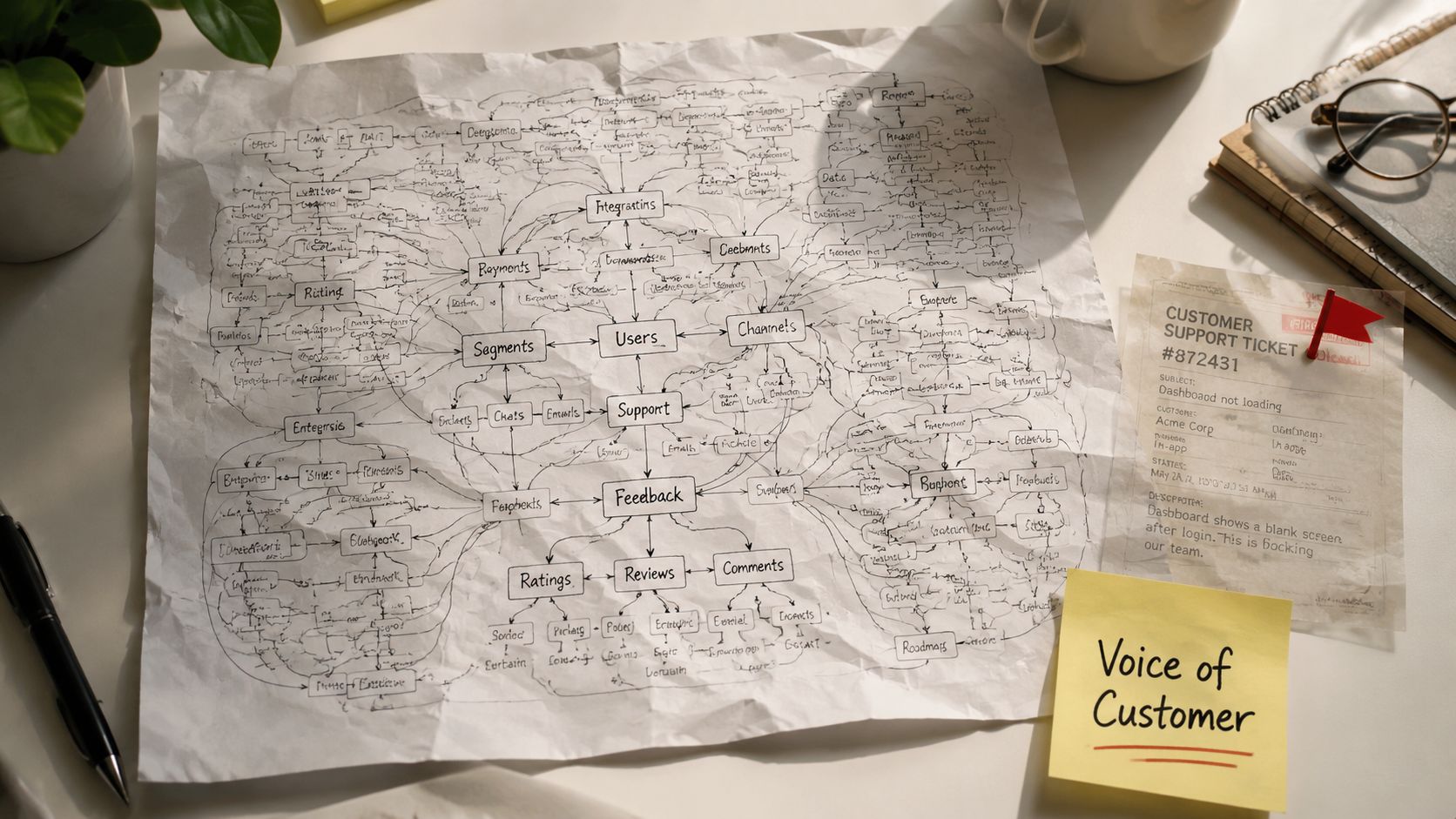
I also ignored one channel too long, the one where a few sharp complaints were hiding in plain sight. By the time I noticed, the issue had already cost me a customer relationship I should've protected earlier. That taught me to treat every channel as a live source, even the ugly ones.
The other mistake was volume worship. A flood of comments made me feel productive, but most of the comments were duplicates of the same unresolved problem. That week I stopped counting raw feedback as success and started counting routed themes, documented decisions, and customer replies instead.
One conventional idea is flatly wrong in 2026, the belief that a quarterly VoC report is enough. It isn't. For a solo operator, the weekly cadence is the only one that keeps latency visible. My Monday changes are simple, and they're the ones I'd make again.
- Shrink the taxonomy. Keep only the tags that help you decide.
- Route every theme to one owner. No group ownership, no vague labels.
- Send one follow-up message before the week ends. Even a “we're on it” reply is better than silence.
I still keep one manual step out of automation, and I'm not changing that. I read the top themes myself before anything gets marked as closed. Agents can sort and route, but I want the final human judgment on whether the response answered the customer's problem. That's the part I trust least to software, and I've broken enough loops to know why.
If you're building a voice of customer program this week, start with one channel, one Airtable table, and one weekly review. Then make the loop visible, route every theme to a name, and send the customer a reply before you call it closed. If you want a running version of this workflow and the agent prompts I keep refining, Bionic Business at bionicbusiness.com is where I document the next iterations.
Frequently Asked Questions
Which channels should a voice of customer program capture?
Customers leave signals in support tickets, sales call transcripts, reviews, community threads, social replies and short in-app questions. Treat all of them as raw material and route everything into one table, with urgent items such as account risk or outages pushed to a triage channel. Ask at the moment of experience where you can, because feedback quality decays with every hour that passes.
Why do most voice of customer programs fail?
Most fail at acting on feedback rather than collecting it. The common failure modes are measuring instead of acting, unclear ownership, too many tags, reviews that happen monthly while feedback arrives daily, mistaking volume for value, and insight that never reaches an action owner. Only 27% of VoC and CX measurement teams communicate insights in a timely way, and 62% of surveyed B2B companies cannot show ROI from CX programs.
What metrics prove a voice of customer program is working?
Track loop close rate (aim above 70%), time-to-close (under 14 days), theme resolution rate, follow-up coverage, and churn delta tied to closed themes. An action rate above 60% is another useful guardrail. For a small operator, the share of themes routed to an owner matters most. NPS can stay on a chart while churn stays flat and the same blocker keeps returning.
How many responses do you need for voice of customer insights?
One planning guideline sets a minimum of 80 to 100 responses per customer segment, with 200 to 300 total customers usually enough for directional insight and 400 or more for reliable statistical significance. Use those numbers as a sanity check. If you only have a handful of loud comments, treat the pattern as a lead worth investigating and hold off on calling it a trend.
Can AI analyze voice of customer feedback?
Yes, if the job is narrow. Normalize every item to a fixed tag set first, then let the LLM cluster related themes while quoting the source text behind each cluster. Review the highest-volume and most severe themes yourself. Throw out any theme you cannot find in the underlying quotes, and keep the taxonomy to a few layers such as source, product area, customer stage, issue type and severity.
How do you close the loop with customers after feedback?
Give every theme a named owner the same day it appears, never a group. The owner gets the quote, the context and a deadline to decide. Mark whether the issue became a product change, a support fix or a process adjustment, then send the customer a plain-language note about what changed or why it didn’t. Customers who never hear back stop responding.
