
An LLM is good for language work that repeats: drafting, summarising, classifying, extracting facts into fields, and rewriting one approved message for different channels. It is weak at taste and at deciding which problem deserves attention. In my marketing workflows it handles the first pass, and I keep the facts and final decisions.
Most advice about LLMs starts in the wrong place. It asks what the model can do, then hands you a catalogue of features. I took that route myself. I tested chat, reasoning, agents, image tools, browsing, and automation until my calendar filled with experiments that produced impressive demos and very little movement in acquisition cost, revenue, or available time.
The useful question is narrower: what will an LLM remove from your calendar this week? In my marketing workflows, the answer has usually been drafting, summarising, classifying, extracting, and producing controlled variations. Those jobs benefit from speed and repetition. Strategy, taste, factual responsibility, and final decisions still sit with me.
If you're exploring video workflows, BlitzReels' generative tools guide gives a practical view of where generative systems fit into production. I'm going to keep the same practical standard here. The point is to find a small workflow you can build, measure, and repair when it fails.
Table of Contents
- Introduction to LLM Value
- Understanding Core Capabilities of LLMs
- Use Cases That Deliver Real Value
- When LLMs Fall Short
- How to Choose the Right LLM
- Implementing LLM Workflows
- Prompt Examples and How to Evaluate Them
- Quick Playbooks to Deploy This Week
- What I'll Change on Monday
Introduction to LLM Value
I once spent hours comparing model features because I thought the winning system would be the one with the longest capability list. I built prompts for campaign ideas, content calendars, research, customer replies, and automated decisions. The outputs looked polished, but I had created another job: reviewing an endless stream of material that didn't affect a business metric.
The shift came when I treated the LLM as a fast language worker rather than a replacement for judgment. I used it to turn source material into briefs, turn briefs into drafts, and turn messy messages into structured categories. Each task had a clear input, a defined output, and a number I could watch.
A 2025 survey points in the same direction. Search was the most common use at 61%, followed by Explanation at 42% and Writing at 40%. Task Automation was much lower at 11%. The figures are reported in the survey of LLM use among the US general public. That pattern matches my experience. LLMs are already useful as high-speed knowledge interfaces and drafting tools. They become more valuable when I place them inside a workflow with context, checks, and a destination for the output.
Understanding Core Capabilities of LLMs
An LLM is most useful when I can describe the work as a language transformation. I give it a body of text, examples, rules, or a question. It produces a new form of language, such as a summary, classification, extraction, translation, or structured rewrite.
The technical reason is broad pretraining. The model has absorbed patterns across large text collections, so it carries a compressed prior over language and much of the information represented in those texts. That lets a few examples or a clear instruction produce a workable result without training a custom model for every marketing task. The LLM evaluation survey on arXiv describes this strength through tasks such as understanding, generation, and instruction following.
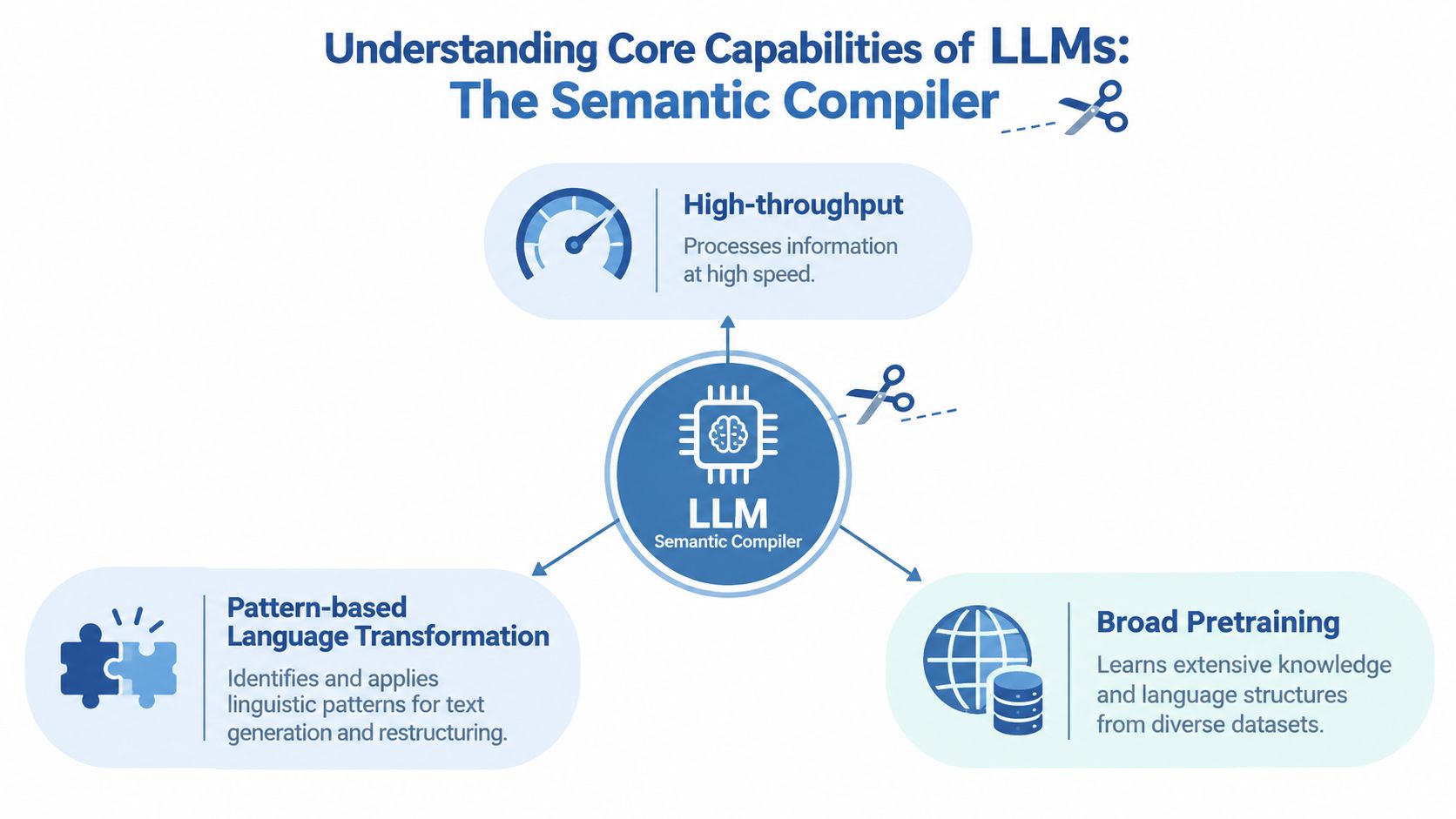
I think of the model as a semantic compiler. A compiler transforms one representation into another. An LLM can transform a customer conversation into a support summary, a product page into ad variants, or a research folder into a campaign brief.
Where the transformation pays
Summarisation removes reading time. Feed the model a call transcript, product review set, or competitor page and require every statement to cite its source passage. I measure the time I spend reaching a usable brief, not how fluent the summary sounds.
Classification turns unstructured language into fields. A support message can become a category, urgency label, product area, and suggested next action. The model is useful because the labels are explicit and the output can be checked.
Extraction pulls facts from documents. I use a fixed schema for names, dates, claims, objections, and missing information. Blank fields matter. A model that invents a value to complete the form has failed.
Structured rewriting adapts one approved message to different channels. The source remains fixed while the model changes length, format, or reading level. This gives me variation without asking the model to invent the underlying position.
Throughput beats spectacle
The value comes from processing many similar inputs quickly. That's why I prefer repeatable tasks with templates over open-ended “think of something brilliant” prompts. A model can provide a first pass across a large set of text, while I reserve attention for exceptions and decisions.
The output still needs review. Pretraining gives the model useful patterns, not a guarantee that every statement is true or every interpretation fits my business.
Use Cases That Deliver Real Value
The first practical answer to “what is an LLM good for” is search, explanation, and writing. The 2025 survey cited earlier puts those uses at 61%, 42%, and 40%, while Task Automation sits at 11%. I use that as a prioritisation signal, not as permission to automate everything.
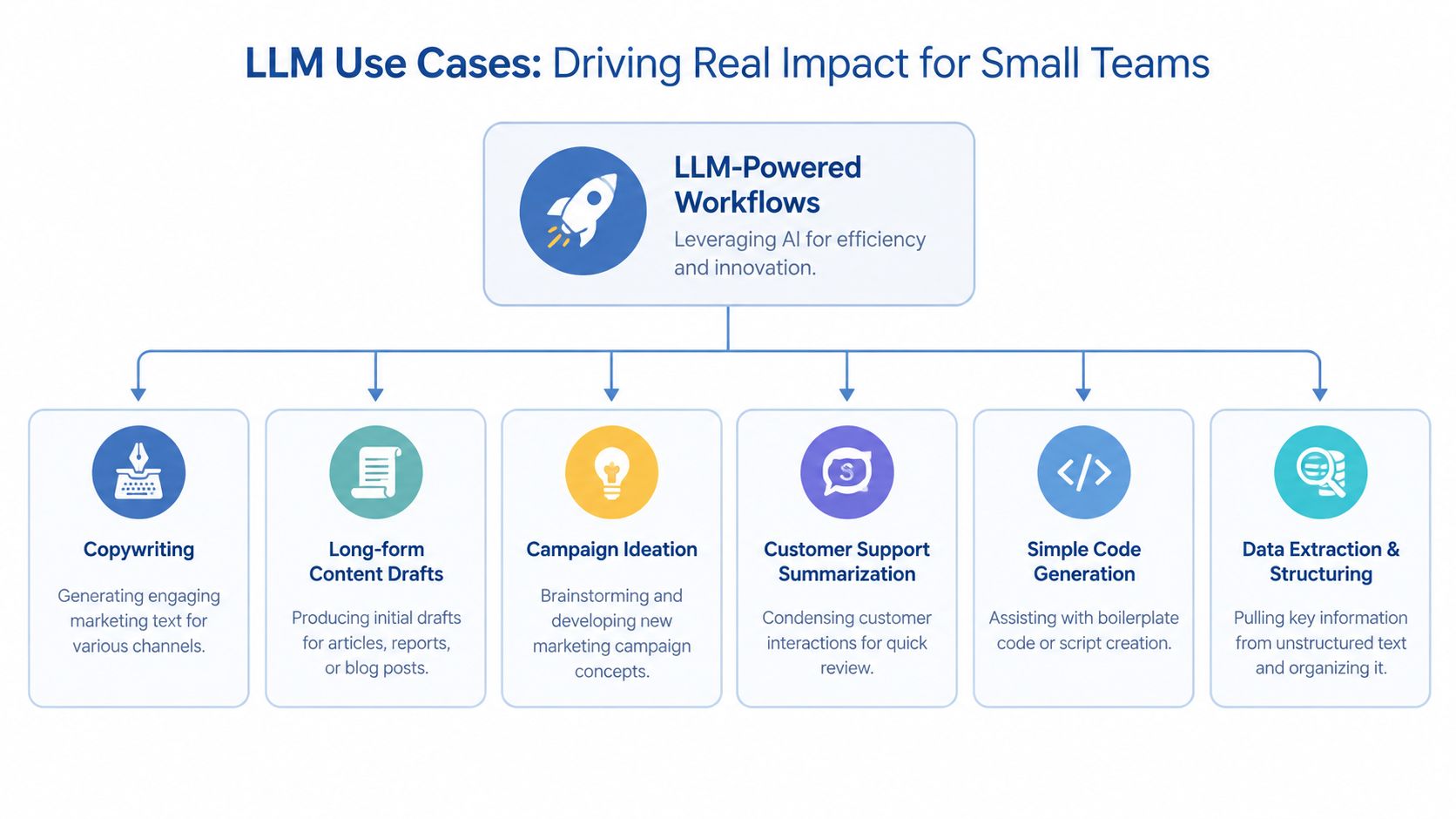
Copywriting
Opportunity: produce controlled first drafts faster.
Workflow: I place the offer, audience, proof, objections, forbidden claims, and approved examples in a document. I ask ChatGPT or Claude for five subject lines, each tied to a different objection. The prompt ends with, “Return a table with angle, claim, evidence required, and draft. Do not add facts absent from the source.”
What it replaces: the blank-page stage and repeated rewrites.
Context: source copy, customer language, offer terms, and brand rules.
Measure: time from brief to approved draft, followed by the conversion metric for the channel.
Failure: my first prompts asked for “high-converting copy” without giving evidence. The model filled the gap with generic urgency, so I added a claim-evidence column.
Long-form content drafts
I start with search intent, a source folder, a point of view, and an outline. The model drafts one section at a time, then I check every factual statement against the source set. My generative AI content marketing workflow goes deeper into that production pattern.
It replaces mechanical drafting. It doesn't replace the argument. Watch editing time and qualified actions from the finished article. The common failure is accepting smooth paragraphs that contain unsupported claims.
Campaign ideation
I give the model a customer problem, offer, constraints, past campaign results, and a scoring rubric. It returns concepts with audience, promise, channel, required asset, risk, and testable hypothesis. I reject ideas that can't be connected to a real customer problem.
This replaces the first brainstorming pass. It needs campaign history and a decision rule. I measure how many ideas reach a live test, rather than counting how many ideas the model generates.
For social workflows, this guide to an AI social media agent for brands is useful because it treats publishing as a system of inputs and checks rather than a stream of disconnected posts. I made the same mistake early on by judging ideation on novelty. The better test was whether an idea produced a clear experiment.
Customer support summarisation
Connect exported conversations to a prompt that returns issue, sentiment, product area, requested resolution, and unresolved question. I review the structured output before it enters my issue tracker.
The workflow replaces manual reading and copying. It requires the original conversation, not a loose summary. The number to watch is review time per conversation and the rate of fields needing correction.
Simple code generation
I use an LLM for boilerplate scripts, small transformations, and code review questions when the acceptance test is clear. A 2026 productivity study found stronger benefits in coding and code review phases, with weaker effects in planning-heavy and creative phases.
I don't use generated code as a reason to skip understanding the system. Give the model the relevant file, interface, test expectation, and failure cases. Run the test, inspect the diff, and keep ownership of the design.
Data extraction and structuring
A strong example comes from Zalando, where GPT models, custom prompts, and a translation layer enriched about 50,000 product attributes weekly at roughly 75% accuracy. The important mechanic was constrained extraction plus human review. That is the pattern I trust.
You can apply it to reviews, supplier documents, product specifications, or lead forms. Define the labels, preserve the source text, record confidence, and sample the output. If the accuracy threshold doesn't support the downstream decision, stop the workflow.
When LLMs Fall Short
The popular advice says to use an LLM for everything. I think that advice is wrong. A model can produce a convincing answer while missing the thing that matters, especially when the task depends on taste, sequencing, or a decision that has no stable reference.
A 2026 study found that LLM productivity gains were strongest in coding and code review, while planning-heavy and creative phases showed weaker effects. That finding fits the boundary I've seen in marketing. The model is useful after I define the problem. It becomes unreliable when I ask it to decide which problem deserves attention.
The social calendar failure
My first attempt to automate a social calendar looked efficient. I gave the model a positioning document, a list of themes, and a publishing schedule. It returned a full set of posts that followed the topics but flattened the voice. Several posts repeated the same argument, and some statements sounded confident without a source.
I fixed it by separating decisions from production. I chose the weekly thesis, supplied approved evidence, and required each post to identify its source and intended reader action. The model drafted variations. I rejected anything that needed a factual rescue.
My rule: if I can't write a clear acceptance test, I don't automate the decision.
Pull the plug when the output is unstable
Stop using the model when each run changes the answer to a judgment call, when facts aren't settled, or when a mistake creates legal, financial, or reputational exposure. Retrieval helps with evidence, but it doesn't make an unsupported interpretation safe.
Creative direction also needs a human owner. Ask for options, comparisons, and objections. Don't hand over the brand decision because the options arrive quickly.
How to Choose the Right LLM
I don't begin with the most capable model. I begin with the task and its failure cost. A fast model is often enough for a rewrite. A slower reasoning model may help with code review or a multi-step analysis. An open-source deployment may make sense when control matters, but it also creates setup and maintenance work that a solo operator may not need.
Prices change too often to print here, so check current per-token pricing with the provider before you commit. Use this as the decision frame.
| Model type | Latency | Best Use Case |
|---|---|---|
| Fast hosted chat model | Usually lower | Rewrites, summaries, classification |
| Reasoning-optimised hosted model | Usually higher | Code review, complex analysis |
| Open-source model deployment | Depends on hardware and setup | Controlled environments and custom deployment |
Choose by failure cost
For a blog draft, I start with a fast hosted model. For extracting fields from a contract or product catalogue, I test it against a labelled sample and keep the source beside every extracted value. For code, I choose the model that can work within the repository context, then judge it by test results and review time.
I once nearly doubled a bill by sending the same long background material with every request. The fix was simple. I stored stable instructions separately, retrieved only the relevant context, and capped the output format. Token discipline matters more than chasing a cheaper model.
A peer-reviewed case analysis of five digital-native organisations associated full LLM automation with about a 39% reduction in customer acquisition cost and a 68 percentage-point increase in return on marketing investment. I read that as evidence for workflow design, not as a promise that changing models will produce the same result. The model sat inside an automation stack.
For a more detailed model-selection discussion, I keep my comparison of which LLM is the best separate from this workflow-first decision. Start with one task, one provider, and one baseline. Change one variable at a time.
Implementing LLM Workflows
The opportunity appears when the model can sit between a source and an action. I build three patterns most often: retrieval-augmented summarisation, simple RPA-style agents, and campaign ideation pipelines.
Retrieval-augmented summarisation
The model should see the relevant evidence, not a giant folder.
- Put source documents in Google Drive, Notion, or a small database.
- Add tags for customer, product, date, topic, and source type.
- Retrieve documents using the question and those tags.
- Rerank the retrieved passages by relevance.
- Send only the selected passages to the LLM.
- Require a summary with source references and an “unknown” field.
- Write the result to Notion, Airtable, or your issue tracker.
- Review exceptions before anyone acts on the summary.
My prompt is:
“Use only the supplied passages. Answer the question in five short points. Add the source title after every claim. If the passages don't support an answer, write ‘Not established'. Separate facts, interpretation, and open questions.”
Long-context systems can perform well on simple single-fact retrieval, but harder multi-needle tests reveal weaker synthesis across distributed evidence. That's why I retrieve and rerank instead of dumping every document into a context window.
Simple RPA-style agents
I use Zapier, Make, or a lightweight Python script to trigger a model after an event. The agent classifies an incoming lead, extracts fields, drafts a reply, and places the record in a review queue. I don't let it send the message or change a customer record without a check until the error pattern is understood.
The process is:
- Trigger on a new form or email.
- Strip irrelevant signatures and repeated text.
- Ask the model for a fixed JSON schema.
- Validate required fields.
- Route uncertain or incomplete records to me.
- Save the original text beside the structured output.
- Draft the next action.
- Approve or reject it manually.
- Log the result and correction.
The workflow replaces copying, sorting, and first-response preparation. It needs the form fields, routing rules, approved reply examples, and escalation conditions. The main metric is hours recovered, with correction rate as the guardrail.
One SMB case study reported that automating a single department workflow freed over 60 hours per month within eight weeks of going live. I wouldn't assume the same result for every business. I would choose one recurring department task and measure the current time before building anything.
Campaign ideation pipelines
I keep campaign planning in stages. First, the model extracts customer problems from reviews and support conversations. Second, it proposes concepts against a fixed brief. Third, it scores each concept for evidence, audience fit, production effort, and testability. I choose the winner.
This replaces scattered brainstorming and makes the decision trail visible. It needs customer language, offer details, previous campaign outcomes, and exclusions. Watch time from evidence collection to test launch.
I also keep search visibility work separate from the ideation model. A practical guide to generative engine optimisation from SemDash can help you think about how information is structured for machine answers, but it shouldn't become a reason to generate unsupported content.
Prompt Examples and How to Evaluate Them
A prompt earns its place when it produces a reliable output under the same conditions. I don't judge it by one impressive answer. I run a small evaluation set containing real examples, difficult examples, and cases where the correct answer is “unknown.”
Copywriting prompt
“You are drafting three email openings for [audience]. Use only the offer facts below. Preserve the customer's wording where it appears in the evidence. Return columns for angle, opening, proof required, and unsupported claim risk. Do not invent urgency, results, credentials, or guarantees.”
I score each output for factual accuracy, tone, brand consistency, edit time, and token use. The best draft isn't the most exciting one. It's the one I can approve without repairing its claims.
Research synthesis prompt
“Read the supplied sources. Create a decision brief with four headings: established facts, disagreements, missing evidence, and recommended next check. Cite the source passage after each factual statement. Never merge two sources into one claim unless both support it.”
I check whether the model preserved disagreement and whether it invented a conclusion. For long documents, I use retrieval and reranking because distributed evidence needs more than a large context box.
Automation prompt
“Classify this message into one of these labels: billing, product question, bug report, cancellation, or other. Extract the customer's request and urgency. Return valid JSON. If the label is uncertain, use other and explain why in the review field.”
I test the prompt against known examples, record corrections, and compare versions. I change one instruction at a time. I also watch token cost per output, because a verbose instruction set can make a cheap workflow expensive.
My prompt engineering for marketing guide covers the structure I use for more complex campaigns. The practical lesson is simple: save the prompt, save the input, save the output, and record whether a human accepted it.
Quick Playbooks to Deploy This Week
Pick one workflow. Don't build three at once.
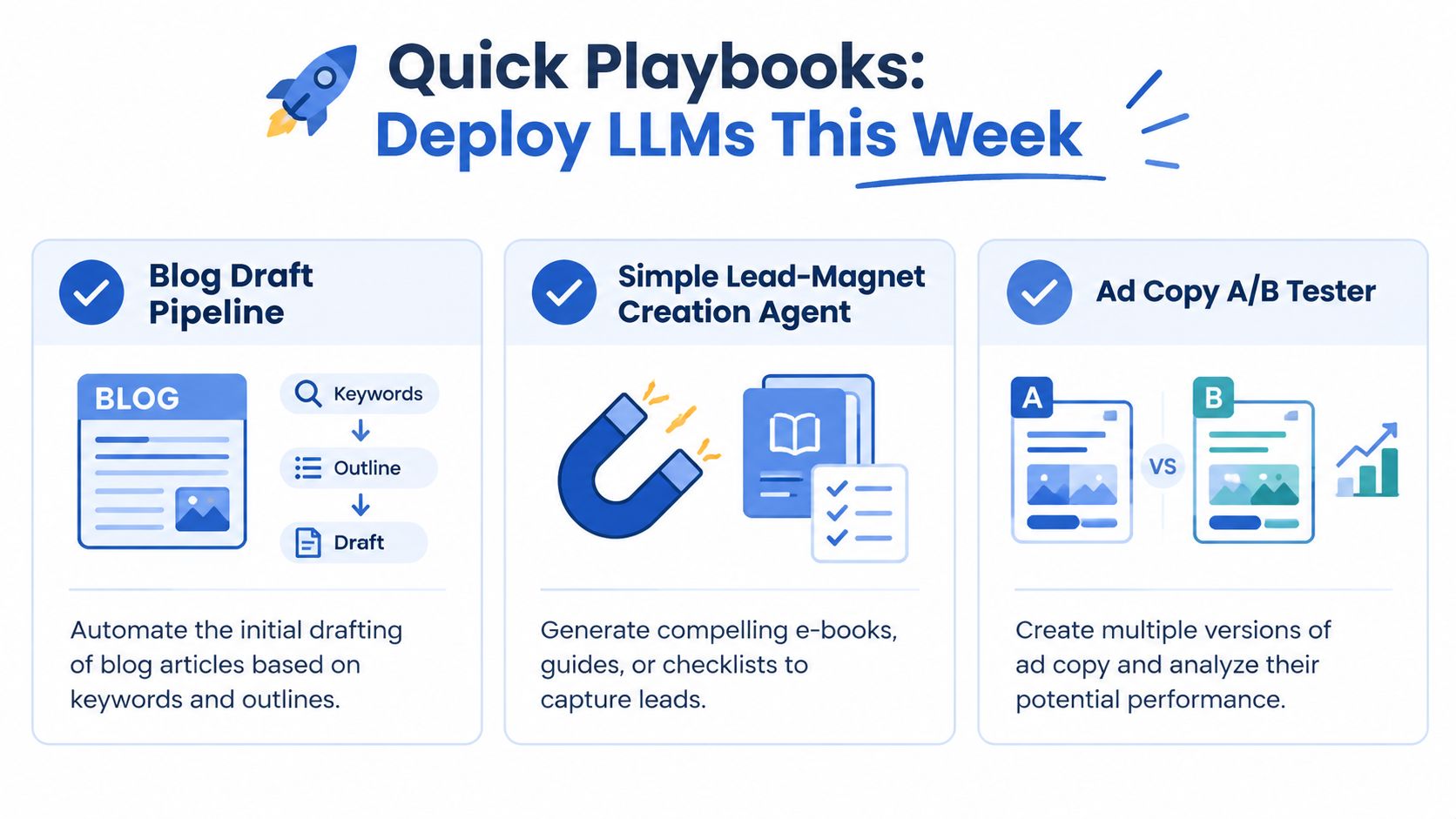
Blog draft pipeline: Put the keyword, search intent, outline, source links, audience, and internal examples into a shared document. Ask the model to draft one section at a time, mark every unsupported statement, and return questions before drafting where evidence is missing. Watch hours from outline to approved draft.
Lead-magnet creation agent: Give the model customer objections, product facts, a target reader, and the required format. Ask for an outline first, then a draft, then a checklist of claims requiring review. Store the draft in Google Docs and keep approval manual. Watch qualified leads per completed asset.
Ad copy A/B tester: Supply the offer, audience, platform restrictions, approved claims, and past winning angles. Ask for variants grouped by hypothesis, with each variant tied to one change. Run the test through your existing ad platform and watch the conversion metric, not the model's predicted score.
The first time I built a content pipeline, I optimised for output volume. That gave me more drafts and more editing. On Monday, choose the workflow with the most repetitive handoff, measure its current time, and build only the first pass.
What I'll Change on Monday
I'll choose one recurring task that has a clear input, a repeatable transformation, and a visible destination. I'll record the manual time before automating it, create a small test set, and require source-linked outputs where facts matter.
I won't buy another model because a demo looked clever. I'll compare the current process with the automated process, track the specific business metric connected to the task, and delete the workflow if review costs exceed the time it saves.
If you want a weekly record of practical AI opportunities, workflow experiments, and the failures that change my process, read the Bionic Business newsletter. Then build one small LLM workflow this week, measure the hours it returns, and keep only what earns its place in your calendar.
Frequently Asked Questions
What tasks is an LLM best at?
LLMs are strongest when the work is a language transformation with a clear input and output. That means summarising transcripts or reviews, classifying support messages into fields, extracting facts into a fixed schema, and rewriting one approved message for different channels. A 2025 survey put search at 61%, explanation at 42% and writing at 40% of use, with task automation at only 11%.
When should you not use an LLM?
Stop using the model when each run gives a different answer to a judgment call, when the facts are not settled, or when a mistake creates legal, financial or reputational exposure. A 2026 study found weaker productivity effects in planning-heavy and creative phases. Creative direction and brand decisions still need a human owner, even when the model supplies options quickly.
How do you choose which LLM to use for a business task?
Start with the task and what a failure would cost, not with the most capable model. A fast hosted model is usually enough for rewrites, summaries and classification. A slower reasoning model can help with code review or multi-step analysis. An open-source deployment gives control but adds setup and maintenance. Check current provider prices before you commit, and change one variable at a time.
Can an LLM write marketing copy that converts?
It can produce controlled first drafts faster if you give it the offer, audience, proof, objections, forbidden claims and approved examples. Ask for a table with angle, claim, evidence required and draft, and tell it not to add facts absent from the source. Without evidence the model fills gaps with generic urgency. Measure time to an approved draft, then the channel’s conversion metric.
Should you give an LLM all your documents at once?
No. Long-context systems handle simple single-fact retrieval well, but harder tests with several facts spread across documents show weaker synthesis. Tag your sources, retrieve the relevant ones, rerank the passages and send only the selected ones. Require a source reference after every claim and a field for anything the passages do not establish.
How do you know if an LLM workflow is worth keeping?
Record the manual time before you automate anything, then build a small test set with real, difficult and unknown cases. Track review time, the rate of fields needing correction and token cost per output alongside the business metric the task affects. Delete the workflow if review costs exceed the time it saves.