
The AI tools that earn a place in a marketing team’s stack sit inside a repeatable process. HubSpot AI and Salesforce Einstein suit teams already on those platforms, Jasper and Copy.ai handle on-voice drafting and repeatable content workflows, Anyword scores copy, Klaviyo runs lifecycle email, Semrush and Surfer steer SEO content, Canva produces visuals and Unbounce tests landing pages.
You've already felt the gap between a shiny AI app and a workflow that saves you time. The copy gets you 80 percent of the way there, then you still spend the next hour fixing voice, moving data around, and figuring out whether the output is worth publishing. That's why I care less about “AI tools” in the abstract and more about which stack you can run this week without adding more busywork.
The best ai marketing tools in 2026 are the ones that sit inside a repeatable process. That matters because AI use has moved from dabbling to daily work, with 87% of marketers using generative AI in at least one recurring workflow in Salesforce's State of Marketing 2026 (Omnibound's summary of the report). If you're running a small team, that shift is your opening. You don't need a giant stack, you need one tool that replaces a manual step you hate, and a second tool that keeps the work moving when you're not at the keyboard.
I'm Samuel Woods, and I've found the fastest wins usually come from tools that plug into content, email, analytics, or publishing without a long setup. The tool matters, but the workflow matters more.
Table of Contents
- 1. HubSpot AI
- 2. Salesforce Marketing Cloud + Einstein
- 3. Jasper
- 4. Copy.ai
- 5. Anyword
- 6. Klaviyo
- 7. Semrush Content Toolkit and ContentShake AI
- 8. Surfer
- 9. Canva Magic Studio
- 10. Unbounce
- Top 10 AI Marketing Tools, Feature Comparison
- Next Steps for Your AI Stack
1. HubSpot AI
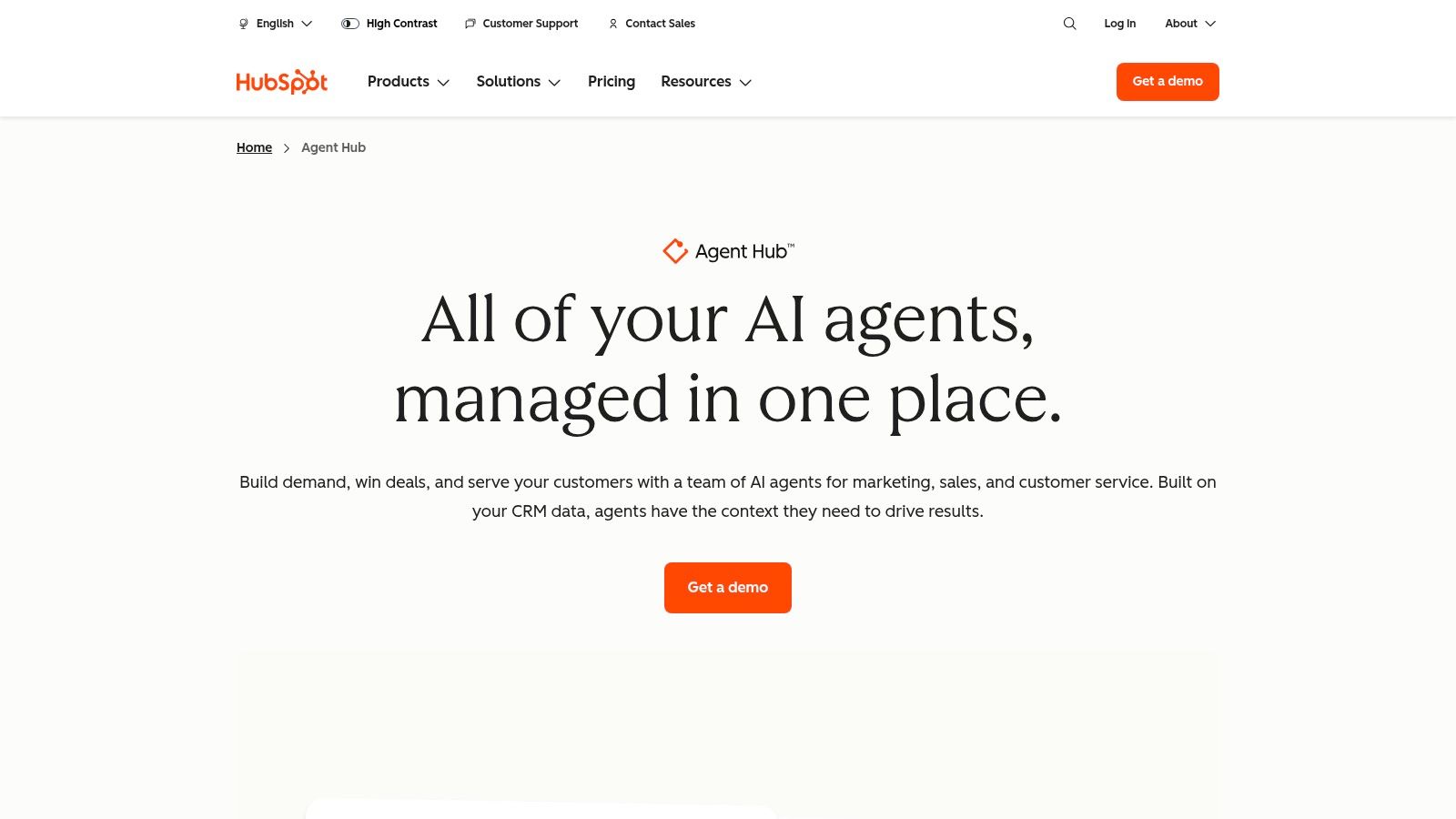
A small team can move from offer to campaign without exporting copy, CRM notes, and reporting data when HubSpot already holds the workflow. HubSpot AI is a practical first choice for teams that want content, customer records, and campaign work in one system. The trade-off is that its value depends on how much of your marketing already runs through HubSpot.
Where HubSpot AI fits
HubSpot's AI layer reaches email, blog drafts, chat, and reporting. Its public product information lists assistant functions inside editors, content remixing, chat experiences connected to CRM data, and reporting support. Some features use HubSpot Credits, so review the usage model before building a high-volume process. I'd start with the HubSpot AI features and pricing structure rather than choosing based on the writing features alone.
The workflow I'd run
Start with the offer and audience already stored in your CRM. Ask the blog editor to draft the core article, then prompt it to preserve the offer, audience, objections, and call to action while producing related ad and social variations. Use CRM-linked chat to answer recurring objections, then review those conversations before updating the campaign copy. Finish with the reporting assistant, comparing the campaign's results with the previous review period and recording one change to test next.
That sequence keeps the brief attached to the work. It replaces separate document drafts, chat notes, CRM updates, and reporting summaries with one connected process.
If you want a deeper systems view on this kind of stack, I wrote the broader guide to AI marketing automation tools.
Practical rule: If your team already works in HubSpot, test HubSpot AI before adding another writing tool. The handoff between apps often creates more editing than it removes.
What it replaces and where it breaks
The main gain is retained context across several marketing tasks. The main risk is cost predictability. Credit-based features may become difficult to forecast when agents run frequently, while the value is weaker if you only need a single-purpose writing assistant. Teams should also check whether their current Hubs support the workflow they want before committing to a broader suite.
2. Salesforce Marketing Cloud + Einstein
Salesforce fits teams whose campaigns already depend on Salesforce customer data. It is a poor first choice for a small setup without clean records, connected systems, or someone who can manage the configuration. The platform becomes more useful when marketing, sales, and service activity needs to inform the same audience decisions.
The workflow I'd run
Begin with one audience segment in Data Cloud and define the campaign offer, exclusion rules, and conversion event. Use Einstein to generate subject lines and message variants for that segment, then edit them against the offer and customer context before sending. Add send-time optimization only when the list has enough historical engagement to support a meaningful timing decision.
After the campaign, review engagement patterns in the same environment. Compare the selected audience, message variant, and send time with the previous review period, then record one change for the next test. Keeping those steps together avoids exporting lists, rebuilding audience logic in spreadsheets, and guessing which timing produced the result.
The workflow is especially useful for teams already using Sales Cloud or Service Cloud. Sales activity, service history, and marketing events can inform campaign decisions without forcing marketers to reconcile separate records first.
What to watch before you buy
Check the edition and feature limits before approving the purchase. Salesforce's marketing pricing and edition structure connect Einstein capabilities with the wider platform, including generative entitlements and Data Cloud alignment for teams that need audience unification (Salesforce Marketing pricing). Confirm that the edition includes the specific generative features, data connections, and optimization controls you plan to use.
Configuration time is part of the cost. A team can buy an advanced setup and still get slow results if its records are incomplete, segments are poorly defined, or approvals force every output through a long manual queue.
Salesforce works best when marketing is part of a shared customer-data system, not a standalone content operation.
For a solo founder who mainly needs faster copy, the platform adds unnecessary weight. For an established Salesforce team that wants AI inside campaign operations, its connected data can justify the added complexity.
3. Jasper
Jasper is useful when several campaign assets must sound like they came from the same brand. I reach for it when consistency matters more than producing the first draft as quickly as possible. A general AI assistant may write a solid paragraph, but it often changes tone between a blog post, email, and ad.
Why Jasper still matters
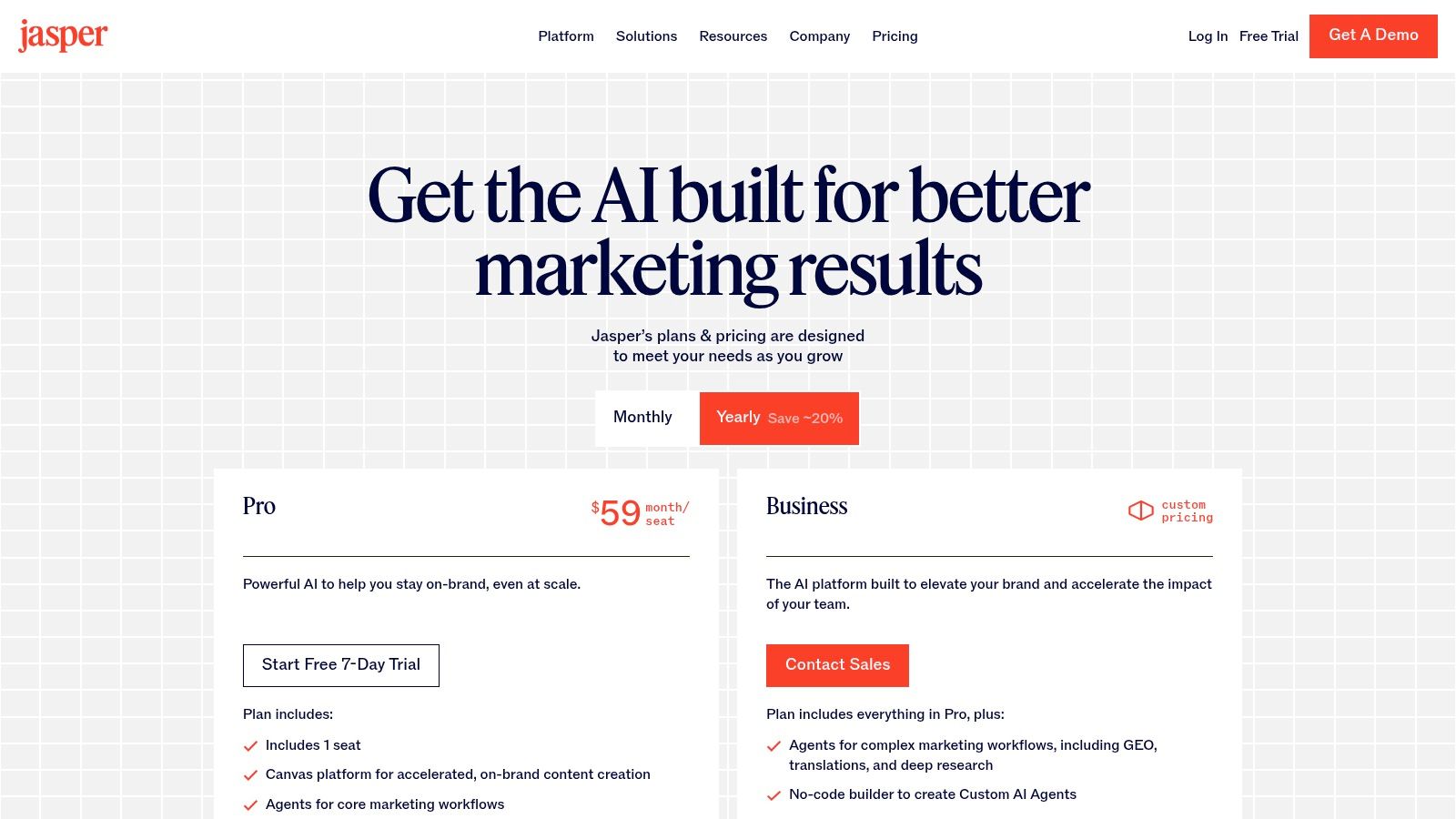
Jasper's pricing page lists Brand Voice controls, Canvas for campaign and long-form work, and Agents for more complex workflows. The advanced options are available on the Business plan (Jasper pricing). The practical benefit is consistency across the full production sequence, from brief and outline to final copy.
Set up the workflow with a style guide and three or four strong examples from your existing content. Create the campaign in Canvas, then produce the blog post, email, and ad angles from the same brief. Review each version for tone, terminology, and claims. If the voice drifts, improve the examples and instructions before publishing.
A useful test is to give Jasper one product brief and compare the outputs across formats. If the email sounds formal while the ad sounds generic, the problem is usually incomplete voice guidance rather than the format itself.
What it replaces
Jasper reduces the repeated prompting and editing required to make a general AI draft sound specific to your company. It can also reduce the need to send every early conversion-copy draft to a freelancer or editor when the source material and approval rules are clear.
The trade-off is scope. Advanced agent and governance features sit behind the custom-priced plan, while Pro can feel restrictive for teams managing multiple brands or audiences. Jasper fits content-heavy teams that need tight voice control. It is a weaker choice as the only system for broad workflow automation.
What I got wrong first time: I tried to make Jasper handle everything. It works better for voice control and structured drafting, with the finished asset then passed to the publishing stack.
Tool page: Jasper pricing and plan details
4. Copy.ai
A content manager who repeats the same brief, research, drafting, and repurposing steps each week can turn that sequence into a Copy.ai workflow. The platform suits teams that need a process to run consistently, not marketers seeking one polished paragraph from a chat box.
The workflow-first use case
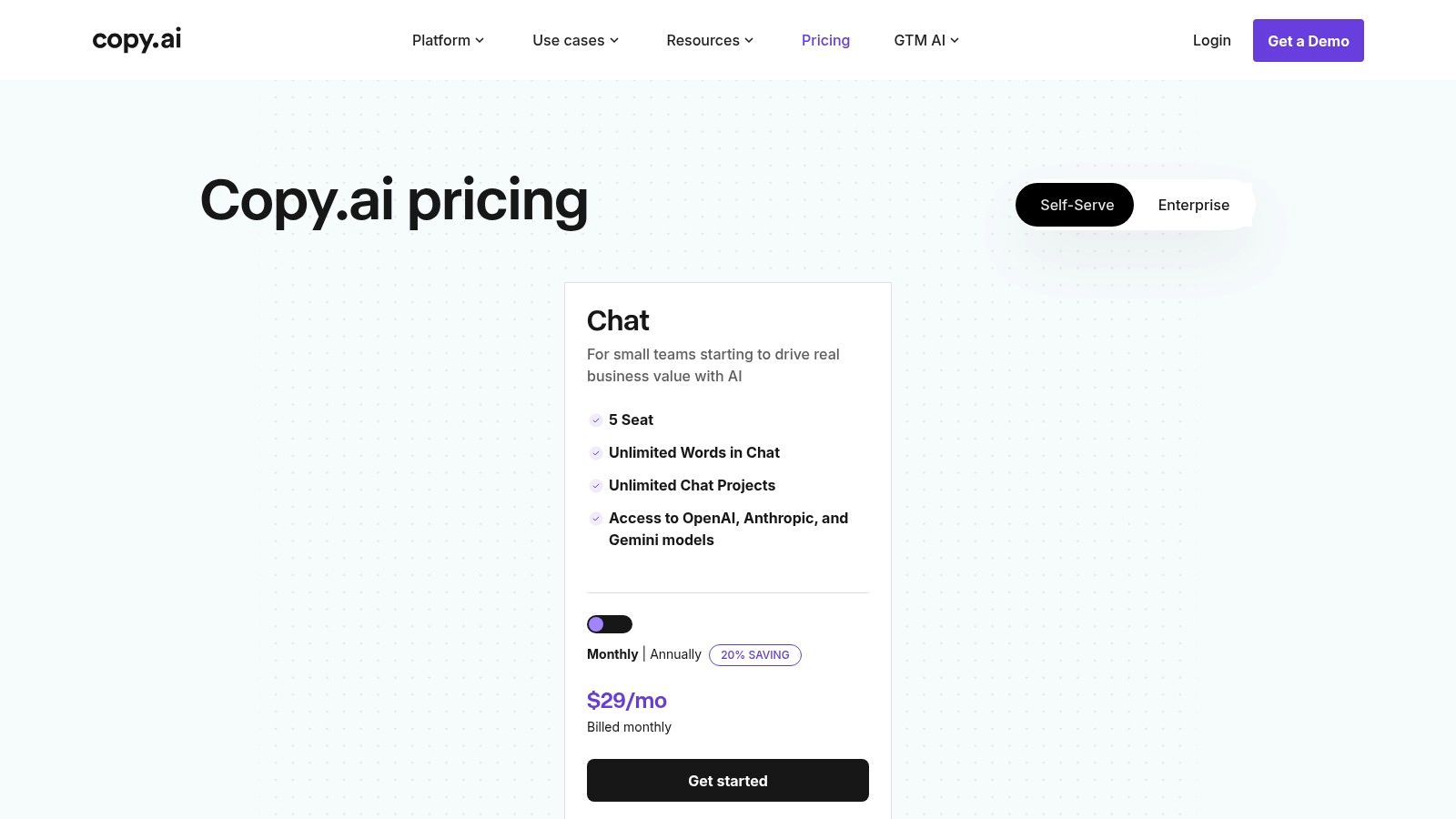
Copy.ai's pricing page highlights Workflows, Actions, its intelligence layer, brand voice, and access to multiple models (Copy.ai pricing). Those features support a repeatable production chain rather than a single drafting prompt.
Start with a campaign brief. Pull supporting facts into a table, generate an outline, run the draft through a brand voice check, then route the output to translation or enrichment when required. The same structure can produce blog briefs, SEO articles, social variations, and content refreshes.
Build the workflow around the information your team already has. Product positioning, approved claims, audience details, examples of published work, and terminology give the system material to work from. Review the first outputs for factual accuracy and tone, then adjust the instructions or source fields before reusing the workflow.
What it replaces and when to skip it
Copy.ai reduces manual brief preparation, copy-paste research, and the need to rebuild the same prompt chain for every asset. It also gives content operators a defined sequence, which makes missed steps easier to spot during busy campaign cycles.
The trade-off is commitment. A team that only needs occasional drafts may use little beyond the chat interface. The platform becomes more useful when a recurring process has clear inputs, review points, and a known final destination.
If your team prefers experimenting with prompts and producing one-off drafts, Copy.ai may feel heavier than necessary. If repeated content work suffers from inconsistent execution, its workflow structure is a practical fit.
Tool page: Copy.ai pricing and workflow tiers
5. Anyword
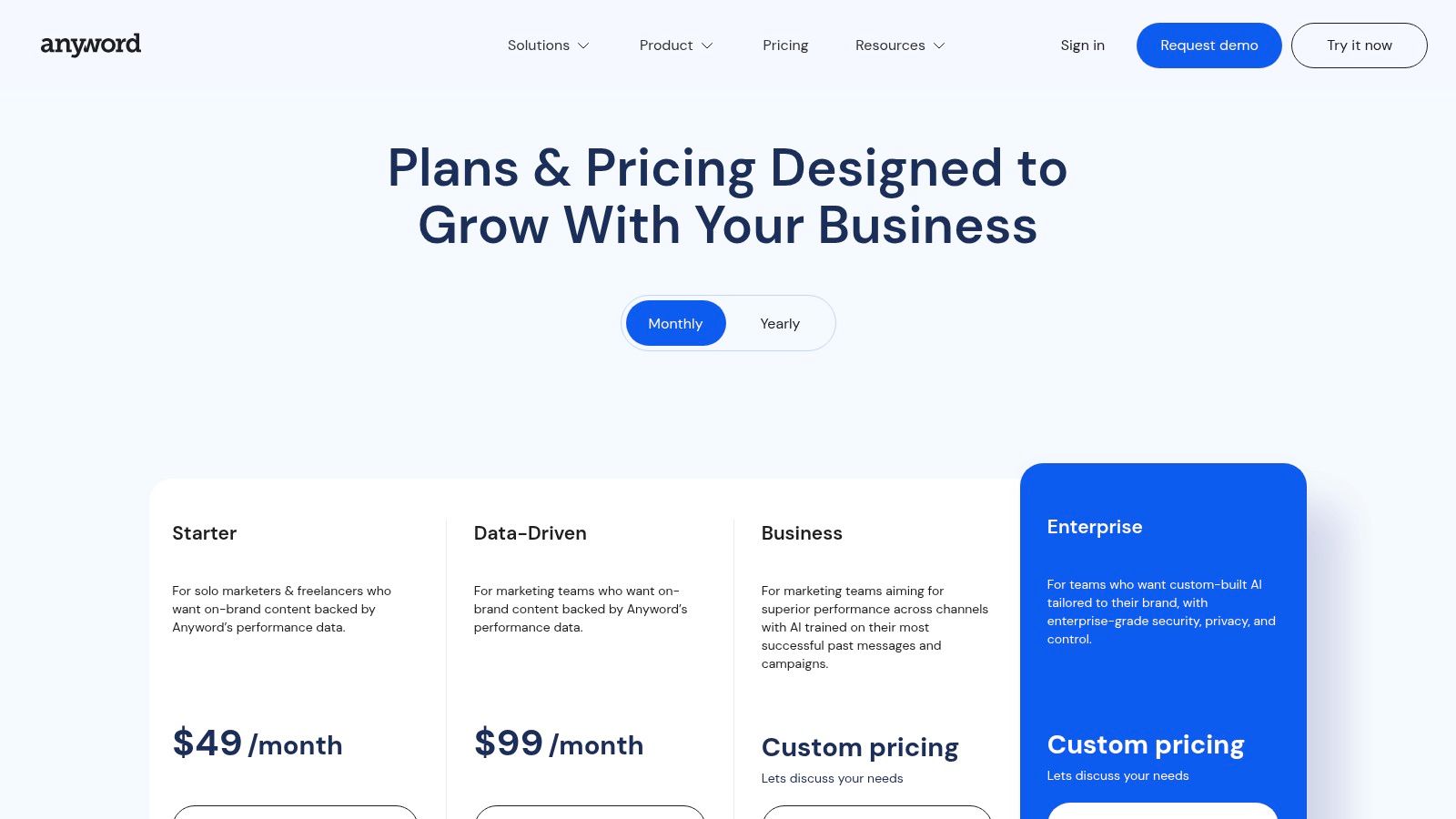
A paid campaign can lose money before the first click if the headline, offer, or call to action starts weak. Anyword helps marketers compare those options before launch by assigning predictive performance scores to copy variations. The tool fits campaigns where wording needs to support a measurable action, such as a click, signup, purchase, or reply.
A practical Anyword workflow
Start with the campaign inputs, not a blank prompt. Give Anyword the audience, offer, product category, desired action, channel, and any restrictions on claims or tone. Add previous campaign copy and performance data when available. That context gives the scoring model more useful material than a generic instruction such as “write a better ad.”
Use a short testing sequence:
- Create three to five versions of the headline, opening line, or subject line.
- Review each Predictive Performance Score alongside the actual wording.
- Remove options that make unsupported promises, sound unlike the brand, or target the wrong buying stage.
- Choose the strongest remaining version as the test control.
- Compare the live result against the prediction, then save the outcome for later campaigns.
Anyword's Predictive Performance Score and real-time prediction features are most useful when the copy has a clear job. For example, a paid social team could generate alternative hooks for one offer, score them, and use the leading candidates in a controlled test. A lifecycle marketer could apply the same process to subject lines and preview text, while a landing-page team could compare several versions of one benefit statement.
Treat the score as a prioritization signal, not a conversion guarantee. Historical campaign data can make the recommendation more relevant, while limited data leaves more uncertainty. Human review still catches problems the score may miss, including compliance risks, misleading implications, weak differentiation, and claims that the product cannot support.
What Anyword replaces, and when to skip it
Anyword reduces the need to select performance copy through personal preference alone. It can also narrow the first testing set, so paid media teams do not spend the entire budget comparing weak variations.
The trade-off is scope. Anyword suits performance copy for advertising, email, and conversion pages, but it is less useful as a full editorial workspace for research-heavy content or large campaign operations. Teams without reliable historical data should use the predictions to rank ideas, then validate them with real tests.
Choose Anyword when the next decision is, “Which version should we test first?” Choose another platform when the main requirement is long-form production, project management, or a broader content workflow.
Tool page: Anyword pricing and predictive scoring
6. Klaviyo
A B2C brand with repeat purchases can move from customer data to a targeted campaign without stitching together several platforms. Klaviyo combines email and SMS with generative copy assistance, predictive fields, and product recommendations, making it a practical choice for ecommerce teams that already track customer behavior.
The workflow that pays off
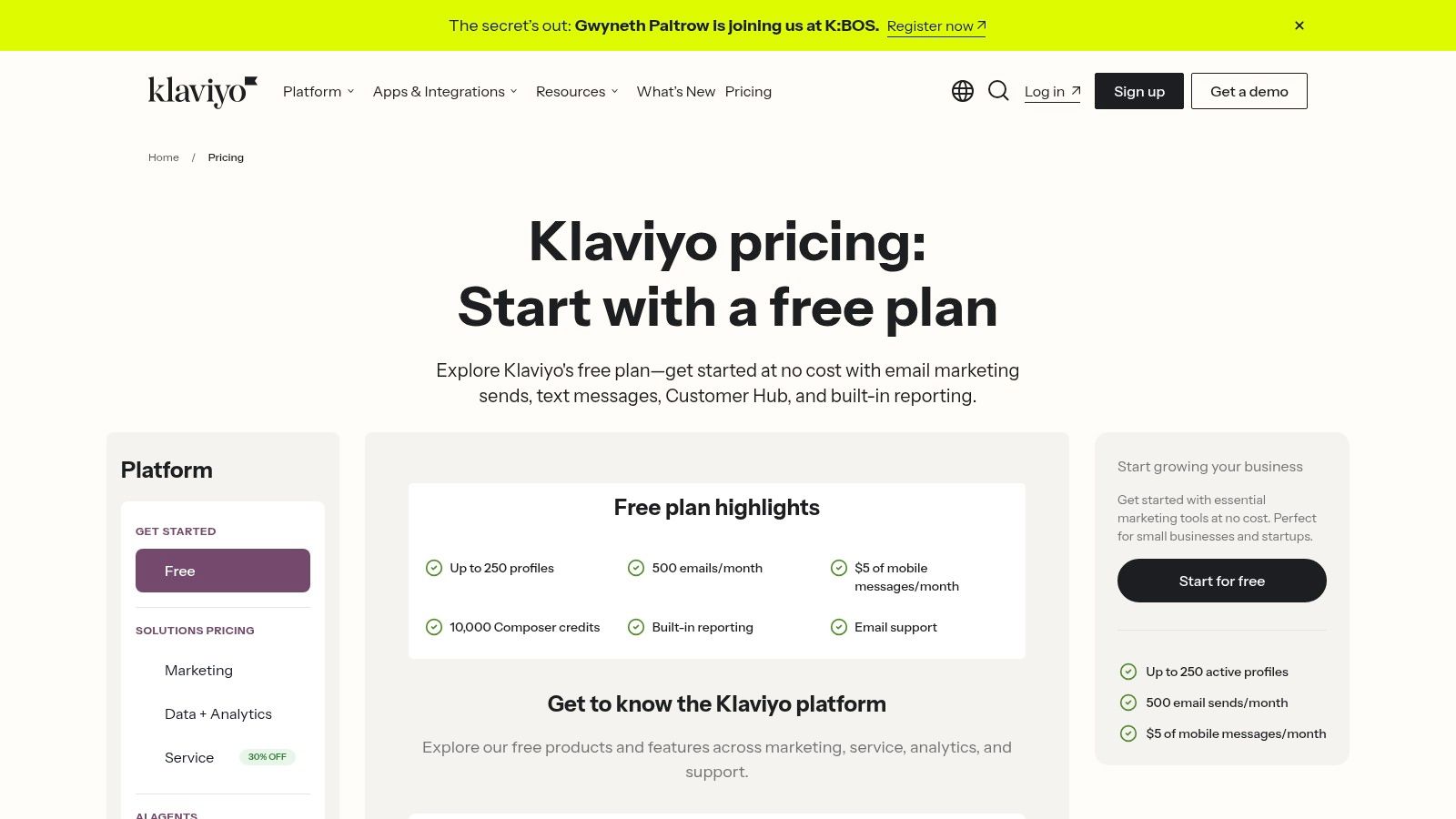
Klaviyo supports AI-generated email copy and subject lines, predictive analytics for churn and CLV, product recommendations, and an optional Marketing Analytics add-on. The Klaviyo pricing and AI email platform details show how these capabilities fit within the platform's plans.
Set up the workflow in this order:
- Build a segment using predicted churn, lifetime value, purchase history, or engagement.
- Ask the writing assistant for a campaign draft that follows your brand voice and offer.
- Add recommendations based on each customer's product activity.
- Review the message, segment logic, and suppression rules before scheduling.
- Use available send-time or campaign performance signals to decide when to send.
The data requirement is clear. Predictive features become more useful when purchase, engagement, and customer-value data are consistent. With that foundation, the workflow turns first-party data into campaigns without rebuilding audience rules in separate tools.
What it replaces and when to skip it
Klaviyo can replace the separate copy assistant, prediction tool, and email platform. It also reduces manual audience setup because segmentation and campaign execution share the same customer records. I cover this email-focused workflow in best AI email marketing tools, where the email layer's effect on revenue receives closer attention.
The trade-off is scaling cost. Contact volume and SMS usage can rise quickly, while advanced analytics require a separate add-on. Skip Klaviyo for basic newsletters. Choose it when lifecycle email drives revenue and predictive signals need to connect directly to customer behavior.
Tool page: Klaviyo pricing and AI features
7. Semrush Content Toolkit and ContentShake AI
Semrush works best when keyword research and AI drafting share the same data. I avoid tools that write first and research later, because they usually produce generic copy that misses search intent.
Why the workflow matters
Semrush ties content work to the broader SEO stack, which makes it useful for content operations. The content pricing page shows how the toolkit sits alongside research, optimization, and drafting tools, all inside one system.
A practical workflow is research, outline, draft, optimize, then review the page again with analytics and search data. That keeps the draft tied to the same signals that shaped the topic in the first place. You are not writing in a vacuum, and you are not guessing what the page should cover.
What it replaces
It replaces the old split between SEO specialist, writer, and editor working from different documents. It also cuts the risk of publishing a draft that ranks for the wrong intent because the research never made it into the outline.
The trade-off is complexity. Semrush can feel like several products glued together, and pricing can be confusing if you compare the core platform with the content tools. Use it when SEO drives acquisition. If content is light and occasional, it is more system than you need.
Practical rule: use Semrush when search data should steer the draft. If the draft is already locked, most of the platform's value goes unused.
Tool page: Semrush content pricing
8. Surfer
Surfer fits the workflow where search optimization happens inside the draft. I use it when a writer needs immediate on-page direction, rather than a separate research document and a later optimization pass. Open the Content Editor, add the target query, review the competing pages, then revise coverage and structure while the article is still taking shape.
Where it earns its keep
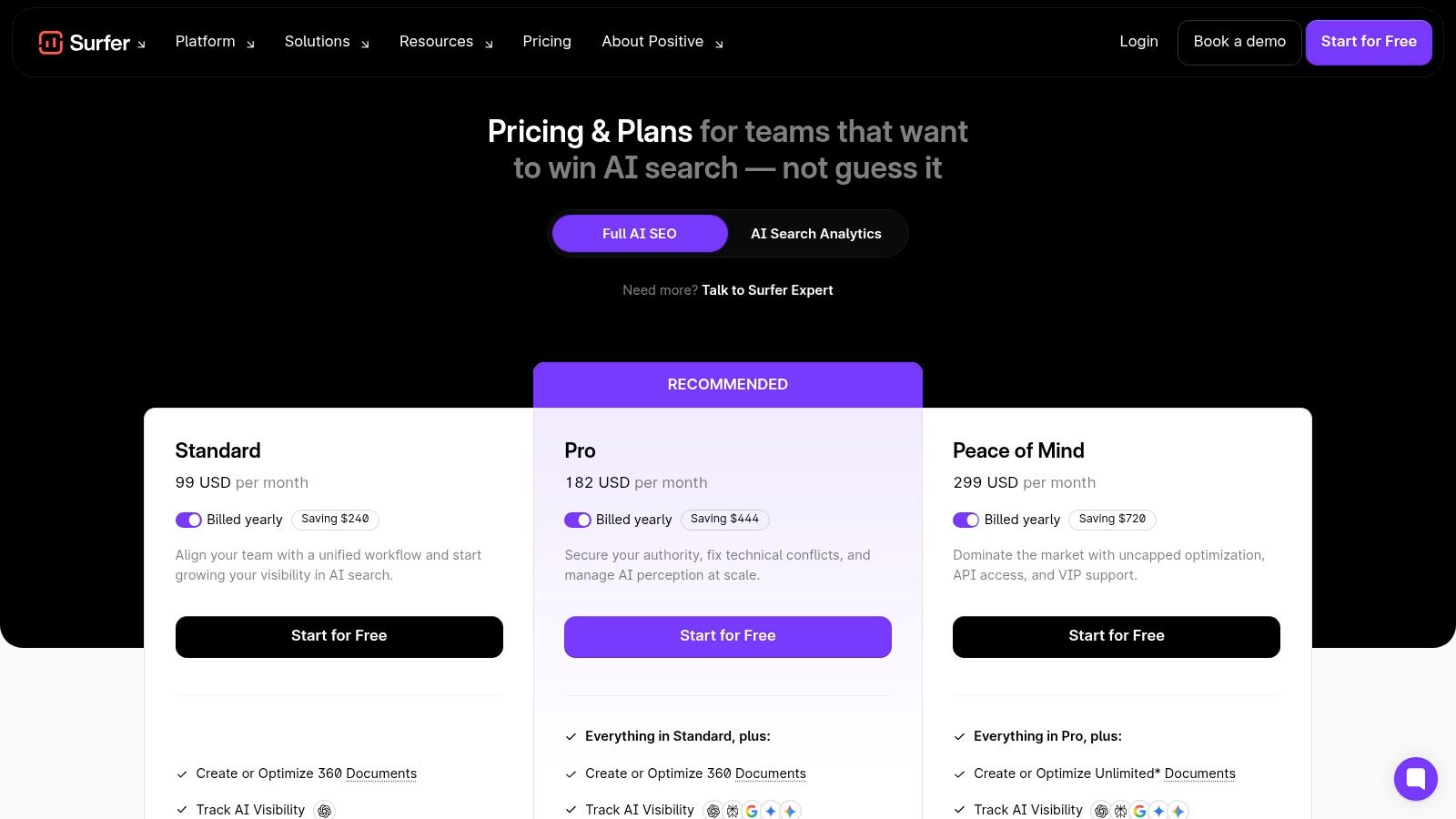
Surfer's pricing page lists the Content Editor, SEO Score, AI Search Score, Surfer AI, and Content Audit, including connections to Google Search Console data (Surfer pricing). Those features support both new content and refresh work.
For a new article, I would provide the target query, define the audience and search intent, then use the editor to check whether the draft covers the relevant subtopics. I would treat the score as a checklist, not a writing target. For an existing page, audit the URL, compare performance with GSC data, identify weak sections, and rewrite only where the evidence supports a change.
A useful result is a clearer revision plan. Instead of manually opening competing pages and guessing what is missing, the writer gets prompts for coverage, headings, and on-page improvements in one workspace.
What it replaces and where it breaks
Surfer reduces repeated SERP checks and the uncertainty around whether a page is ready to publish. It is also useful when refreshing an established URL, where the starting draft and performance data already exist.
The trade-off is score fixation. New writers can add awkward phrases to raise a metric, weakening readability and intent. Pricing and quotas matter too, since the tool makes more sense for teams with a steady publishing or refresh schedule. If SEO is secondary to social or email, its narrower focus may not justify the cost. For search-led content, Surfer makes optimization more consistent without removing editorial judgment.
9. Canva Magic Studio
When a campaign needs social graphics, email visuals, and a short video by the end of the day, Canva Magic Studio can keep production in one workspace. I use it when the constraint is execution capacity rather than campaign strategy, especially for solo marketers and small teams.
The workflow I'd run
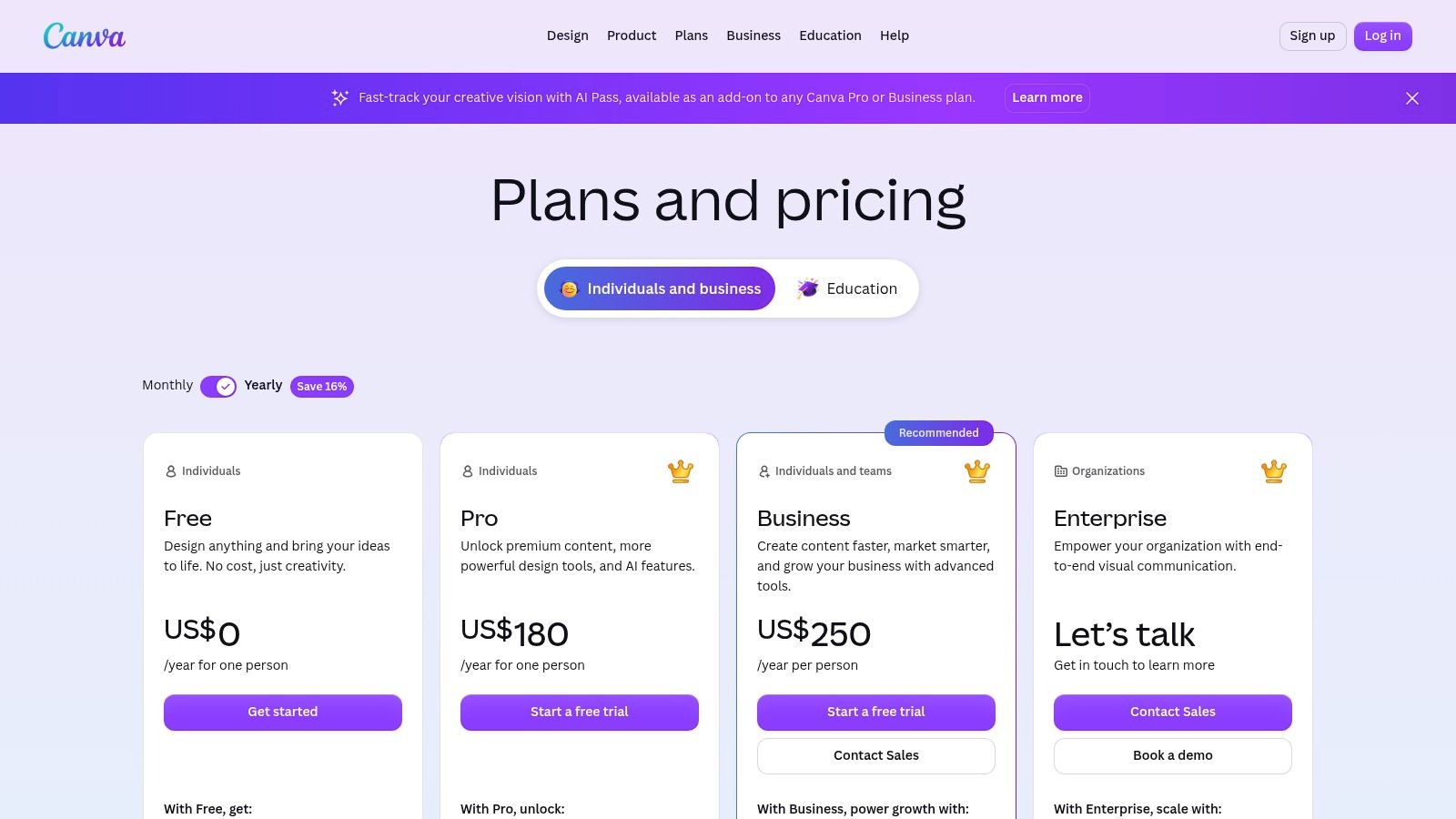
Start with the campaign message and audience. Use Magic Write to draft a caption or headline, Magic Media to create a visual direction, then Magic Edit or Generative Fill to adjust the asset. Brand voice checks can keep copy aligned, while Canva Shield addresses safety controls. The available features and plan limits are outlined on the Canva pricing page.
I'd then create one core design and adapt it for social, email, and a presentation slide. That sequence keeps the message consistent and avoids generating unrelated assets for every channel. Before a high-volume sprint, check the plan's AI usage limits and confirm that the required formats are available.
What it replaces and where it breaks
Canva replaces a copy document, stock-asset search, and repeated designer requests for straightforward production work. It also shortens the gap between approving an idea and publishing the first usable version.
The trade-off is creative depth. Canva works well for fast variations and routine campaign assets, but complex campaigns still need a stronger creative system, art direction, and review process. AI-generated visuals may also need editing to match brand details or avoid generic results.
For a solo operator or small team, the practical test is simple: provide the message, audience, format, and brand rules, then review every output before publishing. That workflow makes Canva a useful production layer, not a replacement for strategy.
Tool page: Canva pricing and Magic Studio features
10. Unbounce
When paid traffic is reaching a landing page but conversions are stalled, Unbounce gives you a practical testing and routing workflow. Its AI routing sends visitors toward the variant showing stronger conversion signals, rather than keeping every visitor in a fixed split until someone reviews the results.
How the workflow works
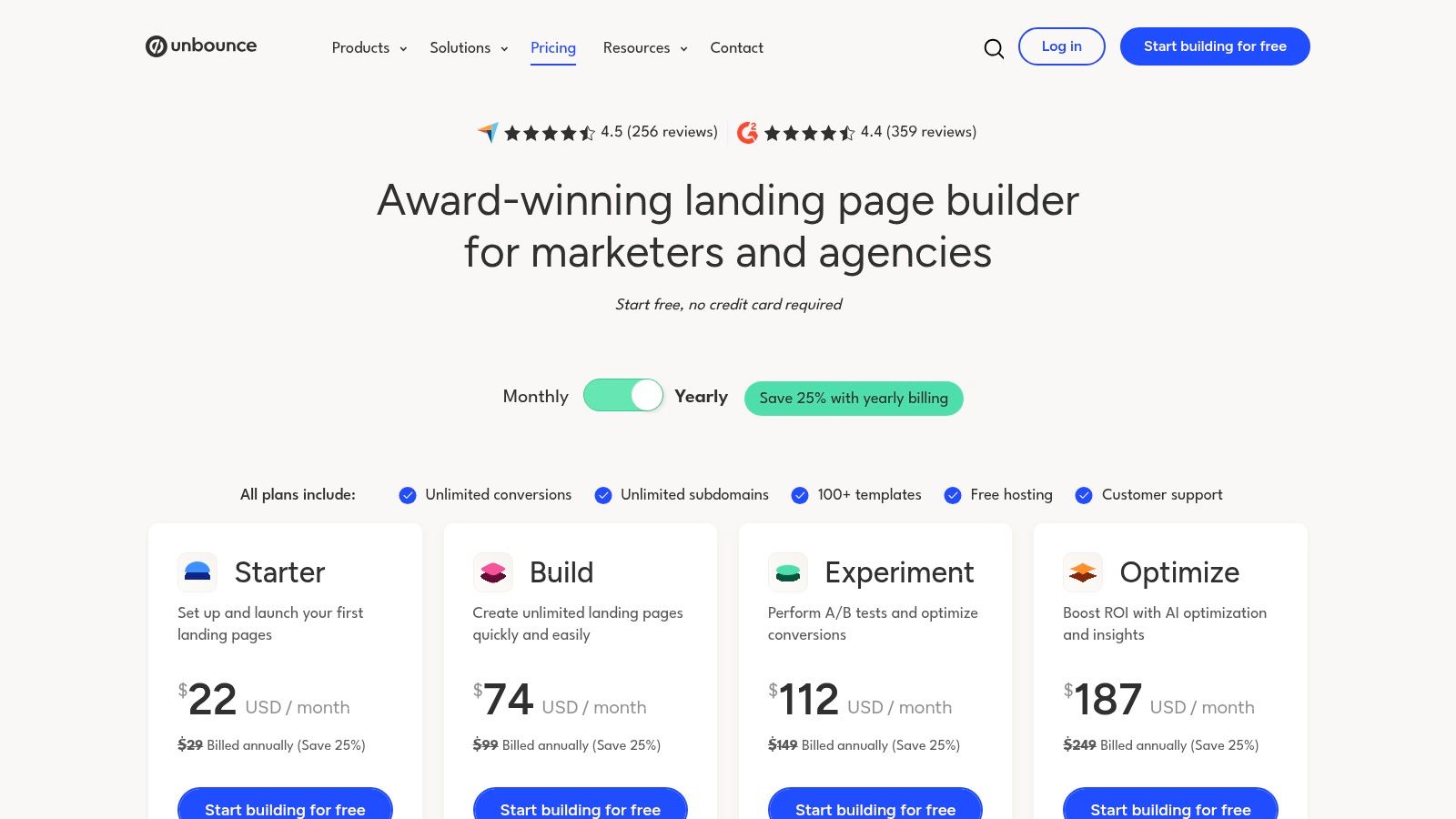
Unbounce supports Smart Traffic, A/B testing, dynamic text replacement, and CMS embeds, as outlined on its pricing page. Start by creating two or three page variants with one clear difference in the offer, headline, layout, or call to action. Connect the relevant traffic sources, then let Smart Traffic route visits while you monitor conversion quality.
Give the system a defined audience, traffic source, conversion goal, and enough page variation to learn from. I would use it after paid acquisition is active, especially when rebuilding the entire funnel is not realistic. The routing reduces manual split-test management, but it does not remove the need to review lead quality and tracking.
What it replaces and where it breaks
Unbounce replaces a rigid 50/50 testing routine and some of the manual work involved in publishing repeated landing-page changes. It also lets marketers match page language to campaign context through dynamic text replacement.
The constraint is traffic and page quality. A small audience may produce weak signals, while a poor variant gives the model little worth routing toward. Start with a clear offer and page structure, then apply these landing page optimization best practices before judging the AI's performance.
Use Unbounce when you can supply reliable conversion tracking and multiple credible variants. If those inputs are missing, improve the page and measurement setup first.
Tool page: Unbounce pricing and Smart Traffic
Top 10 AI Marketing Tools, Feature Comparison
| Tool | Core AI capabilities | Best for / Target audience | Unique selling point (USP) | Pricing & cost notes |
|---|---|---|---|---|
| HubSpot AI | AI editor assistant, content remixing, CRM‑tied chat, AI agents, report suggestions | SMBs & mid‑market teams using HubSpot CRM | Native, unified AI across CRM + Hubs with governance | Credit‑based agents; pricing/credits can be complex; suite economics apply |
| Salesforce Marketing Cloud + Einstein | Send‑time optimization, predictive scores, generative subject/content, Data Cloud integration | Enterprises on Salesforce & Data Cloud | Enterprise governance and cross‑cloud benefits (Sales/Service) | Edition‑based entitlements; AE scoping often required |
| Jasper | Brand voice controls, Canvas long‑form workflows, custom agents (Business) | Marketing teams/agencies needing on‑voice content at scale | Purpose‑built for collaborative, brand‑safe creative workflows | Seat/credit tiers; advanced agents/gov require Business (custom pricing) |
| Copy.ai | No‑code Workflows, Tables/Infobase, multi‑model access, Copy Agents | Teams automating repeatable marketing ops/processes | Workflow/automation‑first, stitches research, generation, actions | Transparent tiers with credits; best ROI when workflows are adopted |
| Anyword | Predictive performance scores, data‑driven editor, templates, testing | Paid social/search, CRO, ad & email teams focused on lift | Predictive scoring to choose higher‑performing copy before launch | Prediction quotas by plan; higher tiers for channel‑wide intelligence |
| Klaviyo | Generative email copy/subject lines, predictive churn/CLV, recommendations | Ecommerce & B2C email + SMS teams using first‑party data | Combines generative and predictive AI tied to customer profiles | Pricing scales by contacts/SMS; advanced analytics is add‑on |
| Semrush Content Toolkit (ContentShake AI) | AI writing + keyword/SERP data, topic research, analytics links | SEO/content teams producing SEO‑driven content at scale | AI drafting aligned directly with Semrush SEO data & research | Toolkit SKUs add complexity; best for sustained SEO programs |
| Surfer | Content Editor scores (SEO & AI Search), auto‑optimize, content audits | Content writers and SEO teams needing on‑page guidance | Real‑time optimization signals and AI search visibility focus | Pricing tiers/quotas should match content volume |
| Canva Magic Studio | Magic Write, AI image/video generation/editing, brand checks, safety (Canva Shield) | Non‑designers and creative teams needing fast, on‑brand assets | Rapid end‑to‑end creative production with safety guardrails | Feature entitlements vary by Pro/Business/Enterprise; usage limits may apply |
| Unbounce | Landing‑page builder, A/B testing, Smart Traffic auto‑routing to best variant | PPC and CRO teams focused on conversion lift | AI routing that boosts conversions by routing visitors to best variant | Traffic caps by plan; benefit depends on volume & variant quality |
Next Steps for Your AI Stack
Pick one workflow and tool, then run it this week. If your biggest pain is content, start with Jasper, Copy.ai, or Surfer. If your biggest pain is lifecycle revenue, start with Klaviyo. If your biggest pain is landing page conversion, start with Unbounce.
I'd keep the test narrow. Write one prompt, build one workflow, ship one asset, and track one number that proves it mattered. For many solo operators, that number is either hours saved or conversion lift. The point is to get out of the “trying tools” loop and into a repeatable system that keeps working after the novelty wears off.
The broader market shift backs that approach. Salesforce's 2026 marketing report summary shows generative AI in 87% of marketers' recurring workflows (Omnibound's report summary), while Duke University CMO Survey reporting showed AI and machine learning powering 24.2% of marketing activities in 2026 and projected to reach 55.9% within three years (White Hat SEO's research summary). The practical read is simple. The teams winning with AI are the teams turning it into a working system, not a stack of disconnected experiments.
If you're a small business, start even smaller. Pick the tool that removes the most annoying manual step, wire it into your weekly routine, and stop adding apps until the first one is paid off.
I'd make this decision today, then use Monday morning to build the first version of the workflow. One clean process beats ten half-used tools.
Frequently Asked Questions
What is the best AI tool for a small marketing team?
The best one removes a manual step you already repeat each week. If your main pain is content, start with Jasper, Copy.ai or Surfer. If lifecycle revenue matters most, start with Klaviyo. If landing page conversion is the problem, start with Unbounce. Keep the test narrow: one prompt, one workflow, one asset and one number that proves it mattered.
Should I add a separate AI writing tool if my team already uses HubSpot?
Test HubSpot AI first. Its assistant reaches email, blog drafts, CRM-connected chat and reporting, so the brief stays attached to the work. Moving copy between apps often creates more editing than it removes. Check which features consume HubSpot Credits before building a high-volume process, because credit-based agents can make costs hard to forecast.
Is Salesforce Marketing Cloud with Einstein worth it for a small team?
Only if your campaigns already depend on Salesforce customer data. It is a poor first choice for a small setup without clean records, connected systems or someone to manage configuration. For a solo founder who mainly needs faster copy, it adds unnecessary weight. Confirm the edition includes the generative features and data connections you plan to use.
How does Anyword’s predictive performance score help?
It ranks copy variations before launch so you know which version to test first. Give it the audience, offer, channel, desired action and past campaign data, create three to five versions, then drop any that overpromise or sound off-brand. Use the score to prioritize ideas, and still validate the winner with a live test.
Can Surfer or Semrush replace an editor?
No. Semrush keeps keyword research and drafting on the same data, and Surfer gives on-page direction inside the draft, but both still need editorial judgment. Surfer’s main risk is score fixation, where writers add awkward phrases to raise a metric. Treat the score as a checklist, and use either tool only when search drives acquisition for your business.
What does Canva Magic Studio replace in a marketing workflow?
It replaces a copy document, stock-asset searches and repeated designer requests for routine production work. You can draft a caption with Magic Write, create a visual with Magic Media, adjust it with Magic Edit, then adapt one core design for social, email and a slide. Complex campaigns still need art direction and a stronger review process.
