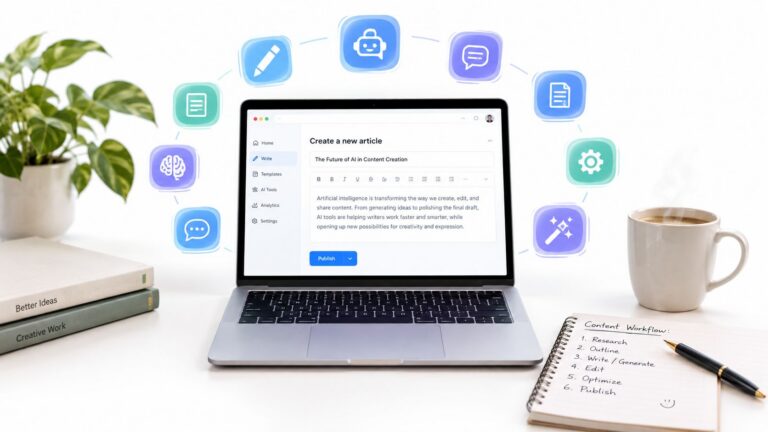
You can build a free AI content writing workflow with three tools, each assigned one job: Perplexity for research, ChatGPT or Claude for drafting, and Grammarly or Simplified for editing and publishing. I’d keep research separate from drafting, check every citation myself, and pay only when a specific free limit keeps blocking work you repeat every week.
Ten free AI writing tools won't fix a content workflow that starts with a blank document and ends with three rounds of fact-checking. You can lose hours moving between weak research, generic drafts, awkward rewrites, and copy that sounds like it came from nobody in particular.
I'm Samuel Woods, and I'd build a small free stack around jobs rather than brands. One tool researches. Another drafts. A third edits or publishes. The point is to create a repeatable path from a real source to a usable piece of content, while accepting that free limits will eventually shape the workflow.
That matters because AI-assisted writing has moved well past experimentation. By 2025, 83% of content marketing teams used AI in their workflow, and 68% used it for first drafts, according to AI content creation statistics for 2026. The practical lesson is simple. Free tools work best as production assistants, especially for research, first drafts, editing, and variations.
For every tool below, I'll cover six things: the opportunity it opens, the steps I'd use, the manual work it replaces, the context it needs, the number I'd watch, and where it breaks. You can test the complete system this week without buying software or pretending that one-click publishing produces reliable work.
Table of Contents
- 1. ChatGPT Free from OpenAI
- 2. Claude Free from Anthropic
- 3. Google Gemini Free
- 4. Microsoft Copilot Free
- 5. Perplexity Free
- 6. Grammarly Free
- 7. QuillBot Free
- 8. Rytr Free Forever
- 9. Mistral Vibe Free
- 10. Simplified Free
- Top 10 Free AI Content Writing Tools, Comparison
- Build the Smallest Stack You Can Test Monday
1. ChatGPT Free from OpenAI
ChatGPT is the broadest starting point in this list. I'd use it when a topic needs a brief, an outline, several angles, a first draft, or a rewrite in a fixed voice. Its free experience supports everyday text conversations, with file and image features available under lower limits, so it can handle more than a blank-page prompt.
The opportunity exists because one general assistant can remove the switching cost between planning and drafting. The ChatGPT website is useful when you're working alone and need to turn rough notes into a sequence of practical decisions.
The workflow I'd use
I'd paste in the target reader, the source notes, the desired action, and three examples of my own writing. Then I'd use this prompt:
Drafting prompt: “Create a brief from these notes. Separate verified facts from interpretation. Give me the reader's problem, the promised outcome, five section ideas, and the single action this article should drive. Do not add facts that aren't in the notes.”
After checking the brief, I'd ask for an outline, then a section at a time. I wouldn't ask for a finished article in one pass. That approach usually produces polished filler before I've tested the argument.
ChatGPT replaces the first round of blank-page work and some repetitive rewriting. It doesn't replace source verification, personal experience, or the final judgment about whether a claim deserves publication. My guide to AI for content writers goes deeper into that division of labor.
Context, measurement, and failure
The assistant needs your audience, offer, source material, tone rules, banned phrases, and examples of good and bad output. I'd watch revision rounds per section. If the first usable draft still needs several structural rewrites, the brief is probably weak.
The free tier can throttle heavier sessions and advanced features, and performance can vary during busy periods. My first mistake was giving it a broad topic and asking for “an authoritative article.” It responded with familiar advice. Specific source notes and a defined reader problem fixed more than a longer prompt did.
2. Claude Free from Anthropic
Claude earns its place when the main problem is flow. I'd reach for it after research, when I have a position and need a long draft that sounds measured rather than assembled from disconnected blocks. It's also strong at structural editing, especially when an article has a good idea buried under repetition.
The Claude web app provides free access with limited daily use. That makes it a poor choice for endless exploratory prompting, but a good choice for a deliberate drafting session where the material is already prepared.
Give it a voice before giving it a topic
I'd create a short reference document with four parts:
- Audience: Who reads the piece and what they already know.
- Point of view: What I believe, including the advice I reject.
- Style rules: Sentence length, preferred vocabulary, formatting, and tone.
- Evidence file: Facts, links, examples, and claims that require checking.
Then I'd use this prompt:
“Read the voice notes and evidence file. Write one section around this argument. Keep every factual claim tied to the supplied material. Mark unsupported statements as questions instead of filling the gaps. Use concrete examples and stop before adding a conclusion.”
That replaces the mechanical work of turning a detailed outline into connected prose. It doesn't replace the source of the opinion. If your context file contains bland language, Claude will produce bland language with better rhythm.
Where it fits and where it fails
I'd measure accepted paragraphs after the first edit. A strong result has fewer passages that need deletion because they repeat the same point. Free usage caps still matter, and model or feature access can change as Anthropic updates its tiers.
My first failure came from feeding it a topic and a tone adjective without examples. “Conversational but authoritative” means too many things. Three samples of my own writing gave it a better target. I'd also keep an eye on refusals for risky prompts. Guardrails can be helpful, but they may interrupt a legitimate piece that touches sensitive subjects. For model selection decisions, I keep a separate comparison of which LLM is the best, though the right answer depends on the job.
3. Google Gemini Free
Gemini is most useful when your raw material already lives in Google. If your notes are in Docs, messages are in Gmail, and research is organized in Drive, the reduced friction can matter more than a small difference in prose quality. The Gemini app also provides access to model and image features, with availability varying by account and rollout.
The opportunity is a shorter path between information you already own and a workable content brief. I'd use it for email-based idea capture, document cleanup, headline alternatives, and early research organization.
A practical Google workflow
I'd start with a Google Doc containing the audience, offer, source links, and rough notes. I'd ask Gemini:
“Turn this document into a content brief. List the questions a skeptical reader would ask, identify claims that need external verification, and suggest an outline that moves from problem to action. Use only the material in the document for factual statements.”
Then I'd ask for three headlines and one short description of the reader's next step. I'd move the approved outline into a separate document before drafting. That separation keeps the planning conversation from becoming a long, difficult-to-edit transcript.
This replaces copying notes between applications and manually turning email ideas into an organized brief. It doesn't remove the need to open the original sources. A summary can preserve the wrong interpretation if you never inspect the underlying material.
The limit I'd watch
I'd measure time from captured idea to approved brief. Gemini has a clear advantage when your content inputs already sit inside Gmail and Docs, but the value drops when your research is spread across other tools.
Features and usage limits vary by account type and rollout, and some Workspace capabilities require eligible paid editions or add-ons. I wouldn't choose Gemini because it promises a universal writing solution. I'd choose it when Google is already where the work begins.
4. Microsoft Copilot Free
Copilot Free is a sensible utility for quick drafts, summaries, rewrites, and web-informed questions. I'd use it when I need a fast answer while reading a page in Edge or when I'm already working inside Microsoft's ecosystem. The Copilot website gives you a no-cost starting point without requiring a full authoring subscription.
The opportunity is speed at the small-task level. A solo operator often doesn't need a complete article assistant. They need a paragraph shortened, a rough email reorganized, or a source turned into questions before the next task.
Use it for bounded jobs
I'd give Copilot one narrow assignment at a time:
“Summarize this page in five factual points. Then list the claims I should verify before using them in an article. Don't write promotional language and don't infer information the page doesn't state.”
For a rewrite, I'd paste the original copy and specify what must remain unchanged. For web-grounded drafting, I'd open the source pages myself and compare the answer with the material before using it.
Copilot replaces quick browser research and small editing tasks. It isn't the tool I'd use for a long, distinctive article unless I had already built the brief and supplied the source material. Its free tier has lower usage and fewer Microsoft 365 authoring features, while deeper authoring scenarios require paid plans.
What I'd measure
I'd watch minutes saved on small content tasks, rather than judging it on a complete article. The product works when it removes interruptions. It fails when I ask it to decide the argument, find the evidence, and write the final copy at once.
My first mistake was treating web access as proof of accuracy. A web-informed answer still needs source checking. Copilot is best as a fast assistant beside the source, not as a replacement for reading it.
5. Perplexity Free
Perplexity belongs near the start of the workflow because research quality sets a ceiling on the draft. Its answer engine provides citations, which makes it useful for topic briefs, FAQ research, and factual paragraphs that you intend to verify. The Perplexity platform also lets you save and organize sessions.
The opportunity exists because a solo writer needs a faster way to move from a vague topic to a sourceable set of questions. I'd use it before opening a drafting tool, not after a generic draft has already invented claims.
Research first, prose later
I'd run separate searches for the reader's problem, the competing explanations, and the practical constraints. My prompt would be:
“Research this topic for a practical article. Return primary or authoritative sources where possible. For each claim, provide the source, the exact point supported, and one question the source does not answer. Do not write the article.”
Then I'd open the citations and copy the usable evidence into my own research document. I'd mark each note as fact, interpretation, example, or open question. That small classification prevents a persuasive summary from becoming a source.
Perplexity replaces the first pass of search-result scanning and gives me a cleaner starting brief. It doesn't make citations automatically correct. A cited answer can still overstate what a source says, so I'd check the page before publication.
The constraint and the test
Free access includes limited Pro Searches, and the daily cap can restrict heavy research sessions. I'd measure verified source points retained in the final draft. If the research produces many links but few usable facts, the query is probably too broad.
The conventional advice is to ask an AI tool to research and write at the same time. I think that's backwards for serious content. Separate research from drafting, preserve the source trail, and let the writing tool work from material you've already inspected.
6. Grammarly Free
Grammarly is a last-mile tool in my stack. I wouldn't ask it to develop the central argument, but I would use its browser and editor integrations to catch awkward wording, inconsistent tone, and small clarity problems after drafting elsewhere. The Grammarly writing assistant also includes AI Chat and limited generative prompts on the free plan.
The opportunity is reducing the friction of the final editing pass. Most solo writers can see that a sentence feels wrong, but they don't always catch repetition, vague phrasing, or a shift from direct language into corporate language.
Edit against a fixed standard
I'd paste a section into Grammarly and ask:
“Find sentences that are vague, repetitive, inflated, or difficult to scan. Explain the problem briefly, then suggest a tighter version. Preserve the writer's meaning and don't add facts.”
I'd accept suggestions selectively. Automatic acceptance is how a personal draft becomes a smooth generic draft. I'd also run a separate check for the terms and phrases I never want to use.
Grammarly replaces the mechanical pass that often gets skipped when a writer is tired. It doesn't verify research, test whether the headline matches the article, or decide whether a claim is legally safe. Its free generative prompts are capped monthly, and advanced style and brand controls sit behind paid access.
The number that matters
I'd watch accepted edits per thousand words. A high number can mean the original draft needs work, or it can mean the tool is over-editing your voice. Read the final piece aloud after the pass. If the copy is grammatically clean but no longer sounds like you, the workflow failed.
7. QuillBot Free
QuillBot is a specialist, and that's why I'd keep it separate from the main drafting assistant. It's useful when you already have the idea and need to simplify a sentence, shorten a passage, summarize notes, or produce an alternative phrasing. The QuillBot platform includes paraphrasing, summarizing, grammar checking, translation, and limited AI Chat features.
The opportunity is quick transformation of existing material. A rough customer note can become a clear FAQ answer. A dense paragraph can become plain English. A long source can become working notes before I inspect the original.
The safe rewrite sequence
I'd paste in a paragraph and ask for two versions:
“Rewrite this for a busy reader. Keep every factual detail unchanged. Give me one plain version and one more direct version. Do not introduce examples, claims, or promises.”
Then I'd compare both with the original. I'd never use paraphrasing as a way to disguise copied material or avoid attribution. Rewording changes sentences, not ownership.
QuillBot replaces repetitive manual rewrites and gives me a quick clarity pass when the original meaning is sound. It doesn't perform original research or guarantee that a rewritten passage remains accurate. Free paraphrasing modes have word limits, advanced modes are Premium, and the plagiarism checker is available only in Premium.
When I wouldn't use it
I wouldn't run a distinctive personal story through a heavy paraphrase. The tool may remove the exact detail that made the story worth reading. I'd measure meaning errors found during comparison with the source. If the rewrite changes the claim, I'd discard it rather than repair it.
This is a good tool for a narrow bottleneck. It's a poor substitute for a point of view.
8. Rytr Free Forever
Rytr is built around templates, which can be useful when you're producing short marketing assets and don't want to design a prompt every time. The Rytr Free Forever plan supports light ongoing use for formats such as product descriptions, ads, blog ideas, and social copy.
The opportunity is repeatability for small jobs. A solo operator who needs several rough product angles or a batch of social hooks may prefer a focused template over a blank chat window.
A template workflow for short copy
I'd choose the format, enter the product or offer, define the reader, and provide the one action I want the copy to support. My prompt would be:
“Write five short variations for this offer. Each variation must state the reader's problem, the specific outcome, and one clear next step. Avoid claims not present in the product notes. Keep the tone direct.”
Then I'd select one direction and edit it against the actual offer. I'd save the approved version as a reference example for future prompts.
Rytr replaces repetitive short-form drafting and lowers the setup cost for someone who doesn't want to learn a large chat interface. It doesn't replace research, positioning, or long-form editorial judgment. Its output can trail frontier chatbots in depth, and long SEO pieces usually need substantial additional editing.
The free limit changes the job
Rytr's free plan is reported at about 10,000 characters per month, according to free AI content-writing tool comparisons. I'd measure approved variations per month, not generated characters. If a template produces many drafts but none survive editing, the quota is being spent on noise.
I wouldn't use Rytr for a research-heavy article. I'd use it for bounded copy where speed and variation matter more than extended reasoning.
9. Mistral Vibe Free
Mistral Vibe gives me a useful second perspective when a draft feels predictable. It provides free access to Mistral models for drafting and rewriting, along with document uploads and metered image generation. The Mistral Vibe app has also gone through naming and tier changes, so I'd check the current interface before building a workflow around a specific feature.
The opportunity is comparison. A second model can expose an unclear premise, offer a cleaner opening, or challenge a sentence that sounded acceptable in the first tool. I'd use it as a reviewer or alternate phrasing engine rather than as another place to generate the same full article.
Ask for disagreement
I'd upload the brief and ask:
“Act as a skeptical editor. Identify the weakest assumption, the least supported claim, and the paragraph most likely to lose the reader. Suggest one repair for each. Don't rewrite the entire article.”
That replaces a narrow form of solo-editor fatigue. It gives me a different reading of the same material without asking the model to invent new evidence.
I'd measure useful objections retained. A response that disagrees with everything isn't helpful. I want specific problems tied to the supplied brief.
Where the experiment breaks
Free limits can be lower and may throttle use during busy periods. Feature names and tiers can change, which makes old instructions unreliable. I wouldn't store sensitive client material in a free tool without first checking the current data terms and deciding whether the material can safely leave my own system.
My first mistake was using a second model to create another complete draft. That doubled the editing pile. Asking for criticism produced more value with less output.
10. Simplified Free
Simplified is the most end-to-end option here. It combines AI copywriting with design, social assets, and scheduling, so it can help when the content job includes turning one idea into several publishable formats. The Simplified platform includes writing templates, a designer, and publishing connections, with free limits on words and design work.
The opportunity is reducing handoffs. A solo operator can draft a short post, adapt it into a visual, and schedule the result from one workspace. That matters when the bottleneck is getting an approved idea out the door rather than producing another draft.
Build one small content package
I'd start with a source-backed article or offer note. Then I'd create:
- One article angle: The central reader problem and the promised action.
- Several social adaptations: Each version uses a different opening but keeps the same verified claim.
- One visual concept: A simple headline and supporting point, not a crowded graphic.
- One publishing slot: The next available time I can review before it goes live.
I'd use this prompt:
“Turn this approved source note into short social copy and a visual brief. Keep the factual claim unchanged. Don't add statistics, testimonials, or promises. Give each asset one job.”
Simplified replaces manual resizing, basic social adaptation, and some scheduling work. It doesn't replace external research, and heavier SEO content still needs a separate research and editing process. Advanced brand training is paid, and the free tier's word and design limits can shape how much you publish.
The publishing check
I'd measure approved assets published from one source document. If I create many drafts but publish none, the problem isn't the tool. It's the review step or the lack of a clear next action. My guide to automating content creation covers the wider process, but I'd start here with one source and one small package.
Top 10 Free AI Content Writing Tools, Comparison
| Tool | Core features | UX / Quality | Best for | Value / USP & Price |
|---|---|---|---|---|
| ChatGPT (Free), OpenAI | General-purpose drafting, outlines, rewrites; file & image support; GPT‑5.6 fallbacks | Strong writing quality; large ecosystem; variable performance at peaks | Rapid ideation, first drafts, teams starting with AI | High utility as default free entry; upgrade path to paid tiers; free limits apply |
| Claude (Free), Anthropic | Long‑form drafting & revision; guardrails; free web app with daily caps | Polished narrative flow; good structural edits; brand‑safe tone | Copywriters and marketers needing refined long‑form content | Focus on safe, human tone; free caps limit heavy use; enterprise path available |
| Google Gemini (Free) | Gemini app + image tools; Workspace integrations (Gmail, Docs); NotebookLM for research | Smooth native tie‑ins to Google apps; good email/Docs drafting | Google Workspace users, inbox‑first workflows, research organization | Frictionless integration with Google ecosystem; features vary by account/rollout |
| Microsoft Copilot (Free) | Web assistant and Edge integration; web‑grounded answers, summaries, quick drafts | Reliable for short tasks; tight M365 integration | Microsoft 365 users needing quick summaries and web‑informed drafts | Free entry for quick tasks; deeper M365 features require subscription |
| Perplexity (Free) | Research‑focused Q&A with citations; collections & session saving | Sourceable, citation‑first outputs; good UX for organizing results | Research‑backed briefs, fact‑checked paragraphs, topic ideation | Excellent for verifiable content; Pro searches limited on Free |
| Grammarly (Free), AI Chat + Writing Assistant | Grammar & tone checks; AI Chat with generative prompts; browser/editor integrations | Excellent polishing and tone consistency; familiar UX | Editors, non‑technical teams, last‑mile copy polishing | Strong editor for final drafts; generative prompts capped monthly on Free |
| QuillBot (Free) | Paraphrasing modes, summarizer, translator, limited AI chat | Fast, clear rewrites; good extension/mobile support | Quick clarity passes, paraphrase and summarization tasks | Effective for rewrites on Free; tight word limits and premium features behind paywall |
| Rytr (Free Forever plan) | Template‑driven short‑form writer; multi‑language; project history | Low learning curve; template workflows for marketers | Short‑form marketing copy, SMBs, multi‑language briefs | Genuine forever free tier for light use; limited depth for long‑form SEO pieces |
| Mistral Vibe (Free) | Chat access to Mistral models; document uploads; metered image generation | Crisp, direct generations; alternate model perspective | Teams wanting EU provider or alternative model outputs | European data posture; free metered access with Pro/Team upgrades |
| Simplified (Free) | AI writing + design + publishing/scheduling; templates and CMS tie‑ins | One workspace for draft → design → publish; good social UX | Small teams managing social and simple editorial calendars | End‑to‑end workflow in Free tier; word/design caps and paid brand/SEO features |
Build the Smallest Stack You Can Test Monday
I'd start Monday with three tools, not ten. Pick Perplexity for research, ChatGPT or Claude for drafting, and Grammarly or Simplified for editing and publishing. The exact combination matters less than keeping each tool assigned to one job.
At the start of the day, choose one real topic tied to an offer, a customer question, or a problem you've personally observed. Put the source material in a document. If you don't have source material, stop and gather it before asking for prose.
Run this sequence:
- Ask the research tool for source-backed questions and claims.
- Open the citations and keep only the points you can verify.
- Ask the drafting tool for a brief, an outline, and one section at a time.
- Add your own example, judgment, or correction.
- Run the editor against clarity, repetition, and unsupported claims.
- Adapt the finished piece into one short distribution asset.
- Record the next action before closing the document.
Use the supplied prompts as a starting point, then change them when the output misses. The useful context includes your reader, offer, source notes, voice samples, claims you refuse to make, and the action you want the reader to take. Without that material, free tools tend to fill gaps with familiar language.
Track three numbers: hours spent, revision rounds, and the next content action completed. If you want a fourth, record how many factual claims survived source checking. A draft that arrives quickly but takes hours to repair hasn't saved you time.
The broader adoption pattern supports this workflow. AI writing tools are used at least occasionally by 77% of knowledge workers, while 31% use them daily for substantive work, according to AI writing tool adoption research for 2026. That gap fits what I see in practice. People try these tools widely, but most still need a workflow that tells them where AI belongs and where human judgment must remain.
I'd stay free while the limits don't interrupt a repeated job. Pay only when a specific constraint keeps blocking work, such as a recurring message cap, a document limit, or a publishing feature you use every week. Don't upgrade because a comparison page lists more features. Upgrade when you can name the bottleneck and show that removing it will save time or help you publish consistently.
One important risk sits outside the interface. The U.S. Copyright Office says applicants must disclose AI-generated content in a registration submission and explain the human author's contributions. It also says AI-generated material that is more than de minimis should be excluded from the application, as described in the Copyright Office AI policy guidance. Keep your notes, edits, source trail, and decisions. They show where your contribution entered the work.
I continue testing these workflow details in Bionic Business because the useful part of AI changes when a prompt meets a real publishing schedule. The experiments are practical, including the parts that fail and the limits that force a better process.
On Monday, choose one topic, create one source-backed brief, and publish one finished asset before you add another tool. Write down the hours, revision rounds, and next action. That record will tell you whether your free stack is working better than your old blank-document workflow.
Frequently Asked Questions
What is the best free AI tool for content writing?
No single free tool covers the whole job. ChatGPT is the broadest starting point for briefs, outlines, drafts and rewrites. Claude is stronger when the problem is flow in a long draft or structural editing. Perplexity suits cited research, and Grammarly or QuillBot handle the final clarity pass. Give each tool one job instead of hunting for one winner.
Can free AI writing tools write a full article?
They can, but asking for a finished article in one pass usually produces polished filler before the argument has been tested. Ask for a brief first, then an outline, then one section at a time. Supply your source notes, the reader’s problem and a few samples of your own writing. Free usage caps also make long one-shot sessions unreliable.
What are the limits of free AI writing tools?
Every free tier caps something. Claude limits daily use, Perplexity limits Pro Searches, Grammarly caps generative prompts each month, QuillBot limits paraphrase length and keeps its plagiarism checker in Premium, and Rytr’s free plan is reported at about 10,000 characters a month. ChatGPT and Copilot can throttle heavier sessions, and Mistral may slow down during busy periods.
When should I upgrade from a free AI writing tool to a paid plan?
Stay free while the limits don’t interrupt a job you repeat. Upgrade when a specific constraint keeps blocking work, such as a recurring message cap, a document limit or a publishing feature you use every week. Don’t upgrade because a comparison page lists more features. Name the bottleneck first and show that removing it will save time.
How do I keep AI-written content accurate?
Separate research from drafting. Use a research tool that returns citations, open every cited page and keep only the points you can verify. Tell the drafting tool to use only the supplied material and to mark unsupported statements as questions. Web access and citations are not proof of accuracy, because a cited answer can still overstate its source.
Can I copyright content written with free AI tools?
The U.S. Copyright Office guidance says you must disclose AI-generated content when you register a work and explain the human author’s contributions. AI-generated material that is more than de minimis should be excluded from the application. Keep your notes, edits, source trail and decisions, because they show where your own contribution entered the work.
